Contents +
Personal Test Certificate - Alibaba Cloud Certificate Purchase and Application Tutorial
Source: 创同盟
Date: 2025-11-17
Views: 2422
Log in to your Alibaba Cloud account: https://www.aliyun.com/ . If you don't have an account, you can register directly. After registering, you need to complete real-name authentication before you can apply for an SSL certificate.
a. It is recommended that the company register its real name, and an invoice with the company's name can be applied for.
•b. Individuals registered under their real names can only apply for individual invoices.
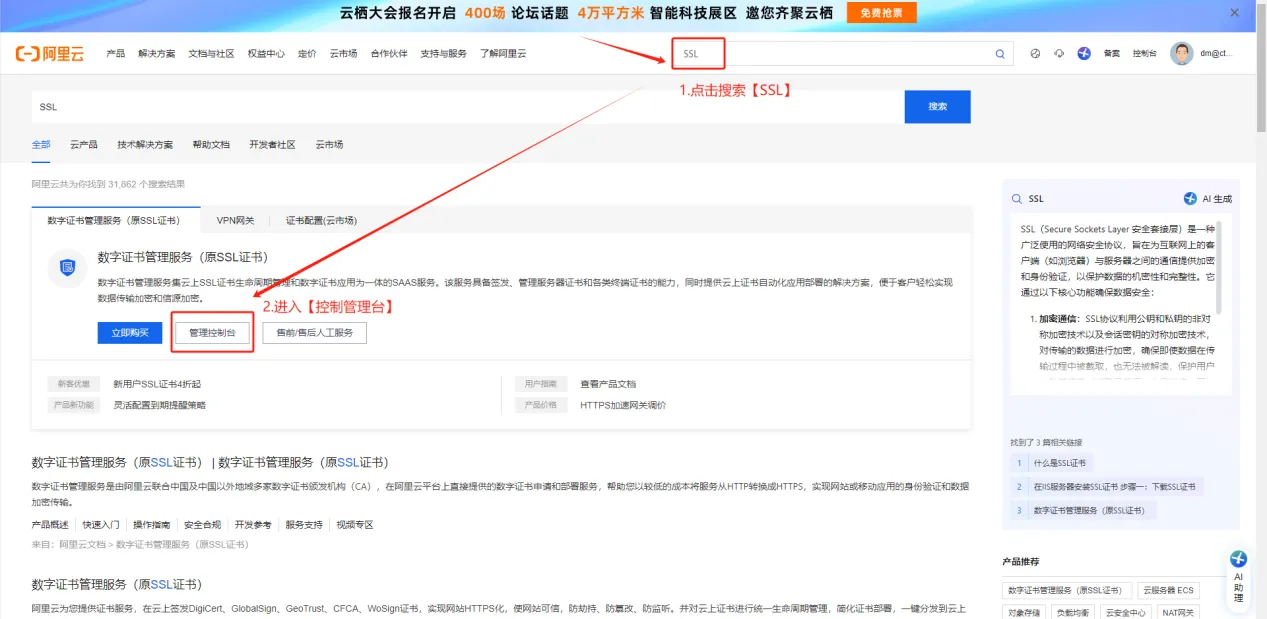
1. Log in to your account and search for "SSL" on the homepage, then click to enter the "Control Panel".
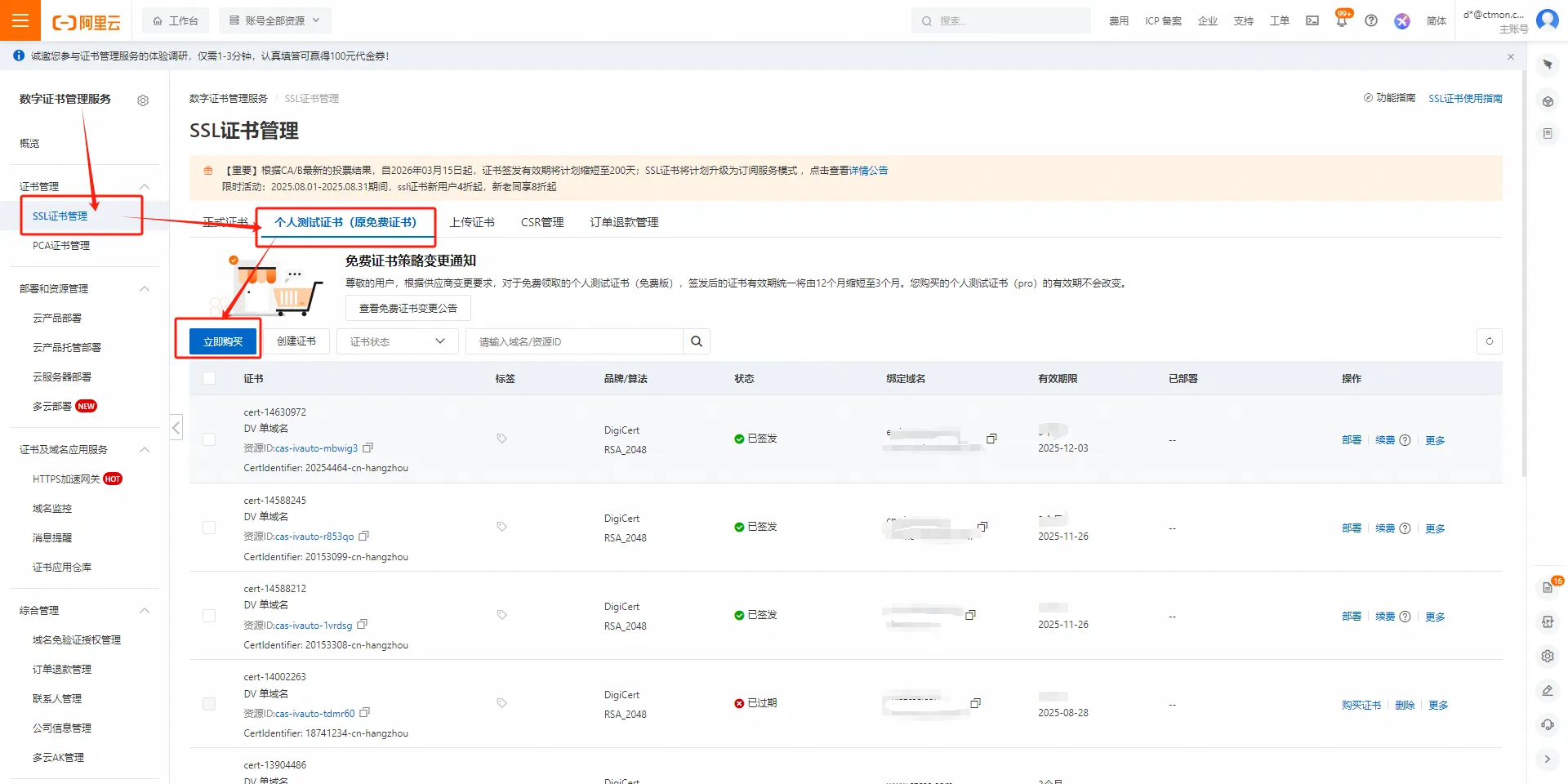
2. Select 【SSL Certificate Management】—【Personal Test Certificate】—【Buy Now】
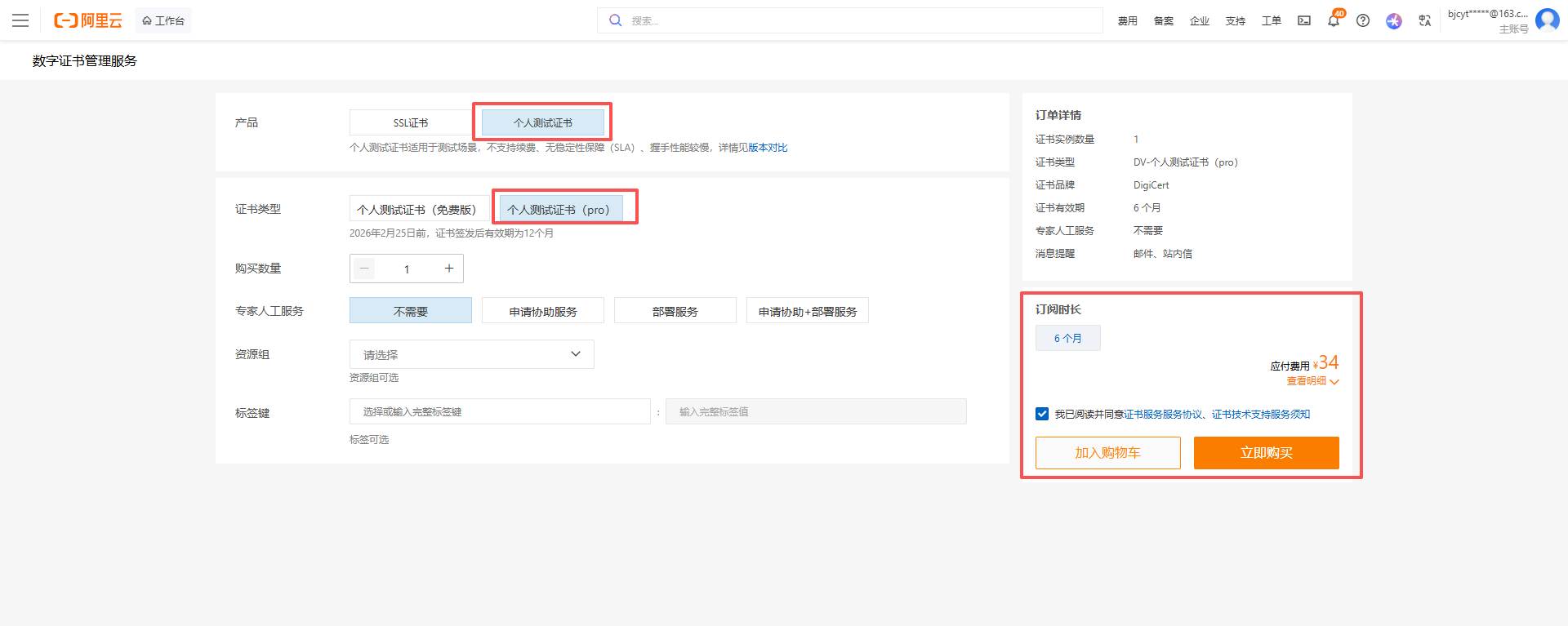
3. On the certificate purchase page, select 【Personal Test Certificate】—【Buy Now】
Certificate purchase link: https://yundun.console.aliyun.com/?spm=5176.2020520163.0.0.6014We2JWe2JAs&p=cas_buyµFrontVersionName=newInstance#/testSSL/cn-hangzhou
4. After successful payment, return to the 【SSL Certificate Management】 page, click Create Certificate, and fill in the corresponding information in the pop-up window.
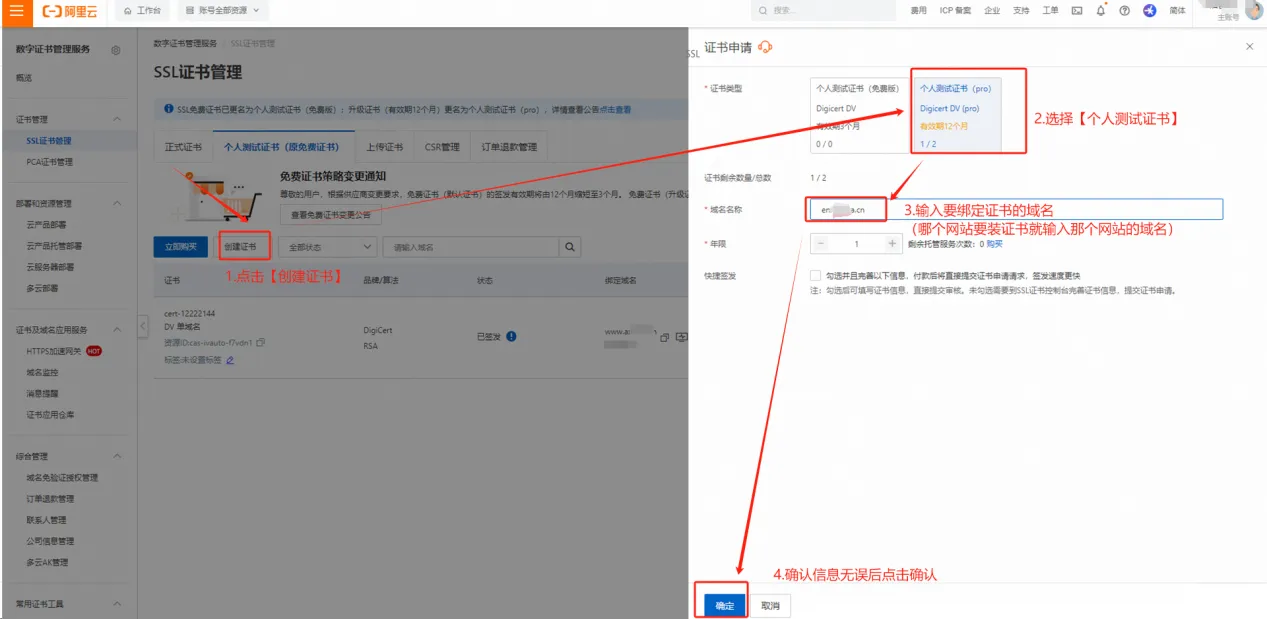
5. In the SSL certificate list, locate the created certificate – [Certificate Request], and click [Submit for Review] in the pop-up window.
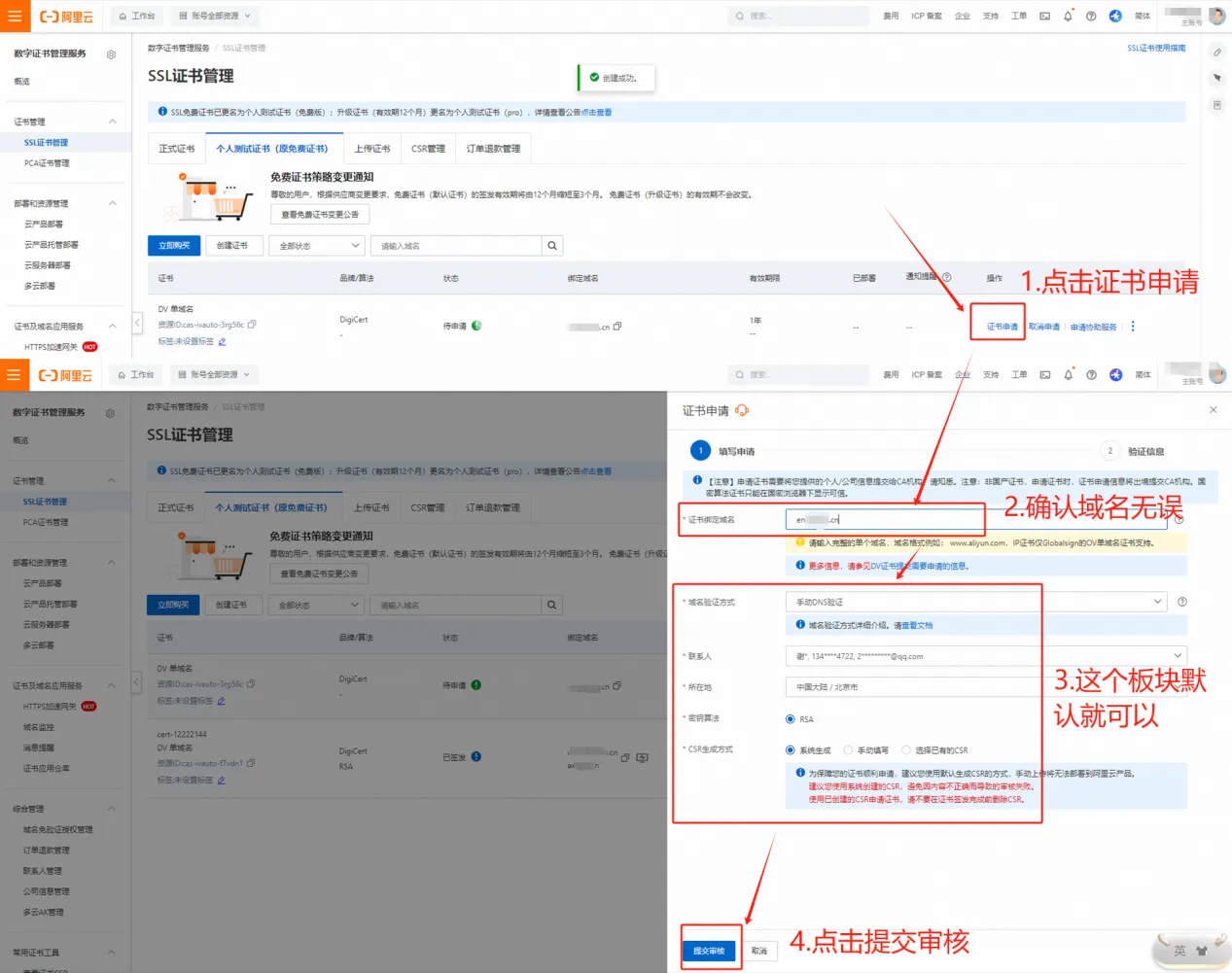
6. After submitting for review, the certificate resolution value will pop up. Log in to the account that purchased the domain and add the corresponding record value to the domain.
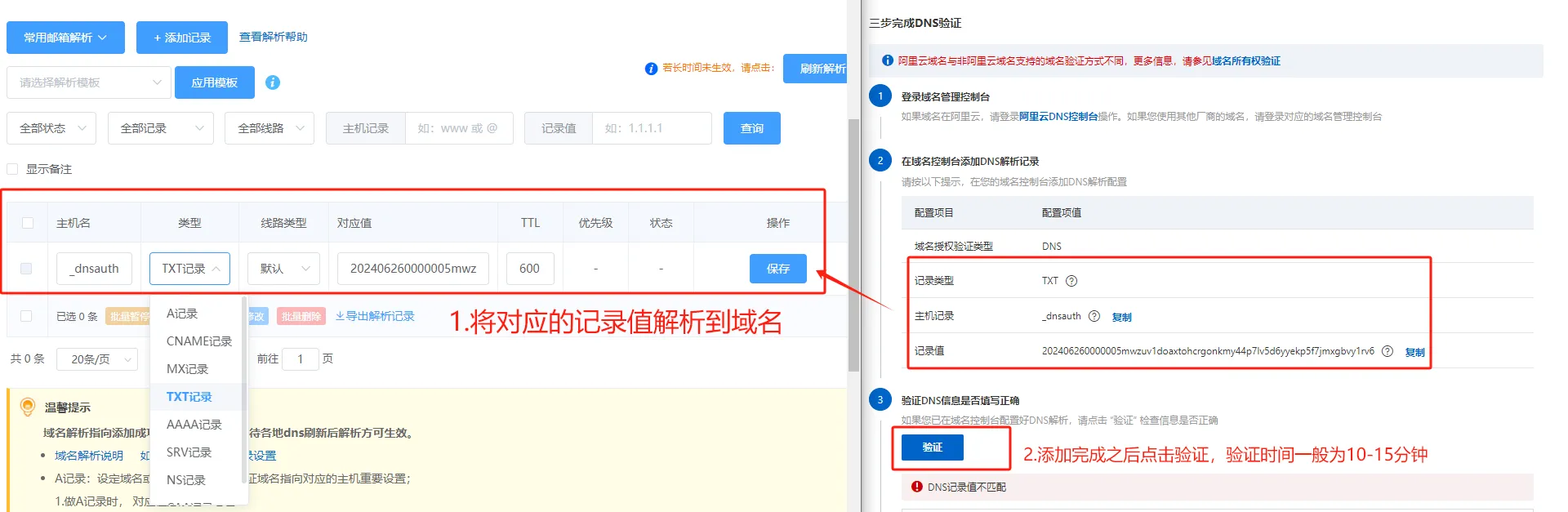
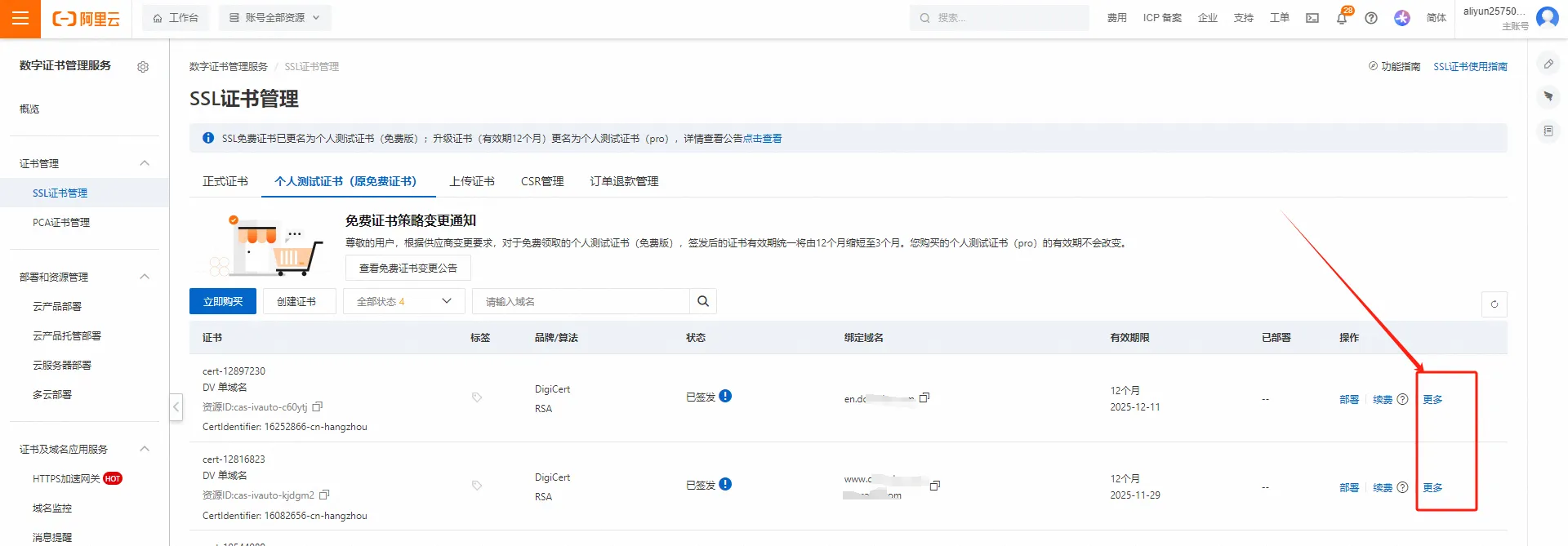
7. After parsing and verification, wait 10-15 minutes. Once verification is successful, the certificate will be issued. Click "More".
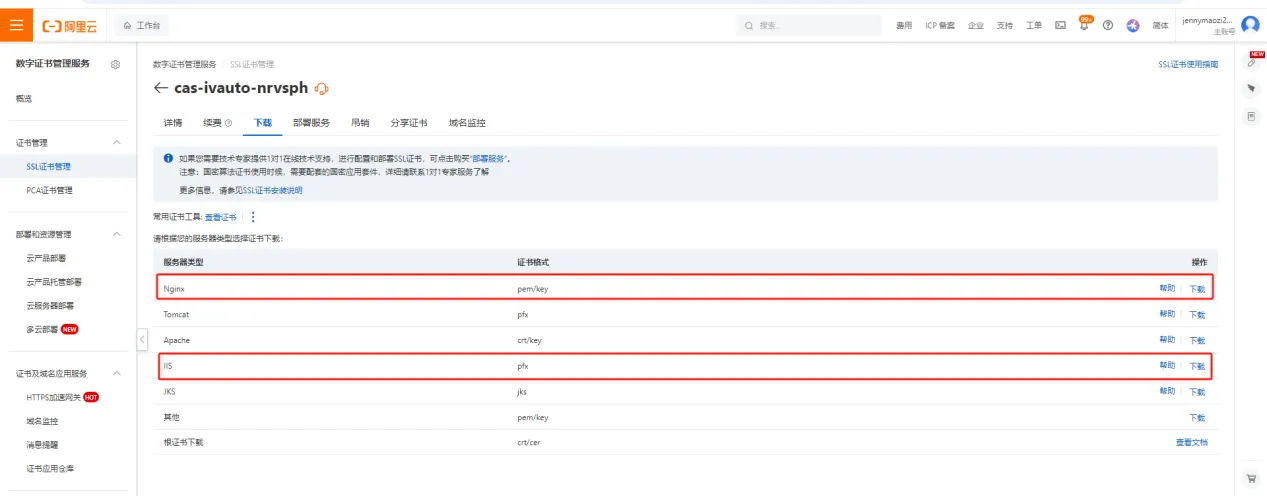
8. Select "Download" to download the certificates in both "Nginx" and "IIS" formats and send them to your website service provider or IT deployment team.
9. Verify successful installation: If the website displays as secure in Google Chrome and can be accessed via HTTPS, and a small padlock icon appears before the domain name, the certificate has been successfully installed. You can also see the certificate's expiration date. https://www.ctmon.com/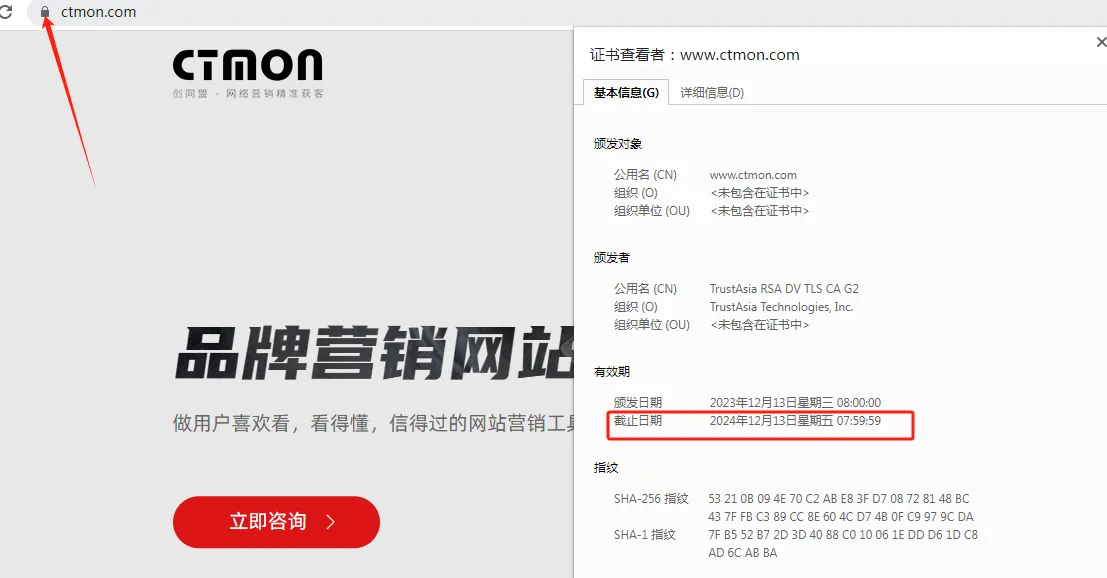

What does international social media management service include? 2026 Guide to Social Media Management for Export Businesses
2026-10-28

How to write a WordPress product page that will make overseas buyers want to send inquiries?
2026-10-28

How to fix WordPress form emails not sending: Practical WP Mail SMTP configuration
2026-10-27

Are foreign trade promotion companies reliable? Six key criteria for businesses to judge promotion service providers in 2026.
2026-10-26

How do I set up an email account for export businesses? How can I configure it to avoid it ending up in the spam/junk mail folder?
2026-10-26