Contents +
Baidu Statistics Application Tutorial
Source: 创同盟
Date: 2025-12-26
Views: 2762
Installing Baidu Analytics' core code is to provide our website with a 'data dashboard'. This allows us to accurately track daily website traffic, their origins, interests, and departures. This means our promotional efforts, website improvements, and content creation will no longer be based on intuition, but on data, enabling us to focus our resources effectively and significantly improve efficiency.
1. Open the Baidu Analytics website: https://tongji.baidu.com/ , and register an account using your mobile phone number.
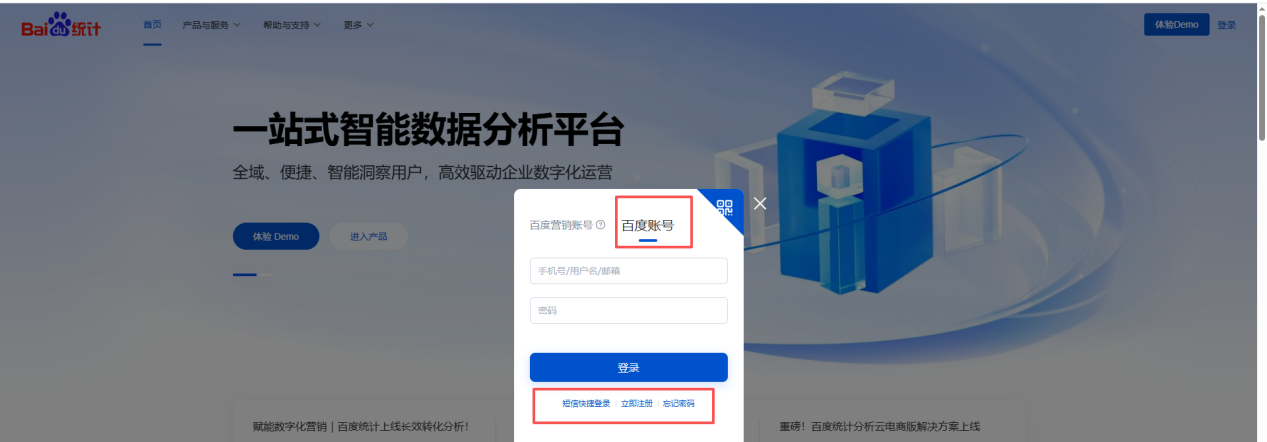
2. After logging in, click on [Settings], then [Add Website]
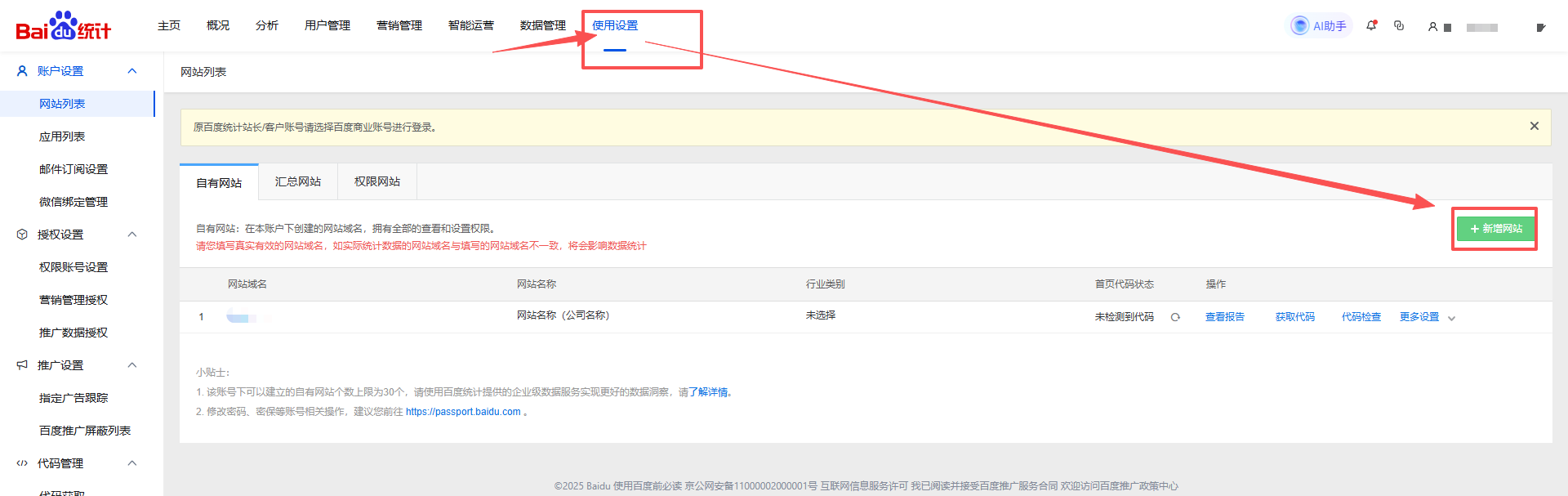
3. Refer to the screenshot and fill in the corresponding information.
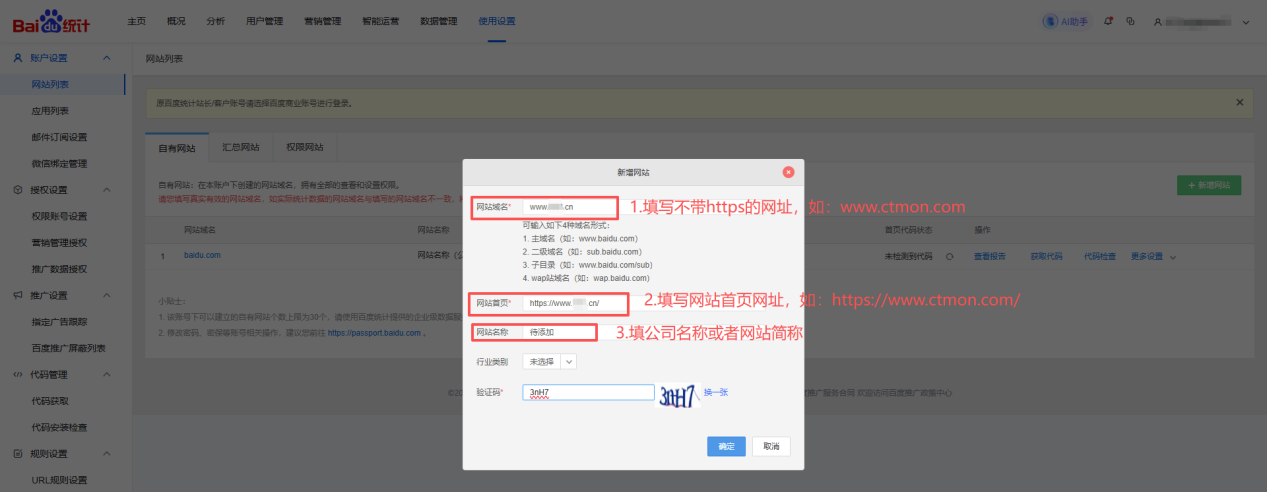
4. After clicking "Confirm," click "Copy Code."
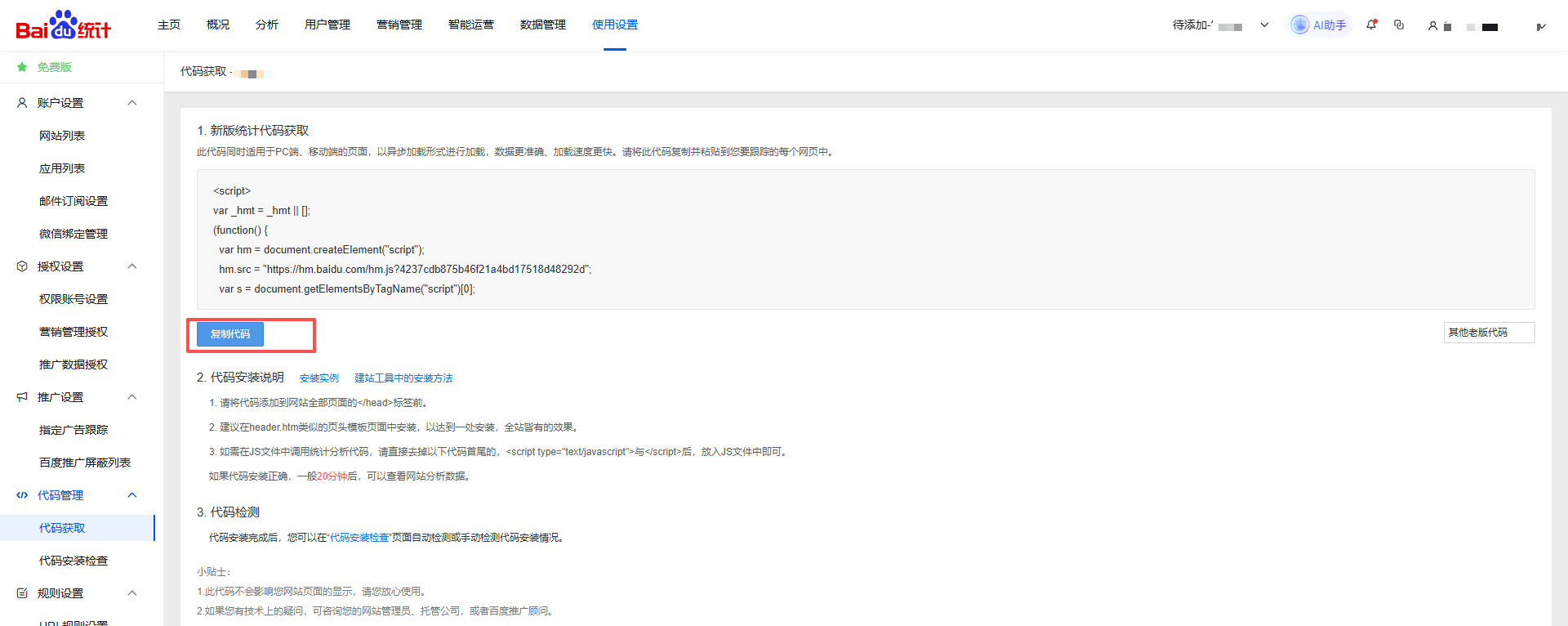
5. Deploy the copied code to the corresponding location in the website backend and save it.
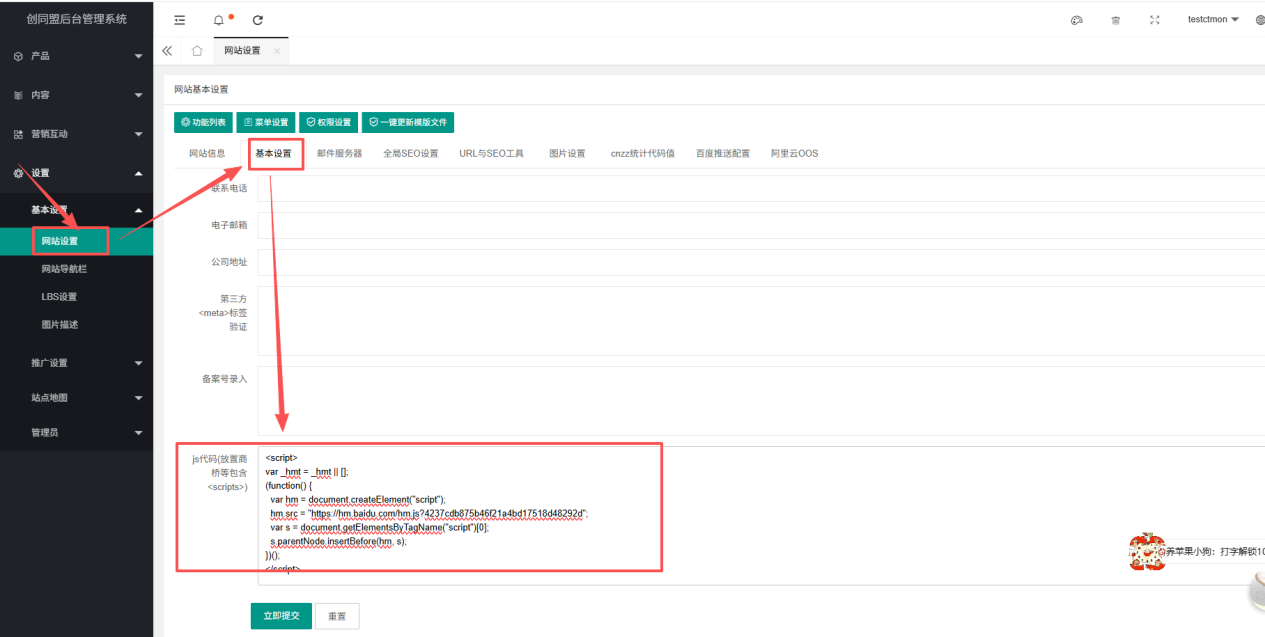
6. After a few minutes, click on " Code Installation Check ".
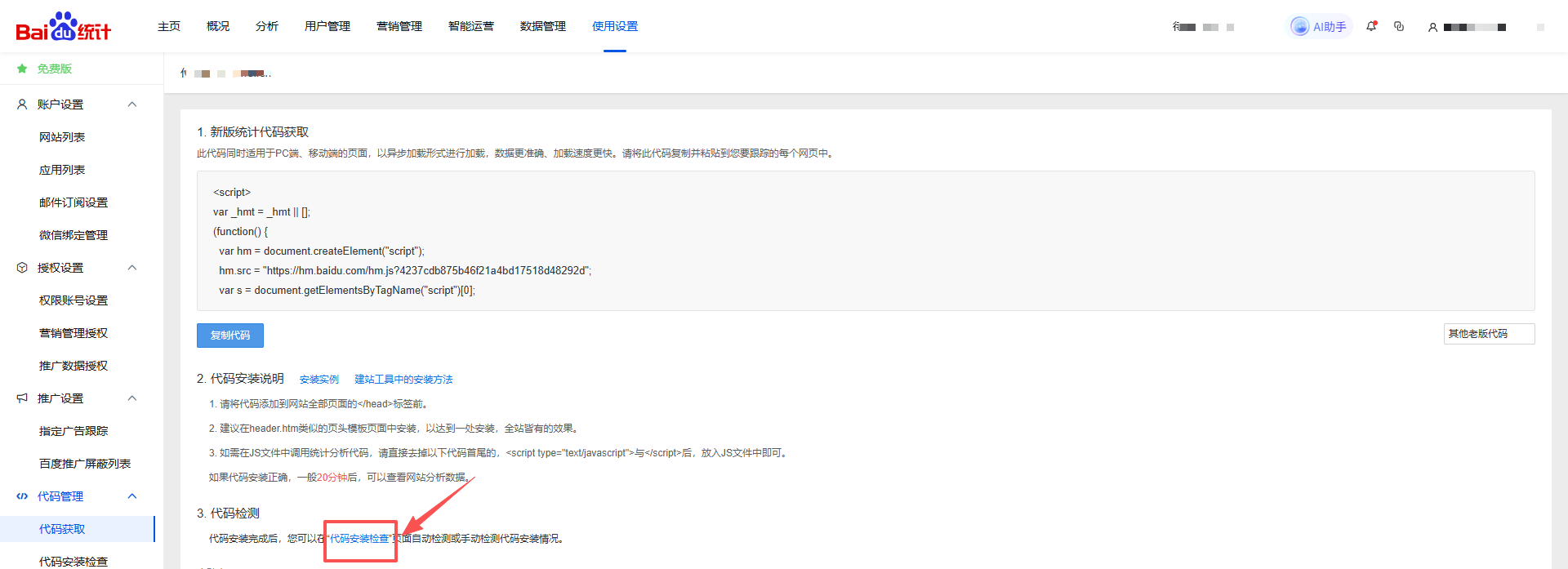
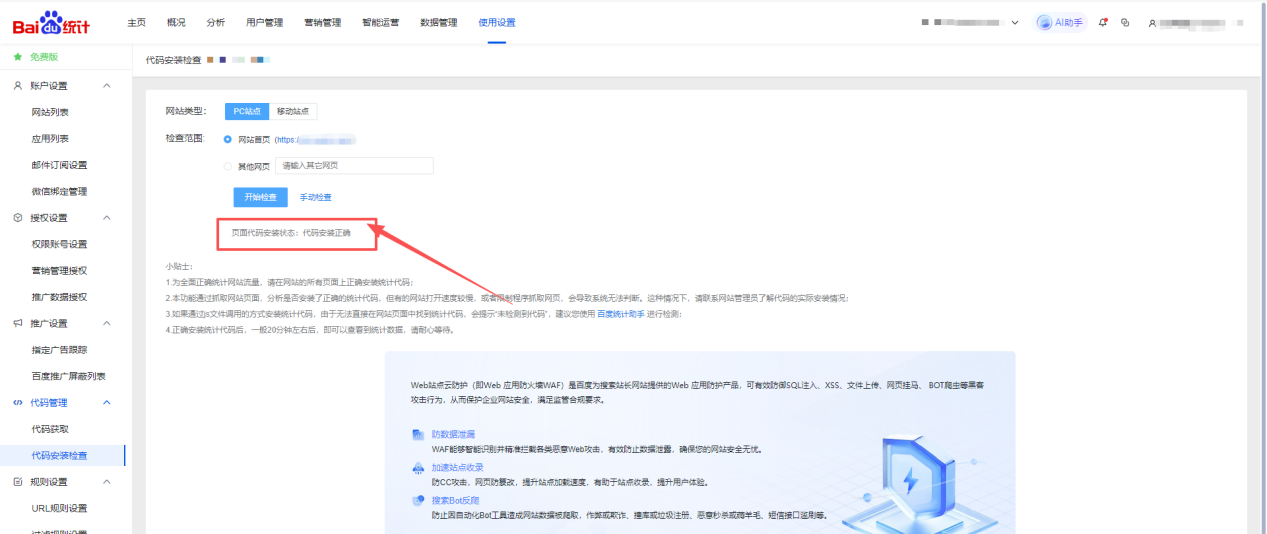
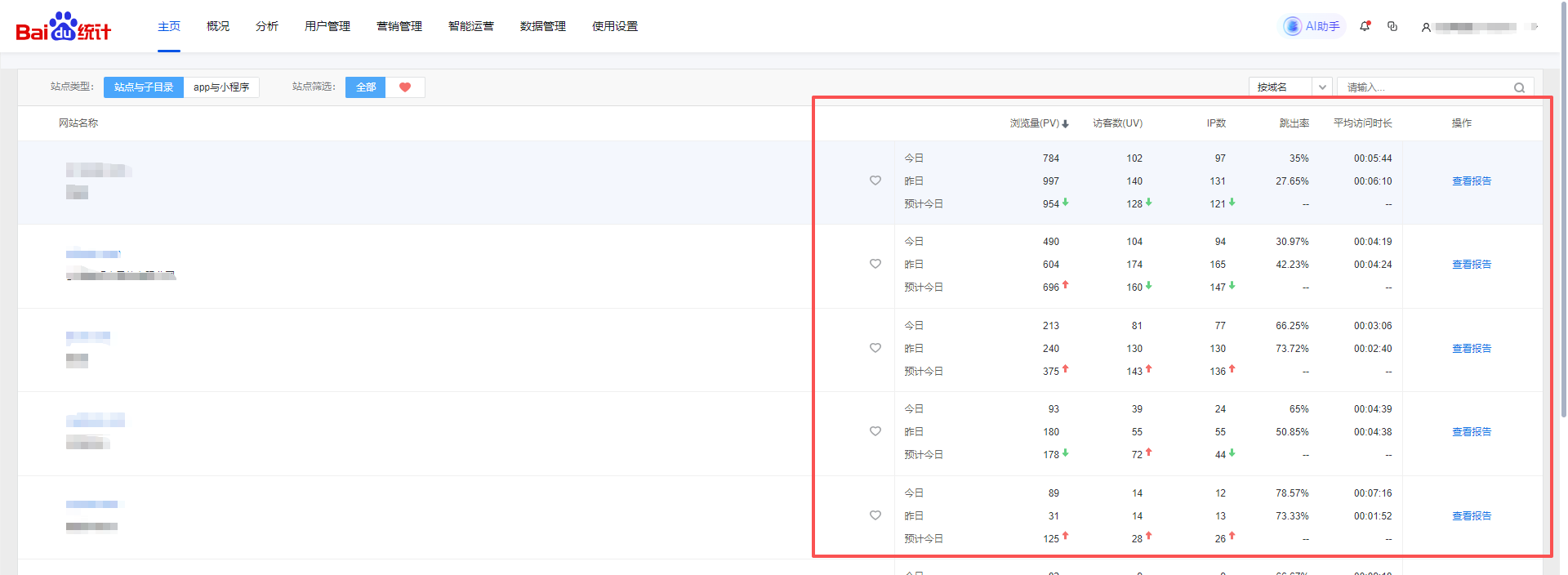
7. Once the "Code installed correctly" message appears and the code installation is effective, you can view the website's access data in your account.

What does international social media management service include? 2026 Guide to Social Media Management for Export Businesses
2026-10-28

How to write a WordPress product page that will make overseas buyers want to send inquiries?
2026-10-28

How to fix WordPress form emails not sending: Practical WP Mail SMTP configuration
2026-10-27

Are foreign trade promotion companies reliable? Six key criteria for businesses to judge promotion service providers in 2026.
2026-10-26

How do I set up an email account for export businesses? How can I configure it to avoid it ending up in the spam/junk mail folder?
2026-10-26