Contents +
Alibaba Cloud ICP Filing Tutorial
Source: 创同盟
Date: 2025-11-20
Views: 2353
Important Notes and Review Process:
① Registering an Alibaba Cloud account can be done by an enterprise or an individual (verification is required; individual verification is faster, while enterprise verification is expected to take 1-3 business days).
② Click the link to view the list of filing documents: https://www.ctmon.com/newsdetail/jgjnkbznw2i3geua.html
③ During the initial review, the system may call the mobile phone number of the legal representative or website manager. If no one answers after more than 3 calls, the application will be rejected (landline number 028).
④ You need to complete the public security filing within one month of successfully filing with Alibaba Cloud.
⑤ There are random checks on the registration every year, so please make sure the mobile phone number you fill in is reachable. If there are any changes, please update the registration information in a timely manner.
⑥ Scope of random checks on filing: such as whether the company information is up-to-date, whether the information of the person in charge of filing is being used normally, whether the person in charge is currently employed, whether the website content is accessible normally, whether the content is consistent with the filing, whether the domain name resolution is normal, etc.
Filing process
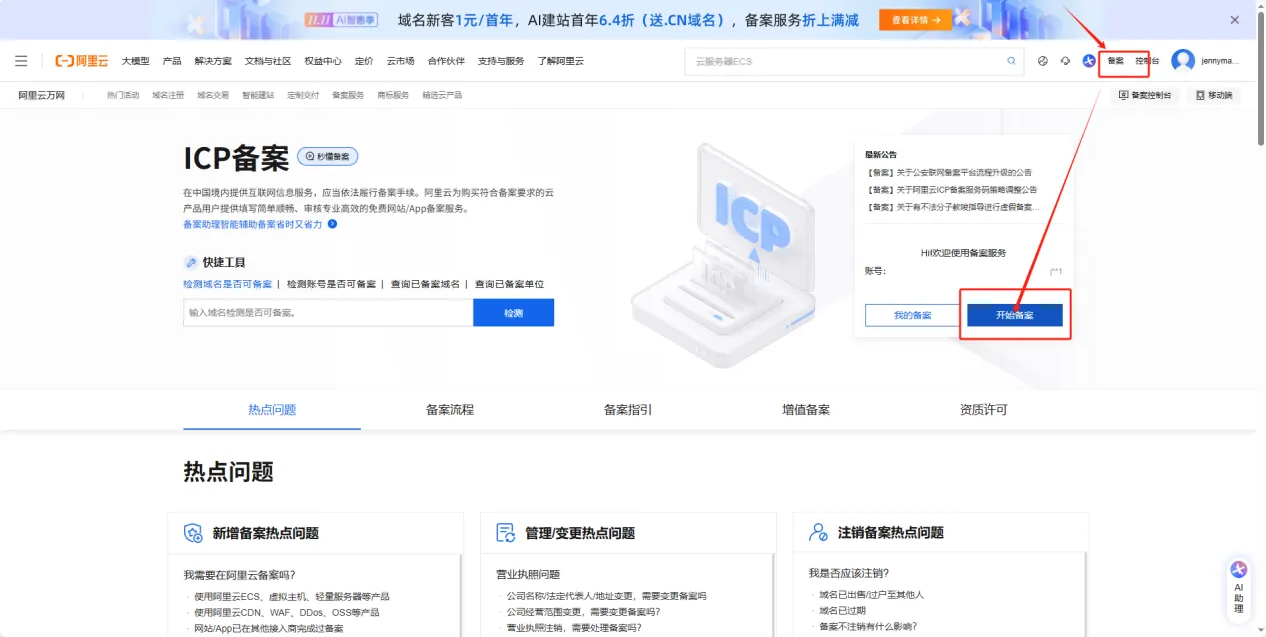
1. Register an Alibaba Cloud account, log in, and click on 【ICP Filing】—【Start ICP Filing】 in the upper right corner.
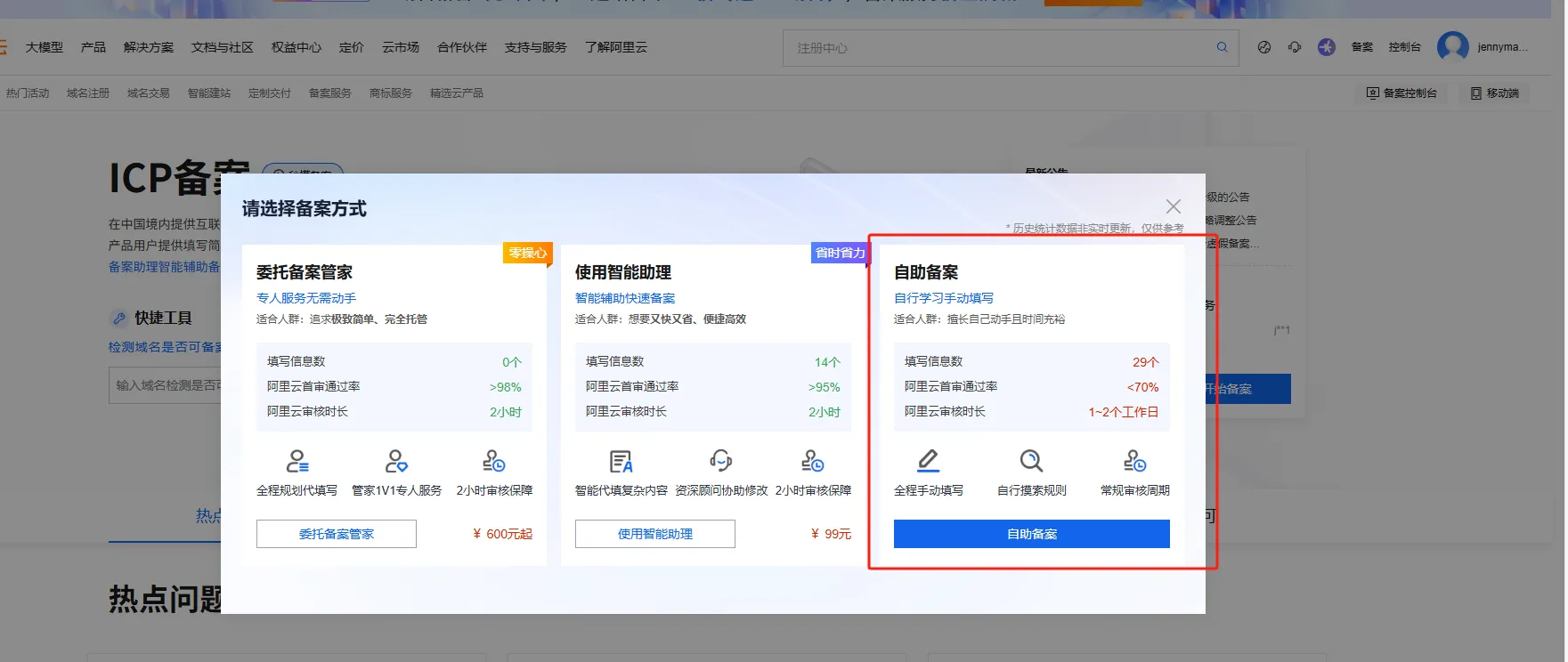
2. Select "Self-service Filing" in the pop-up window.
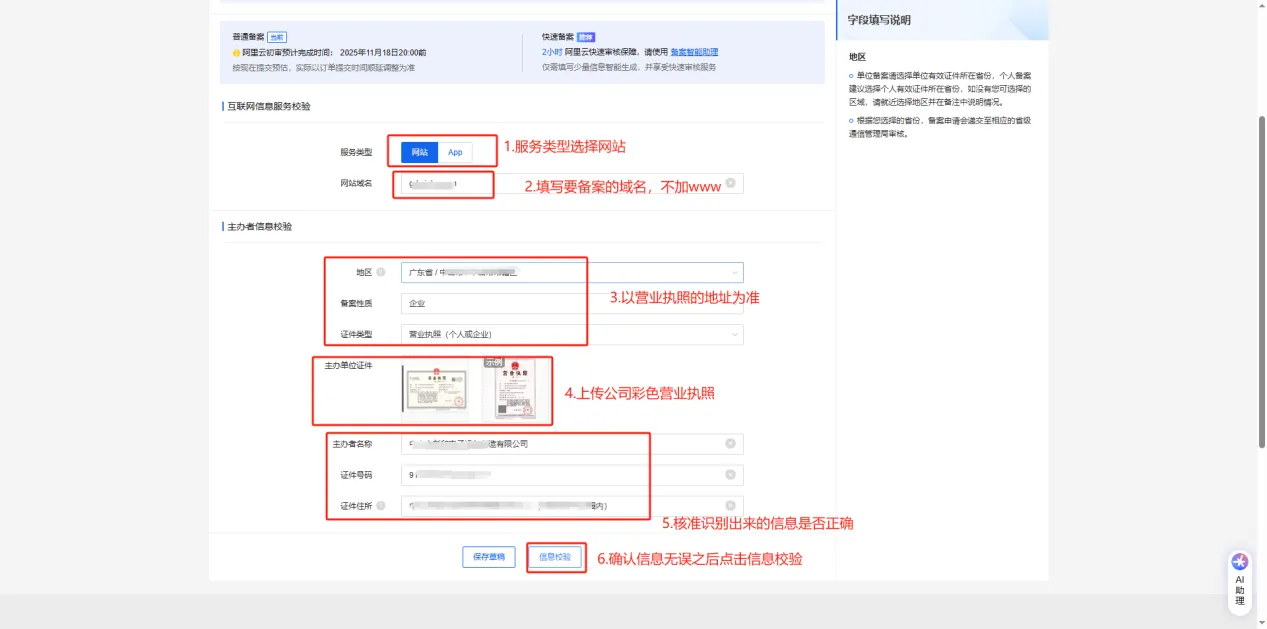
3. Fill in the basic information for filing.
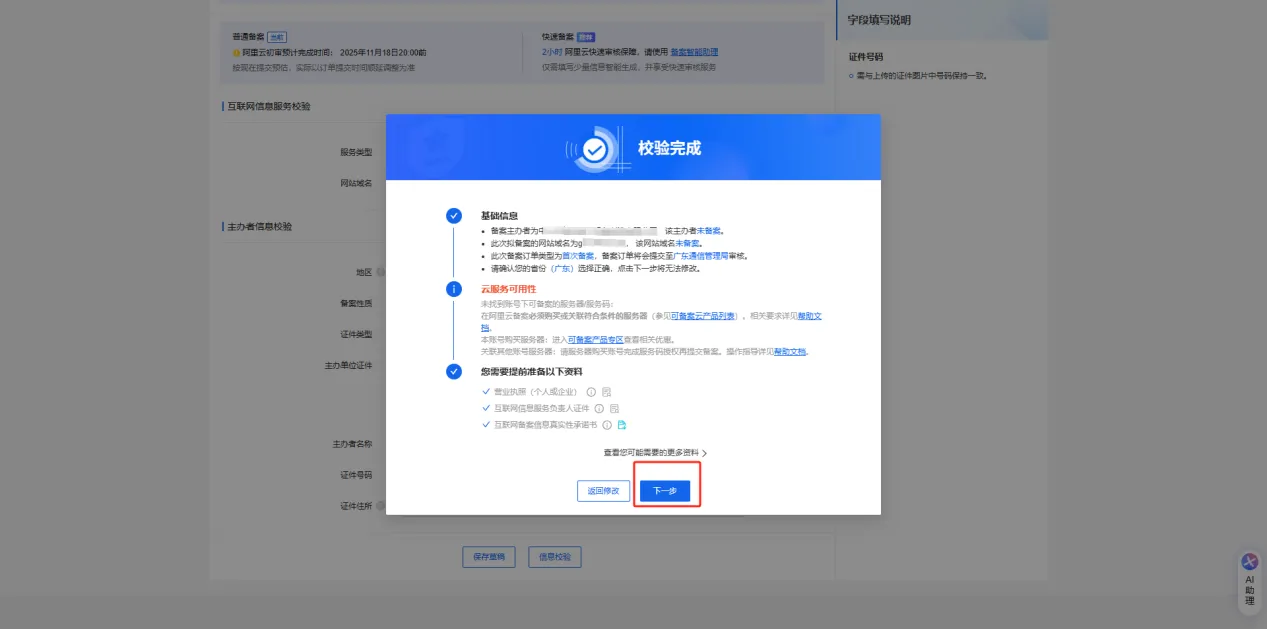
4. Click Next after verification.
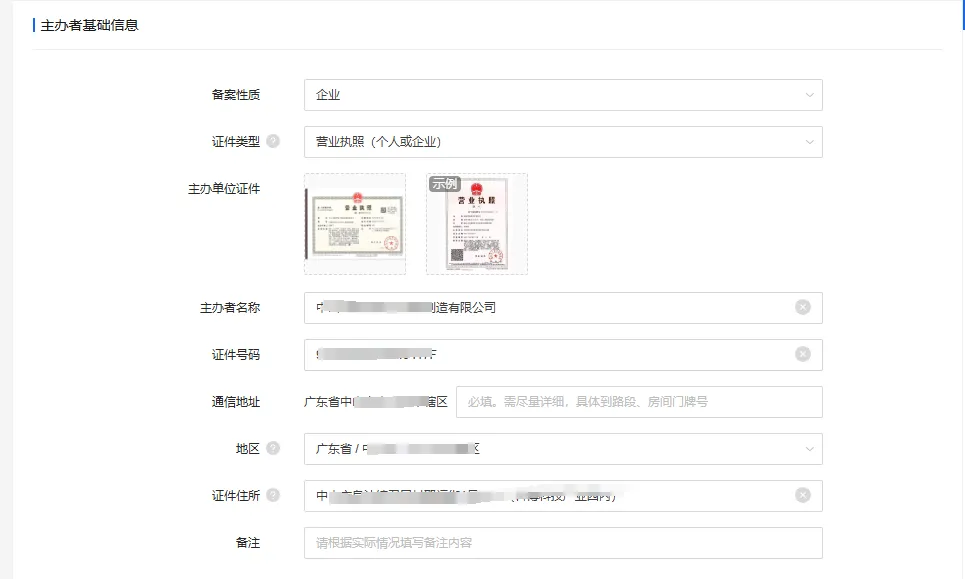
5. Complete the organizer's basic information, based on the information on the business license.
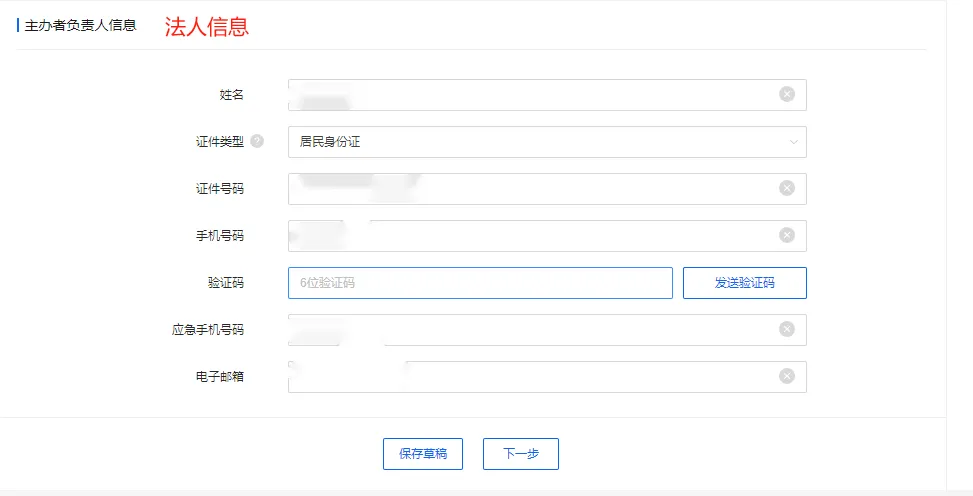
6. Complete the organizer's information, including the legal representative's information. A verification code is required.
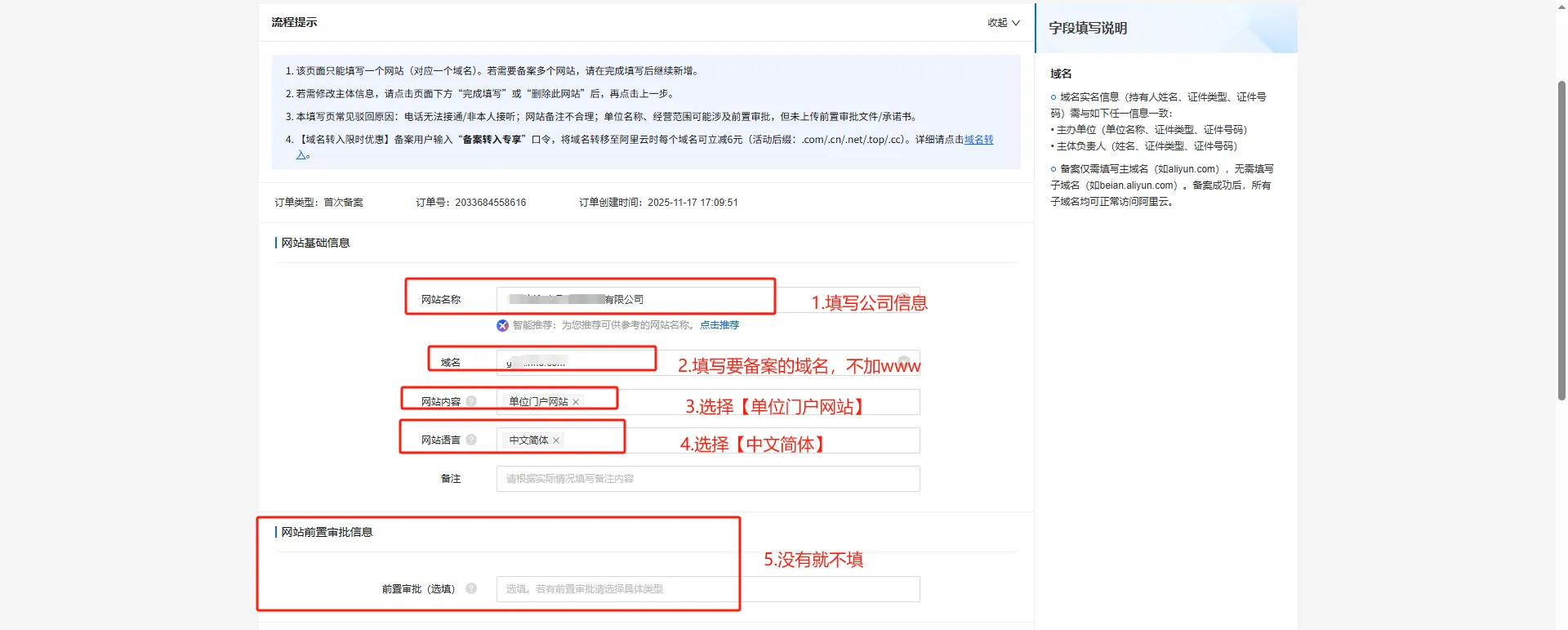
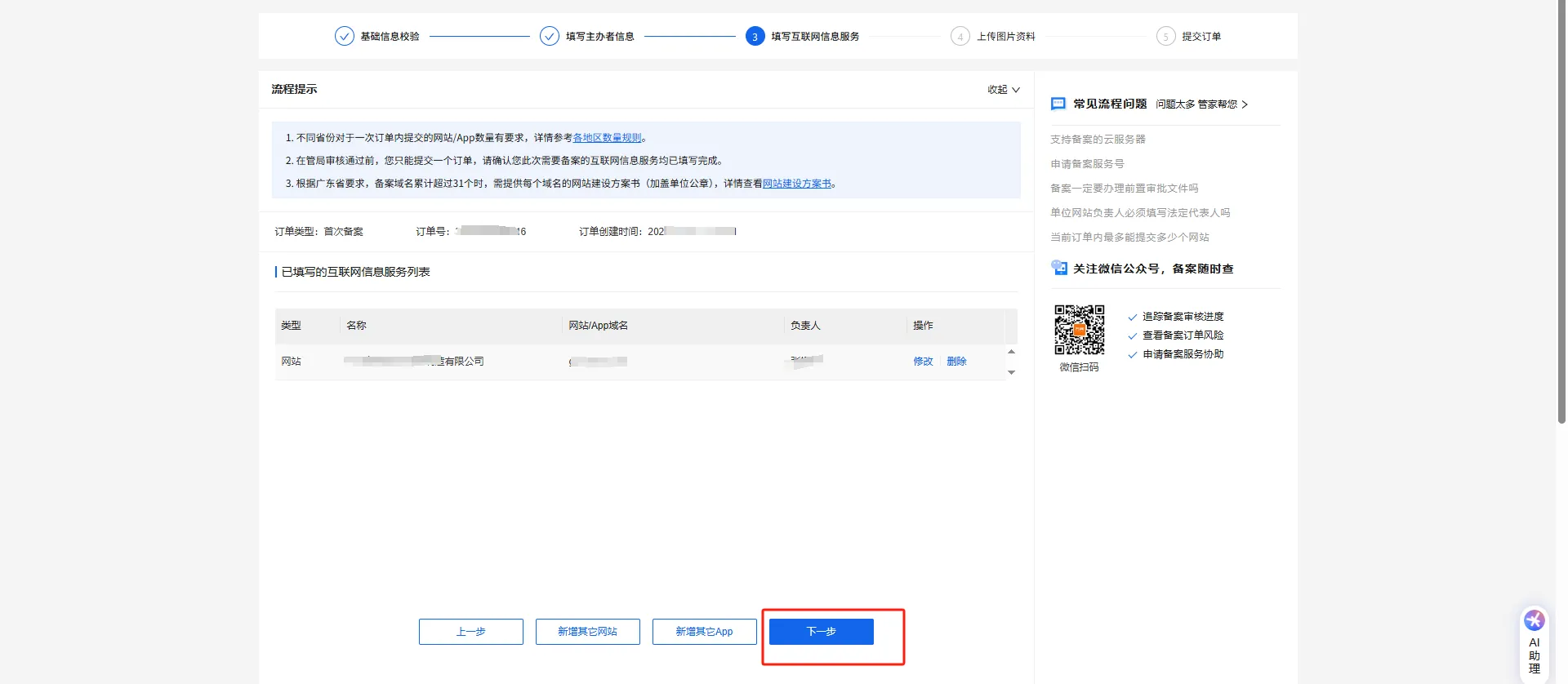
7. Fill in the basic website information
8. Fill in the website access information and website administrator information.
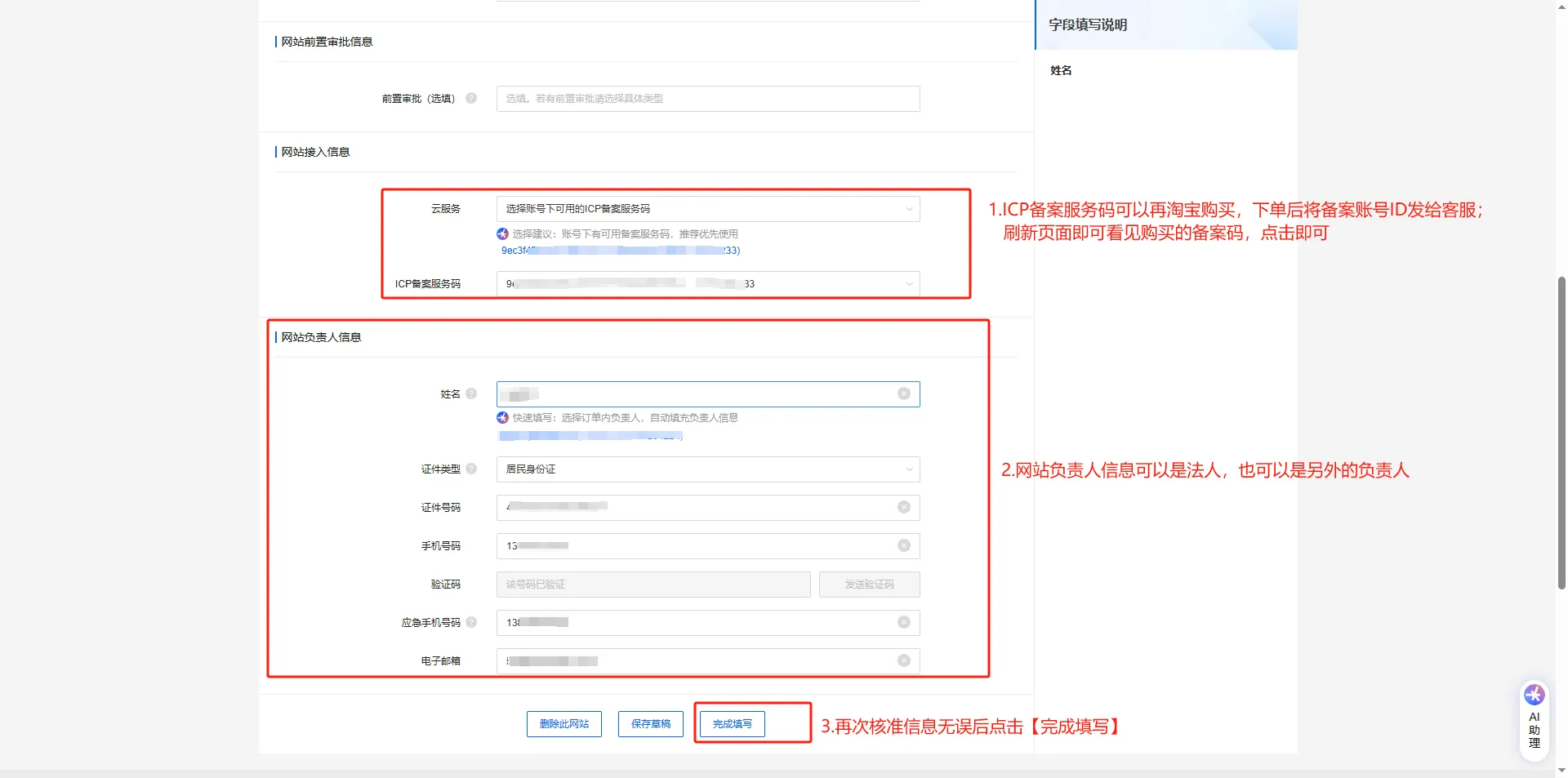
9. Select Next
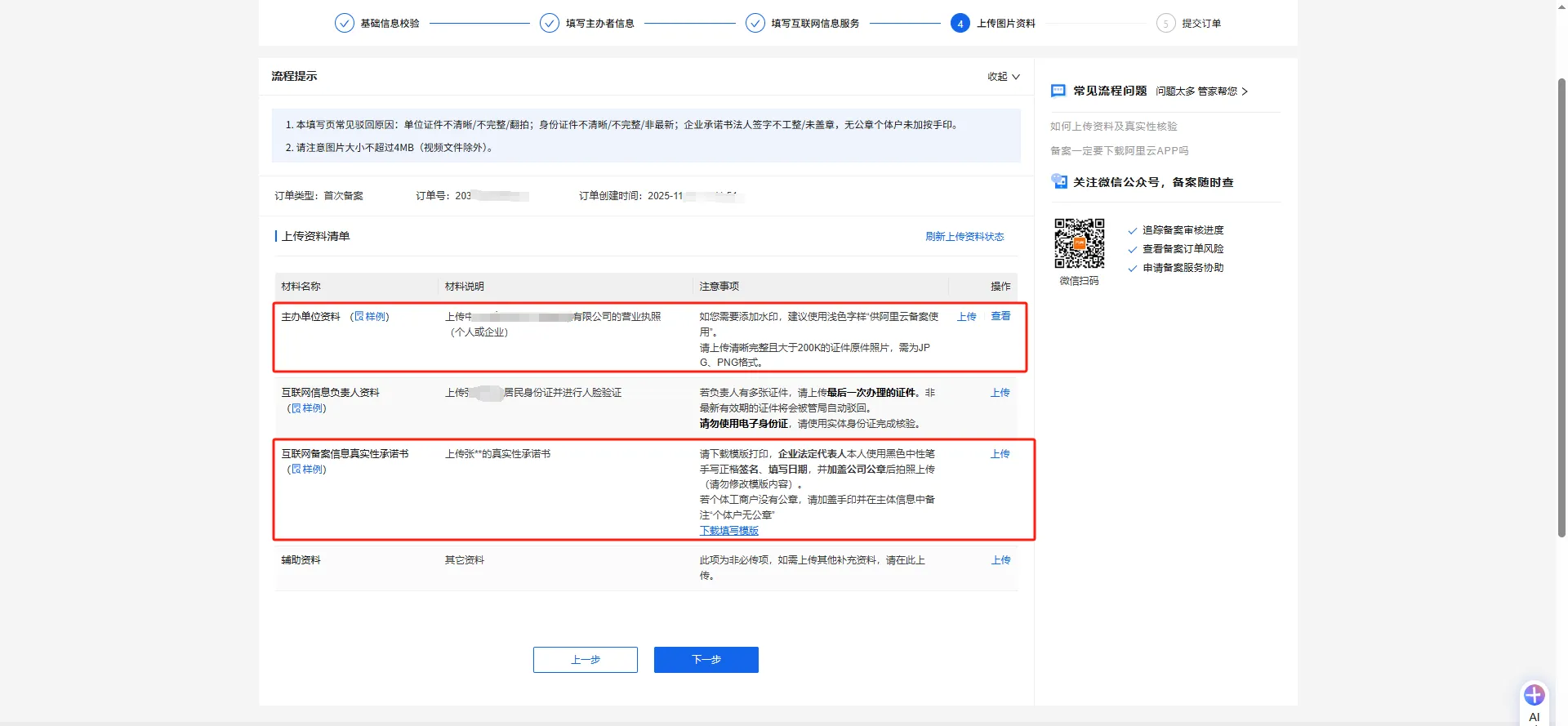
10. Upload Documents
(1) The organizer's materials and Internet filing information authenticity commitment letter can be uploaded by clicking.
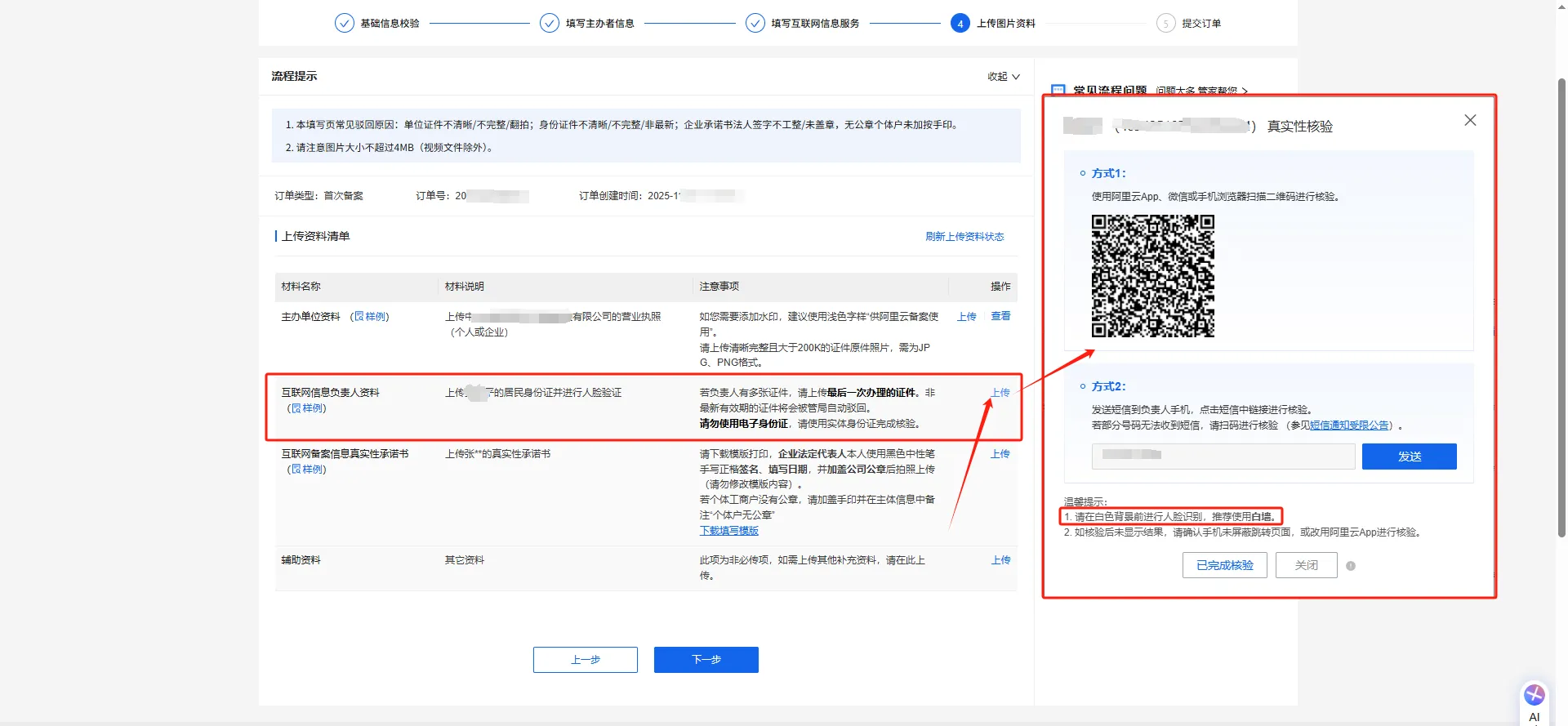
(2) Internet Information Manager Information: Click Upload, scan the QR code in the pop-up window with WeChat, upload the information according to the prompts, and complete the verification.
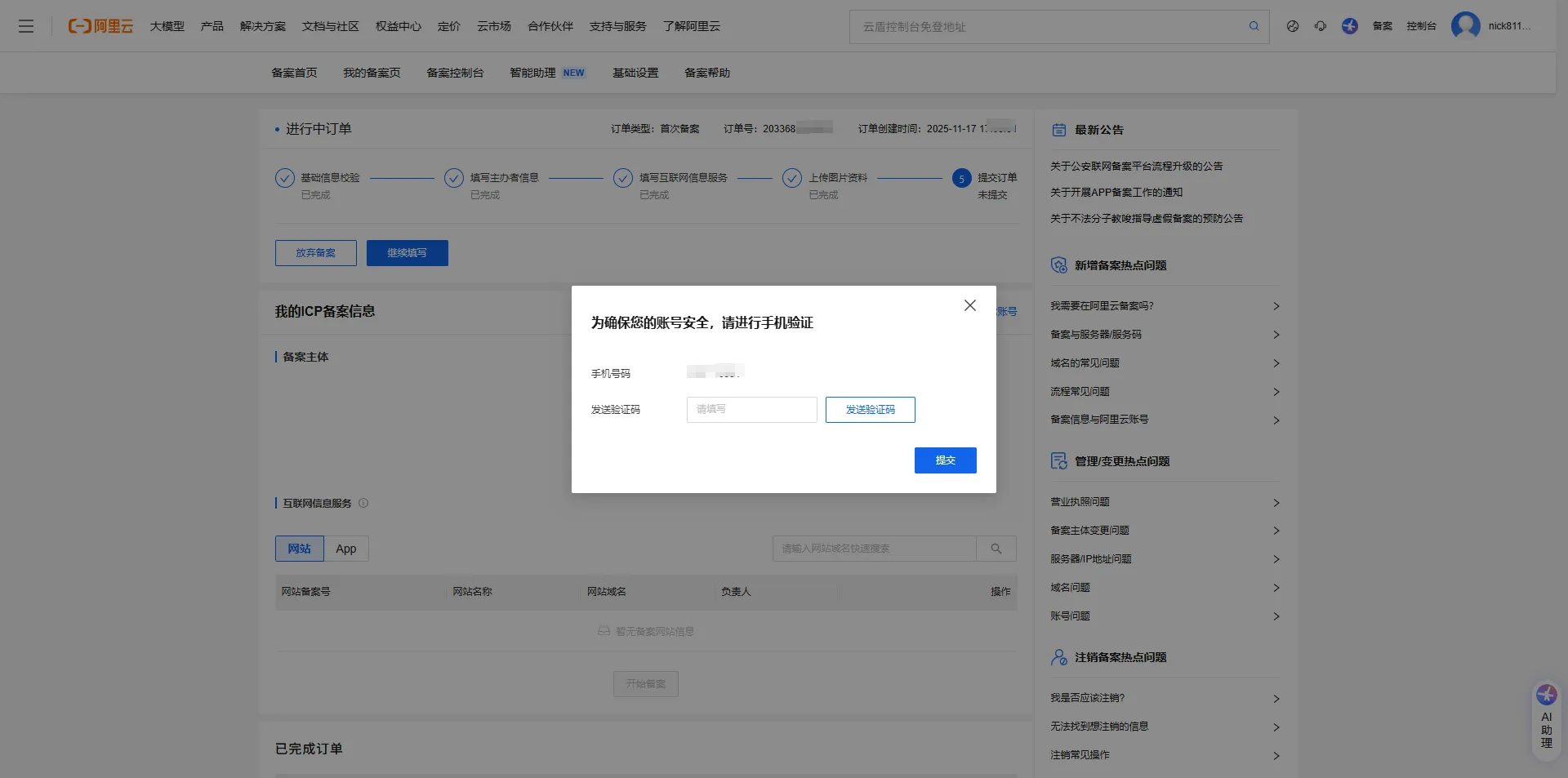
11. After uploading all the data, click "Next". In the pop-up window, complete the SMS security verification (using the mobile phone number linked to your Alibaba Cloud account).
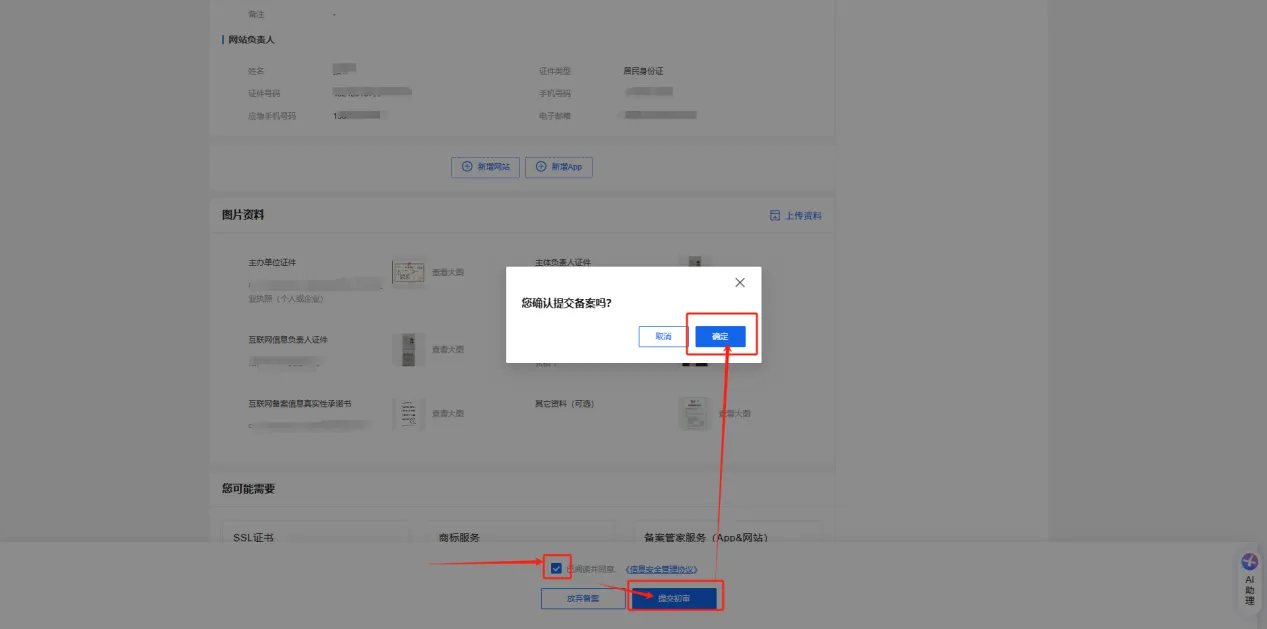
12. After verification, you will be redirected to the preview page. Double-check the accuracy of the information you entered. You can modify any incorrect information. If the information is accurate, scroll to the bottom of the page, check the "Information Security Management Agreement," submit for preliminary review, and click "OK" in the pop-up window.
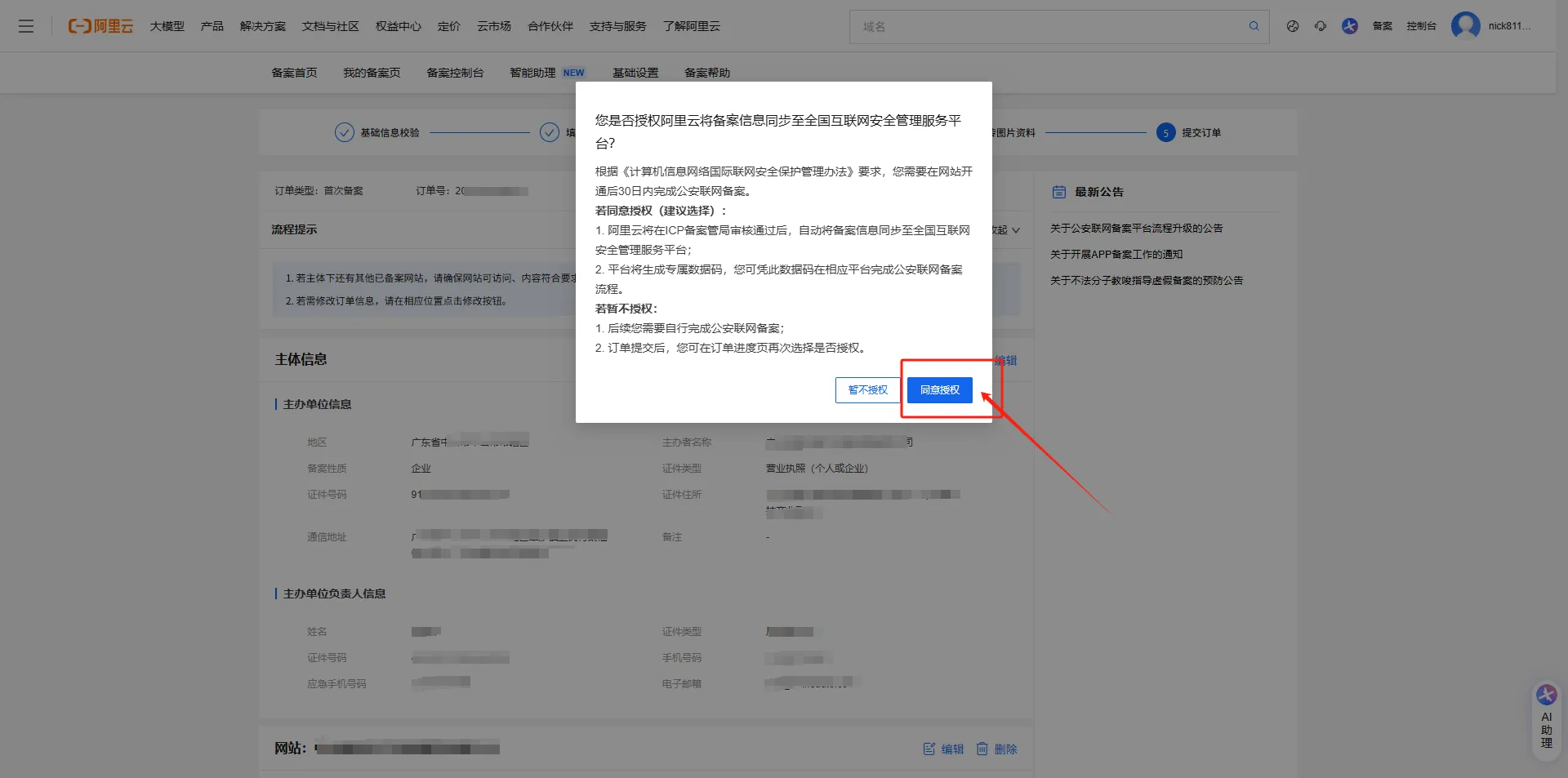
13. Agree to authorize Alibaba Cloud to synchronize the filing information to the National Internet Security Management Service Platform.
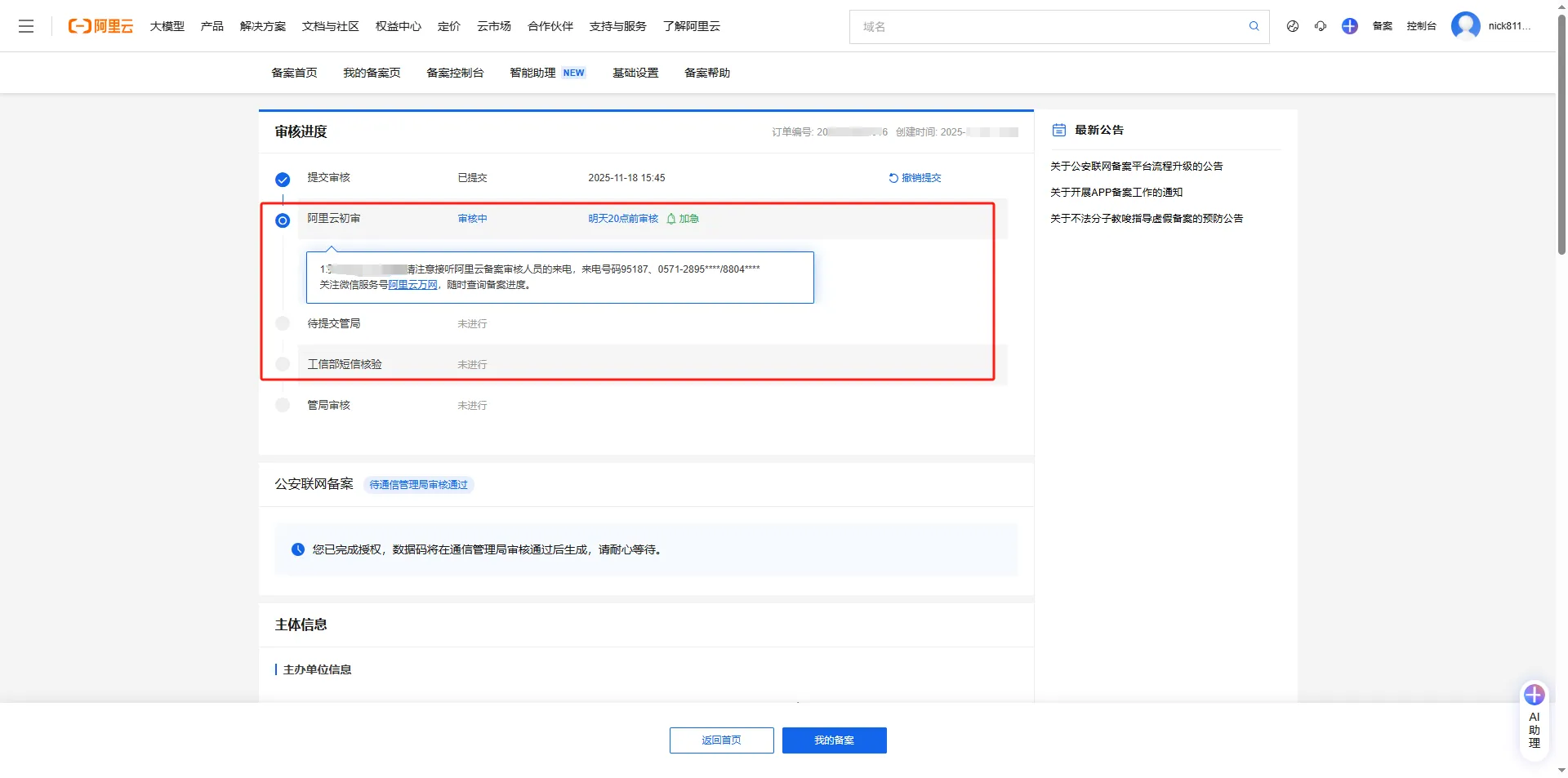
14. Alibaba Cloud Initial Review
15. After the initial review is passed, the application will be submitted to the regulatory authority for review. Assistance with the Ministry of Industry and Information Technology's SMS verification will be required.
Complete the verification within 24 hours of receiving the text message; otherwise, the registration will be rejected and you will need to resubmit.
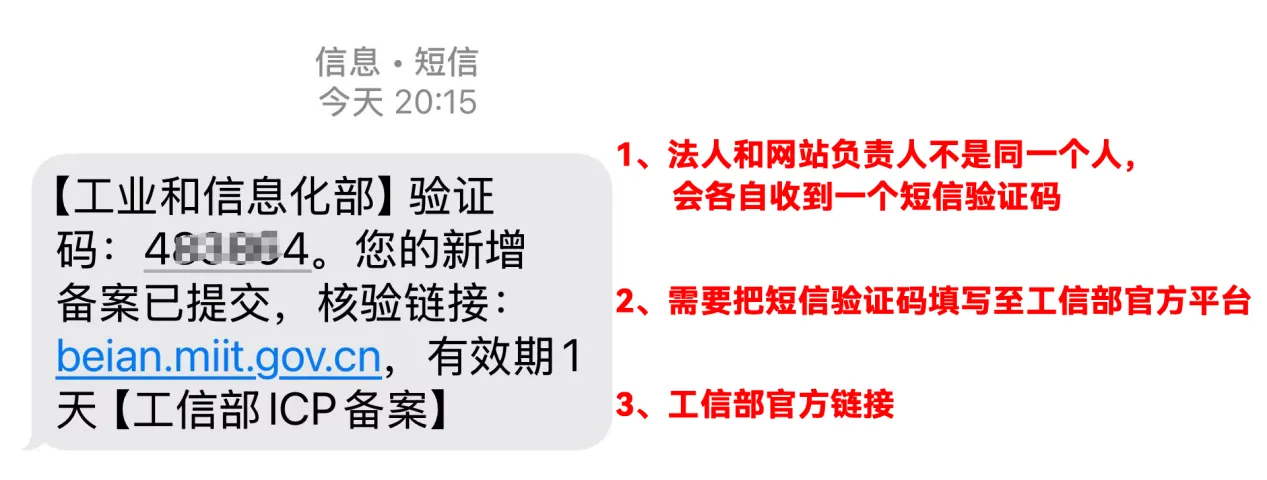
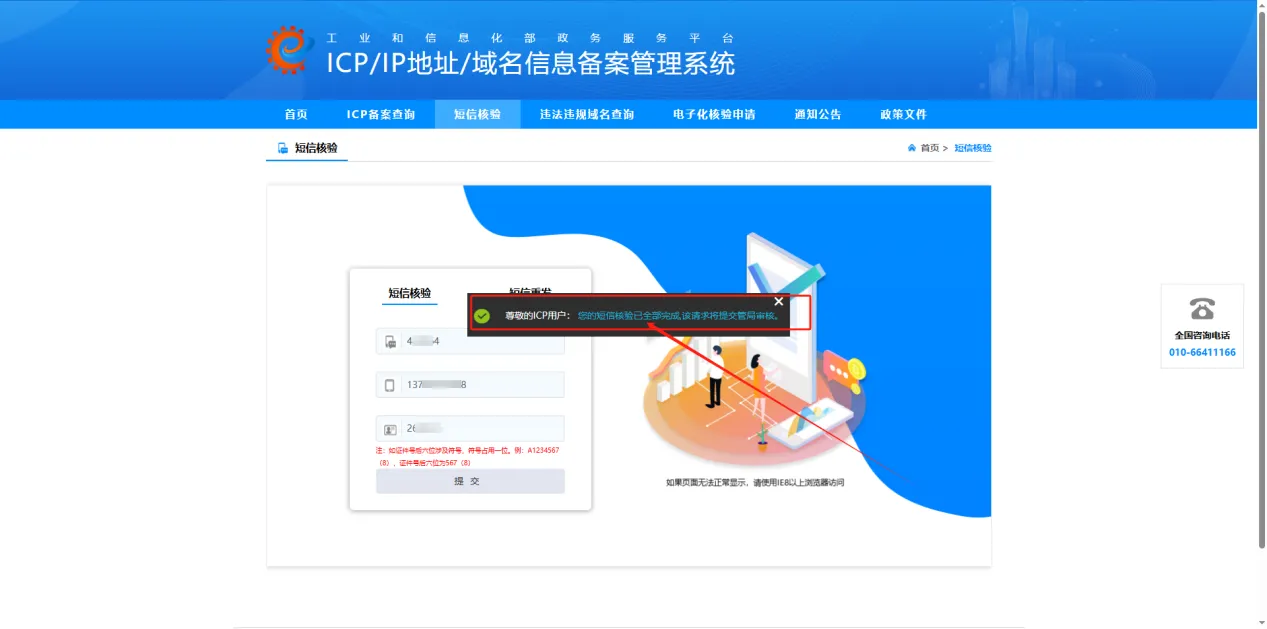
16. Submit the completed verification via SMS from the Ministry of Industry and Information Technology. Note the two different prompt messages [Important], as shown in the image below.
17. The Authority will also send you a text message with the review results, so please pay attention to your messages!
18. ICP Filing Management Inquiry System: https://beian.miit.gov.cn/

What does international social media management service include? 2026 Guide to Social Media Management for Export Businesses
2026-10-28

How to write a WordPress product page that will make overseas buyers want to send inquiries?
2026-10-28

How to fix WordPress form emails not sending: Practical WP Mail SMTP configuration
2026-10-27

Are foreign trade promotion companies reliable? Six key criteria for businesses to judge promotion service providers in 2026.
2026-10-26

How do I set up an email account for export businesses? How can I configure it to avoid it ending up in the spam/junk mail folder?
2026-10-26
Related Articles