Contents +
Creating a Facebook Page for Foreign Trade in 2026: The Complete Process of Building an Official Corporate Page from Scratch
Source: 创同盟
Date: 2026-07-18
Views: 316
For export businesses starting to use Facebook, creating a company Facebook Page is often the first step in international marketing.
However, in practice, many companies encounter similar problems: They've already registered their personal homepages, so how do they create public pages? What's the relationship between public pages and personal homepages? Why do some companies create very professional-looking pages, while their own pages get almost no visits?
In fact, creating a Facebook public page isn't difficult; the real key is to build it from the outset with a corporate brand mindset. For overseas clients, a Facebook public page is not only a company's official social media homepage, but also a crucial window for clients to judge a company's professionalism and whether it's worthwhile to collaborate with.
Especially in 2026, more and more external buyers will check a company's Facebook page before contacting them. If the page is cluttered, incomplete, or hasn't been updated in a long time, it can easily negatively impact a customer's first impression of the company.
Therefore, for export businesses, public pages not only need to be created, but also need to be built in a standardized and professional manner.
I. How to create a Facebook public page?
1. Account application and activation
If you have a Facebook account, click https://www.facebook.com/? to log in. If you don't have an account, click the link https://www.facebook.com/r.php? and fill in the information below to register and create a Facebook account. Verification methods include email and phone number (overseas verification channels; for domestic IP environments, configure a VPN with a clean and stable node).
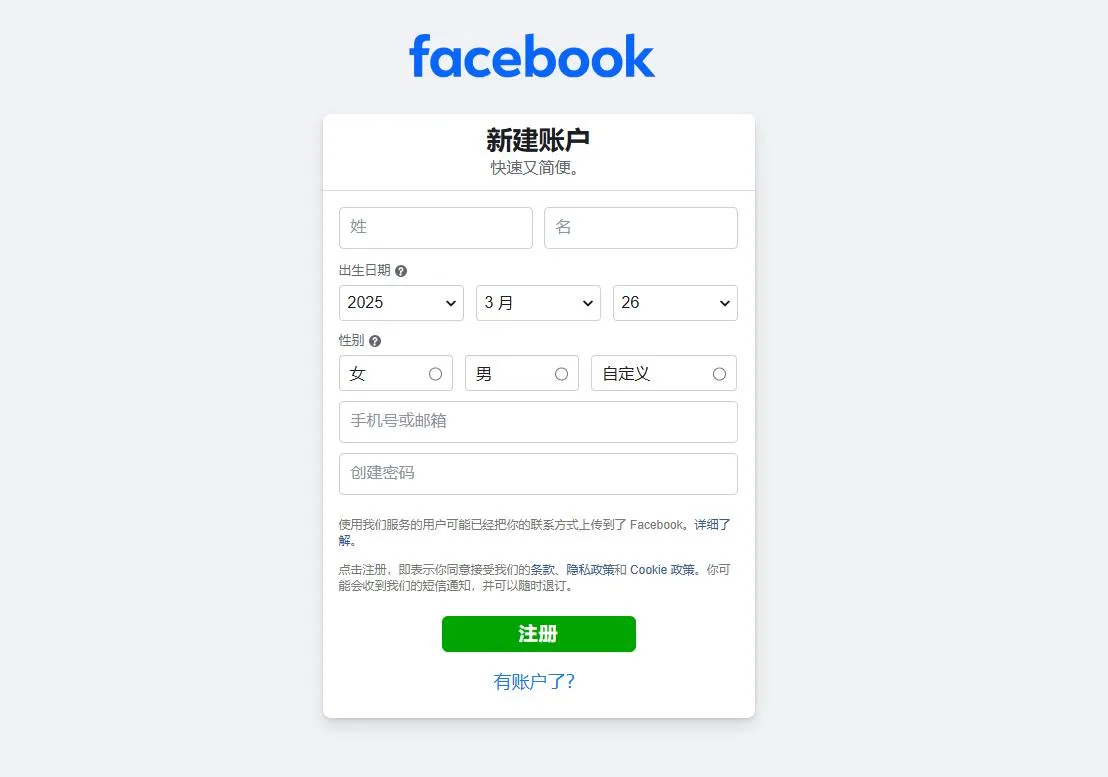
2. Create a public homepage
A Facebook Page is a page where businesses, brands, organizations, and public figures share updates and communicate with others. Anyone with a Facebook account can create a Page or help manage one, provided they have access to it. When someone likes or follows a Page on Facebook, they can start seeing updates from that Page in their News Feed.
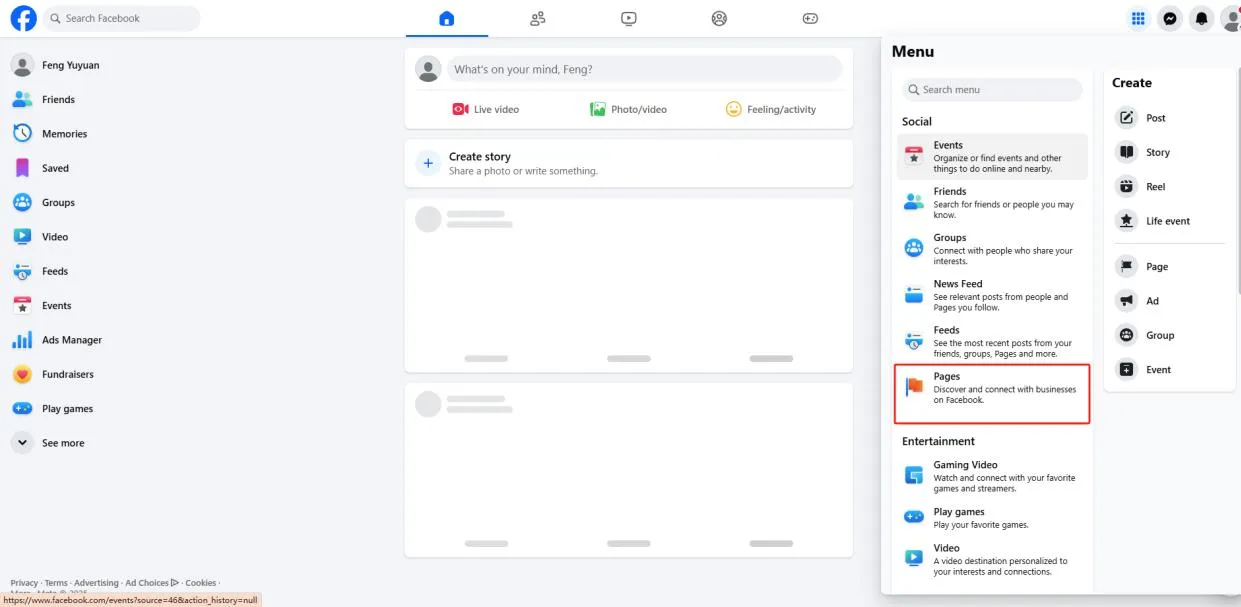
① Log in to your Facebook account, click the 9-dot menu icon in the upper right corner, and then click the Pages icon;
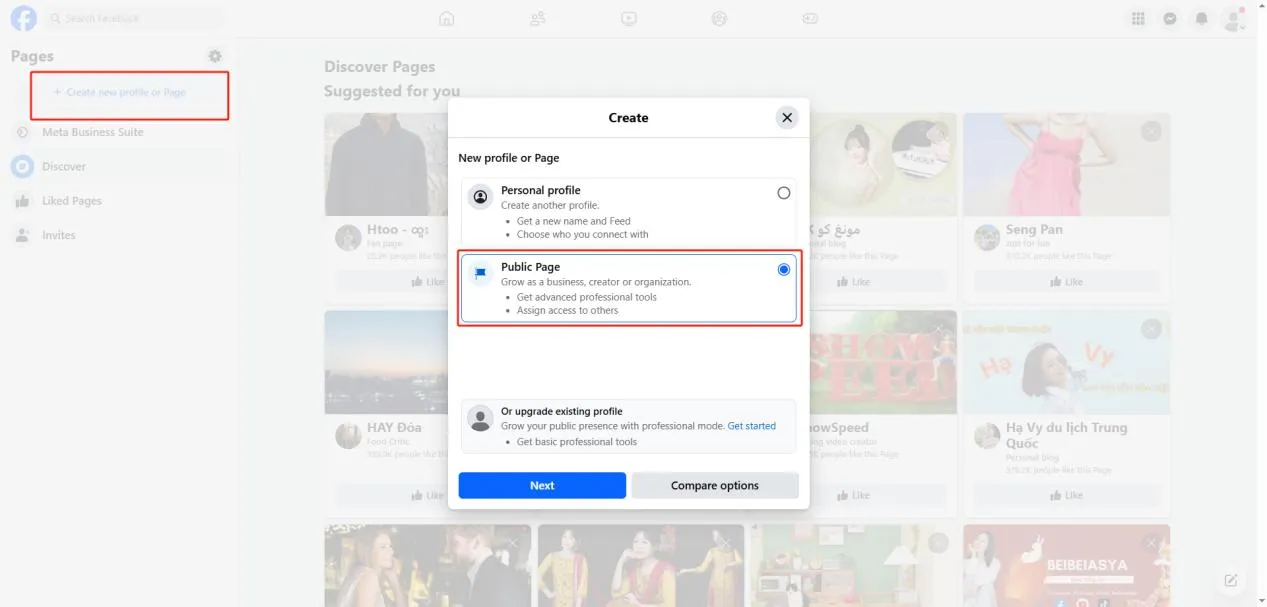
② Create a new profile or page, and select "Public Page". Fill in the required information above. After completing the form, click "Create Public Page" below.
③ Complete the personal profile, including name, business type, and introductory information.
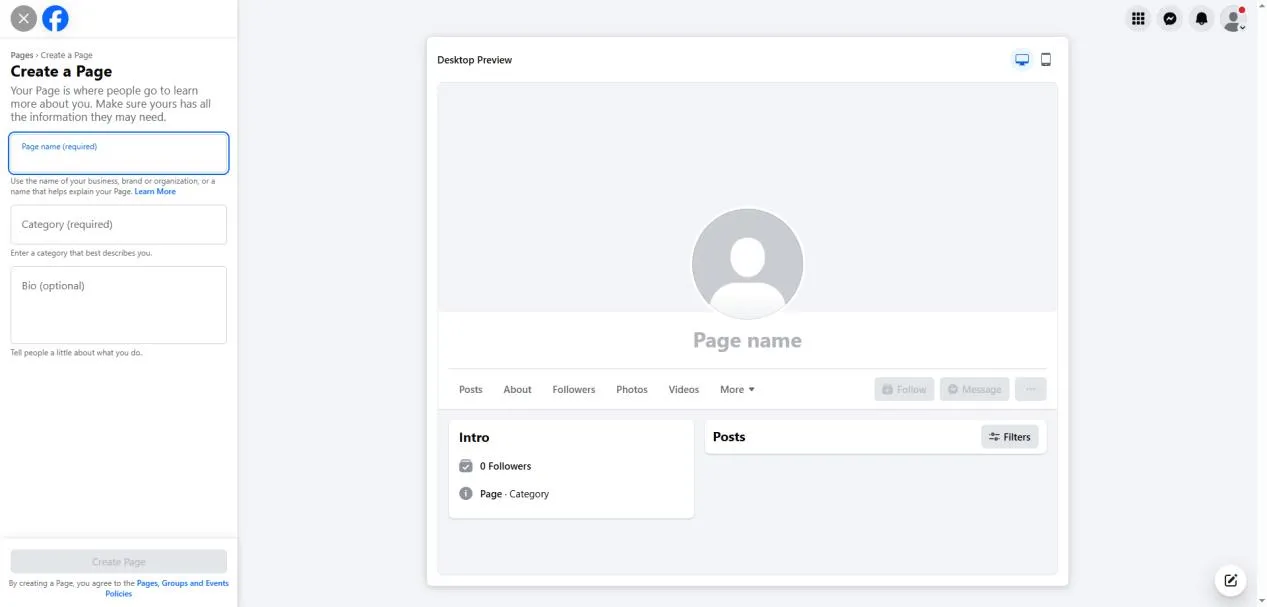
④ Fill in your phone number and email verification information, as well as your address information, etc.;
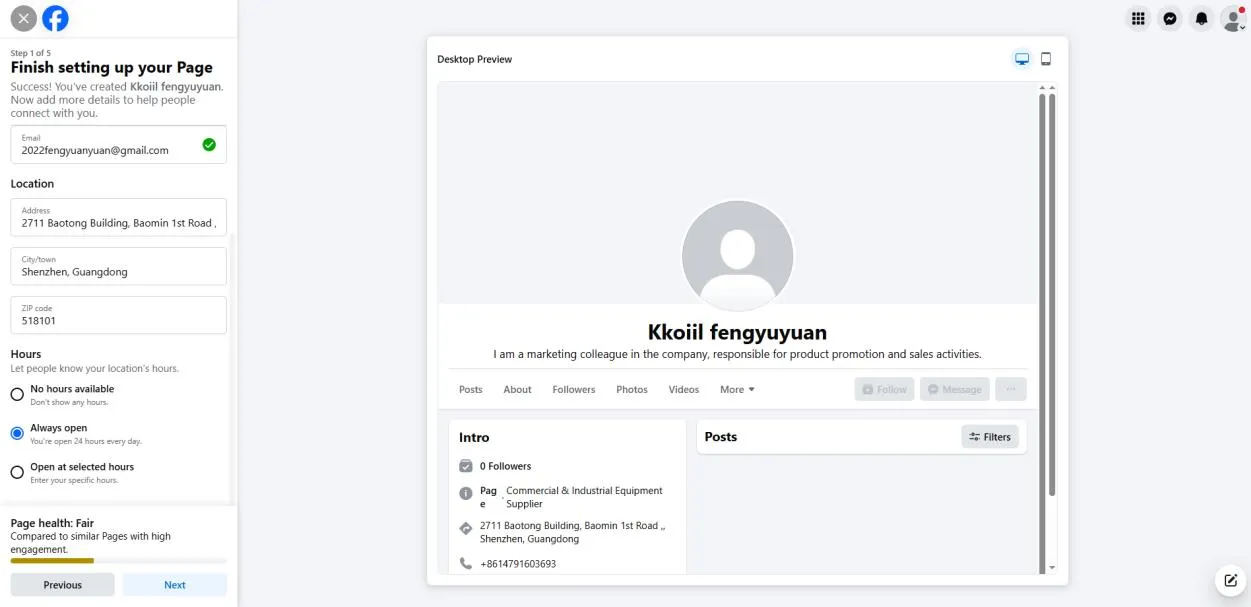
⑤ After the public page is created, you can click the edit button in the upper right corner to continuously improve and update the content;
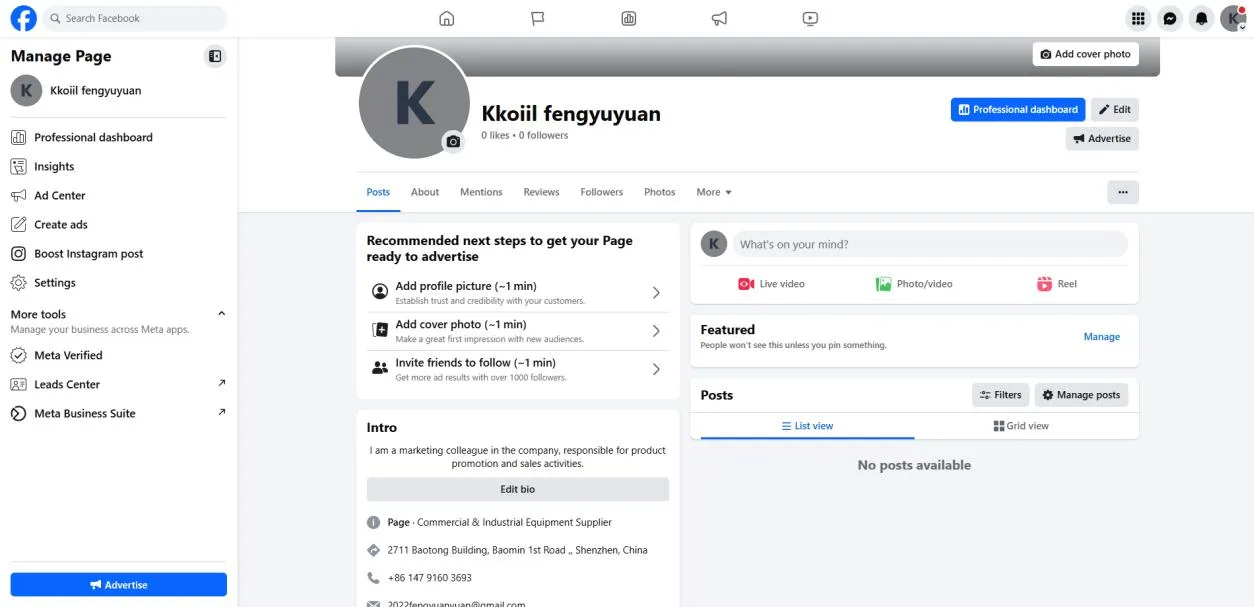
For export businesses, a Facebook Page is more than just a social media account; it's a crucial brand window into overseas markets. A professional, comprehensive, and consistently updated Page not only enhances customer trust but also provides a more solid foundation for ad campaign management, business website promotion, and international lead generation.
Entering 2026, Facebook marketing is no longer simply about creating a page and posting a few product messages; it's about building a long-term operational system around the brand. Only by truly integrating public pages into the company's brand can Facebook gradually transform from a social platform into a crucial channel for businesses to continuously acquire overseas customers.

What does international social media management service include? 2026 Guide to Social Media Management for Export Businesses
2026-10-28

How to write a WordPress product page that will make overseas buyers want to send inquiries?
2026-10-28

How to fix WordPress form emails not sending: Practical WP Mail SMTP configuration
2026-10-27

Are foreign trade promotion companies reliable? Six key criteria for businesses to judge promotion service providers in 2026.
2026-10-26

How do I set up an email account for export businesses? How can I configure it to avoid it ending up in the spam/junk mail folder?
2026-10-26
Related Articles
What does international social media management service include? 2026 Guide to Social Media Management for Export Businesses
How much do social media marketing companies charge? Analysis of international social media management fees and service content in 2026.

How to appeal a Facebook account suspension? Export Businesses account unblocking and recovery guide.

A Roundup of 8 Reasons for Facebook Account Suspension: A Guide to Avoiding and Preventing Account Suspension for International Trade Accounts

Differences between Facebook Personal Accounts, Business Accounts, and Advertising Accounts: A Guide to Avoiding Common Pitfalls in Export Businesses

