Contents +
Recommended essential WordPress plugins: 6 types of plugins commonly used for B2B export websites
Source: 创同盟
Date: 2026-10-23
Views: 73
In the previous article, we compiled a list of essential pages for a WordPress B2B export website , covering the planning ideas for 11 types of pages, including the homepage, product detail page, contact us, and about us.
After the pages are set up, there is still one question to be answered: which plugins need to be installed on the website in order for these pages to truly function?
For example, the contact page is already set up, how do I get customers to submit inquiries? There are many product images, how can I avoid slowing down the website? And how do I recover the website if it experiences a malfunction?
Most of these problems can be solved with the help of WordPress plugins.
In previous tutorials, we have already introduced how to set up three WordPress SEO plugins , namely Yoast SEO, Rank Math, and AIOSEO, and how to install and configure these three mainstream SEO plugins.
This article continues: Besides SEO plugins, what are 5 other types of plugins worth configuring for B2B export websites? How should each type be selected, and what should be noted during installation?
If you are building a WordPress website, you can check this list against your own work.
1. Is it better to install more WordPress plugins?
First, let me state a principle: more plugins are not necessarily better; just enough are sufficient.
WordPress has a rich plugin ecosystem, with tools available for almost everything from SEO, forms, caching to security.
However, this does not mean that every function requires a plugin, nor does it mean that similar plugins can be stacked arbitrarily.
For example:
- Installing multiple caching plugins simultaneously may lead to caching rule conflicts.
- Enabling multiple security plugins simultaneously may cause login restrictions or firewall rule conflicts.
- Installing a large number of plugins that have not been updated for a long time may increase website security risks.
- Duplicate plugin functions will also increase the workload of later maintenance.
Therefore, before installing any plugin, ask yourself this question:
What problems does this plugin actually solve for the website?
If there is no specific need, or if an existing plugin already has the same functionality, there is no need to install it again.
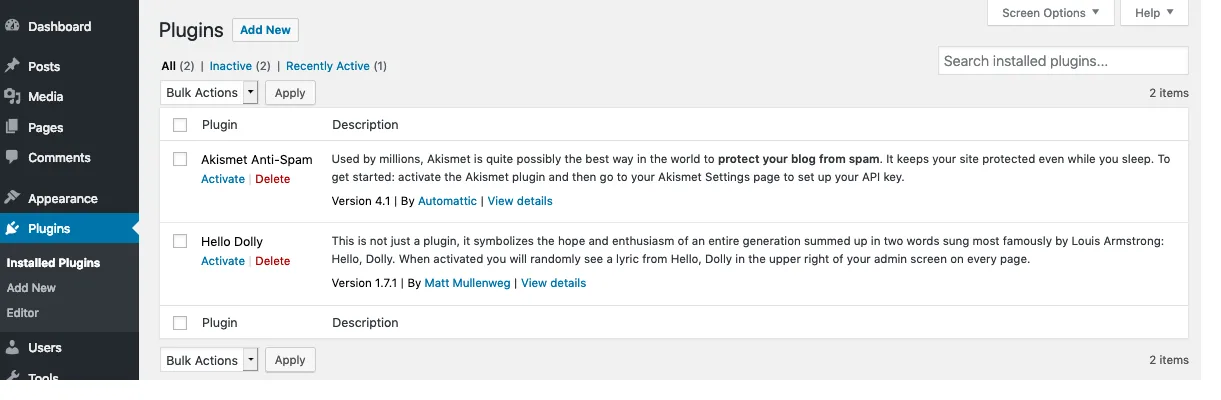
Below, we introduce five commonly used plugins based on actual usage scenarios of B2B export websites.
II. WordPress Form Plugin: Allowing Overseas Customers to Contact You
One of the most important functions of a B2B export website is to obtain inquiries from overseas customers.
Whether you're dealing with machinery, electronics, or custom manufacturing services, your website will typically require a contact form where customers fill in their name, email address, and purchasing needs.
For information on which fields to include on the contact page and how to format it for easier customer communication, please refer to the "Contact Us" section in our previously compiled list of essential pages for a WordPress B2B export website .
WordPress does not provide full business inquiry form functionality by default, so a dedicated form plugin is usually required.
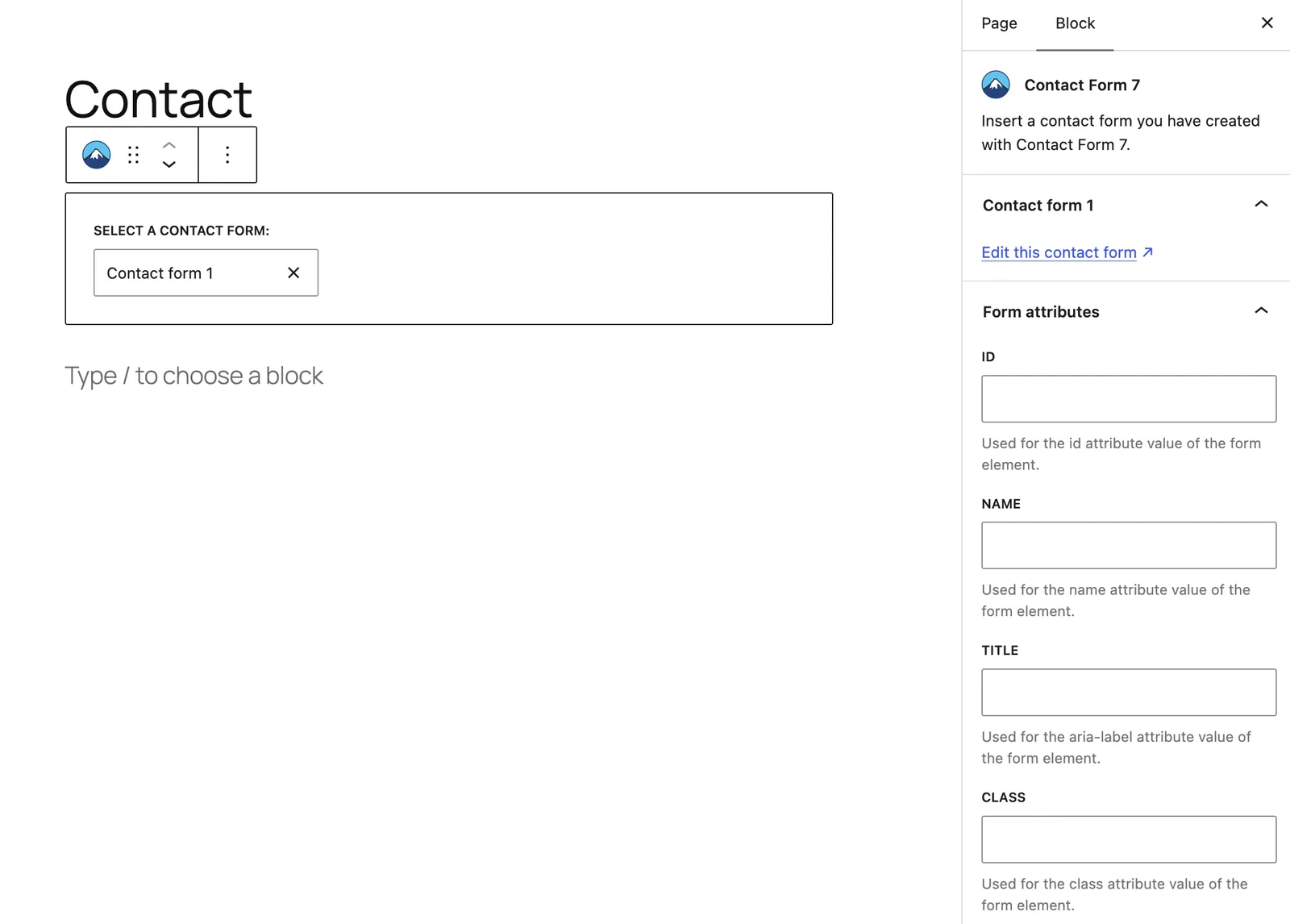
1. Contact Form 7
This is a classic free form plugin for WordPress.
Its advantages are simple functionality, wide applicability, and the ability to meet basic contact form requirements.
However, its configuration interface is relatively traditional, and it may take some learning time for first-time WordPress users.
Suitable for: Business websites that only require basic inquiry fields such as name, email, and message.
2. WPForms
WPForms has a user-friendly interface that allows you to create forms by dragging and dropping.
For beginners unfamiliar with code, it is usually easier to get started than Contact Form 7.
The free version meets basic contact form requirements. If file uploads, multi-step forms, or more complex quotation processes are needed, consider the paid version based on your functional requirements.
Suitable for: Companies that want to quickly build forms or that need to expand the inquiry functionality later.
3. Gravity Forms
Gravity Forms is a paid form plugin suitable for handling complex business requirements.
For example:
- Multi-step product inquiry
- Different fields are displayed based on the options.
- Conditional Logic Forms
- Integration with other business systems
If it's just a regular Contact Us page, there's usually no need to use such a complex plugin from the start.
My suggestion:
For typical export businesses websites, Contact Form 7 or WPForms are usually sufficient.
For complex customized quotes, file uploads, or business processes, consider more advanced form features.
There is another problem that is particularly easy to overlook:
Creating a form does not guarantee that inquiries will be delivered successfully.
Before launching your website, it's recommended to fill out a test inquiry to check if your email account can receive emails normally. If emails fail to send or end up in your spam folder, you should also check your SMTP email sending configuration.
This step is essential; otherwise, even if the customer submits inquiries, you may never receive them.
III. WordPress caching plugins: improving access speed from overseas
When building a B2B export website, access speed is an unavoidable issue.
Especially when the target customers are located in different regions such as the United States, Europe, and Southeast Asia, the location of the website server, the size of page resources, and the cache configuration will all affect the actual access experience.
The main function of caching plugins is to reduce redundant page processing and resource loading overhead, allowing websites to respond to access requests faster in caching-appropriate scenarios.
Here are some of the more common WordPress caching plugins.
1. WP Rocket
WP Rocket is a paid cache optimization plugin.
Its advantage lies in its relatively simple setup and the integration of features such as page caching, file optimization, and lazy loading.
This is an option that users who don't want to spend too much time studying complex parameters can consider.
2. W3 Total Cache
W3 Total Cache offers a free version with a rich set of features.
It supports multiple caching configuration methods, but setting up the project is relatively complex.
If you are unfamiliar with the server environment and caching mechanism, it is recommended to use the basic configuration first and not enable all optimization features at once.
3. LiteSpeed Cache
If your website uses a LiteSpeed or OpenLiteSpeed server, LiteSpeed Cache is generally a worthwhile option to consider.
It can be used with page caching in a compatible server environment and also provides other website performance optimization tools.
However, it's important to note that not all servers will be able to use LiteSpeed Cache's server-level page caching functionality after it's installed.
My suggestion: First confirm the server environment, then select a caching plugin.
- When using a compatible LiteSpeed server, LiteSpeed Cache is a preferred option.
- For other server environments, you can choose WP Rocket or W3 Total Cache depending on your budget and technical capabilities.
- If your hosting provider has already configured a caching system, first check if you need to install any additional plugins.
In addition, caching plugins cannot replace server optimization.
If overseas customers consistently experience slow access speeds, it's necessary to check server region, CDN, image size, and page resources, rather than simply relying on installing plugins to solve the problem.
IV. WordPress Image Compression Plugin: Don't Let Large Product Images Slow Down Your Website
B2B export websites typically need to display a large number of product images.
Especially in industries such as machinery and equipment, furniture, lighting, and hardware processing, a single product image can be several MB in size.
If a product details page loads a dozen or so unoptimized images at the same time, it can significantly increase the page load time.
Therefore, image optimization is also an important step in the WordPress website building process.
1. Smush
Smush offers free image optimization features and supports automatic compression of uploaded images.
It is relatively simple to operate and is suitable for users who want to reduce their daily image processing work.
2. ShortPixel
ShortPixel supports image compression and conversion to modern image formats such as WebP.
This is a good option for B2B export websites that have a lot of product images and need to optimize them in batches.
It offers a certain free quota, but more processing capacity or advanced features require payment based on the actual package.
3. TinyPNG
TinyPNG also offers image compression services and has related plugins for WordPress.
It can help compress images such as JPEG and PNG. The specific usage limit and cost are subject to the current official plan.
My suggestion:
If your website has a lot of product images, you might consider ShortPixel or other tools that support automatic compression and modern image format conversion.
However, image optimization cannot only focus on file size; clarity must also be taken into account.
For example, the structural details of mechanical equipment, the material texture of the product surface, and the characteristics of the parts can all affect overseas customers' judgment of the product.
Therefore, it is not recommended to excessively compress images in pursuit of extremely small file sizes.
In practice, the following aspects can be combined:
- Adjust the image size according to the website's display area.
- Compression is performed while maintaining clarity.
- Choose formats such as WebP based on compatibility and usage requirements.
- Use delayed loading appropriately for images that are not displayed on the first screen.
- Check the actual display effect on mobile and computer.
If your website is already using CDN image optimization services or other plugins with similar functionality, you may not necessarily need to install an additional image compression plugin.
5. WordPress Security Plugins: Protecting the Website Backend
WordPress is widely used, making it a common target for automated scanning, exploitation, and brute-force attacks.
If a website does not update its plugins for a long time, uses weak passwords, or lacks basic login protection measures, it may increase the risk of being attacked.
For export businesses, website security is not only about whether the backend can be logged into normally, but it can also affect customer information, inquiry data, and the normal operation of the website.
1. Wordfence Security
Wordfence is one of the common security plugins for WordPress.
It offers features such as firewall, malware scanning, and login security, and the free version can meet the basic protection needs of many websites.
2. All-In-One Security(AIOS)
This plugin offers a variety of WordPress security enhancement features, including login protection and other website security settings.
Suitable for users who want to centrally manage basic security measures.
3. Solid Security
Solid Security is the successor brand to the original iThemes Security, offering features such as login protection and security hardening, and comes in different feature versions.
My suggestion:
For typical B2B export websites that showcase businesses, consider starting with the free version of Wordfence and focus on checking the following settings:
- Enable firewall protection suitable for the current environment.
- Set reasonable login failure limits.
- Use a strong backend password.
- Enable two-factor authentication for the administrator account.
- Regularly update WordPress, themes, and plugins.
It's important to note that security plugins cannot guarantee absolute website security.
If the server is not configured properly, or if an old plugin with vulnerabilities is used for a long time, problems may still occur even if a security plugin is installed.
Additionally, it is not recommended to enable multiple security plugins with overlapping functions simultaneously without understanding their compatibility.
6. WordPress Backup Plugin: Enables website recovery when problems occur.
I think this type of plugin is very necessary.
Because various unexpected events may occur during website operation:
- After updating the plugin, the page suddenly displayed an error.
- After modifying the theme code, the website cannot be opened normally.
- Website files were accidentally deleted.
- The server is malfunctioning.
- The website has been attacked and a historical version needs to be restored.
Without a backup, recovery can be very difficult.
Recommended plugin: UpdraftPlus
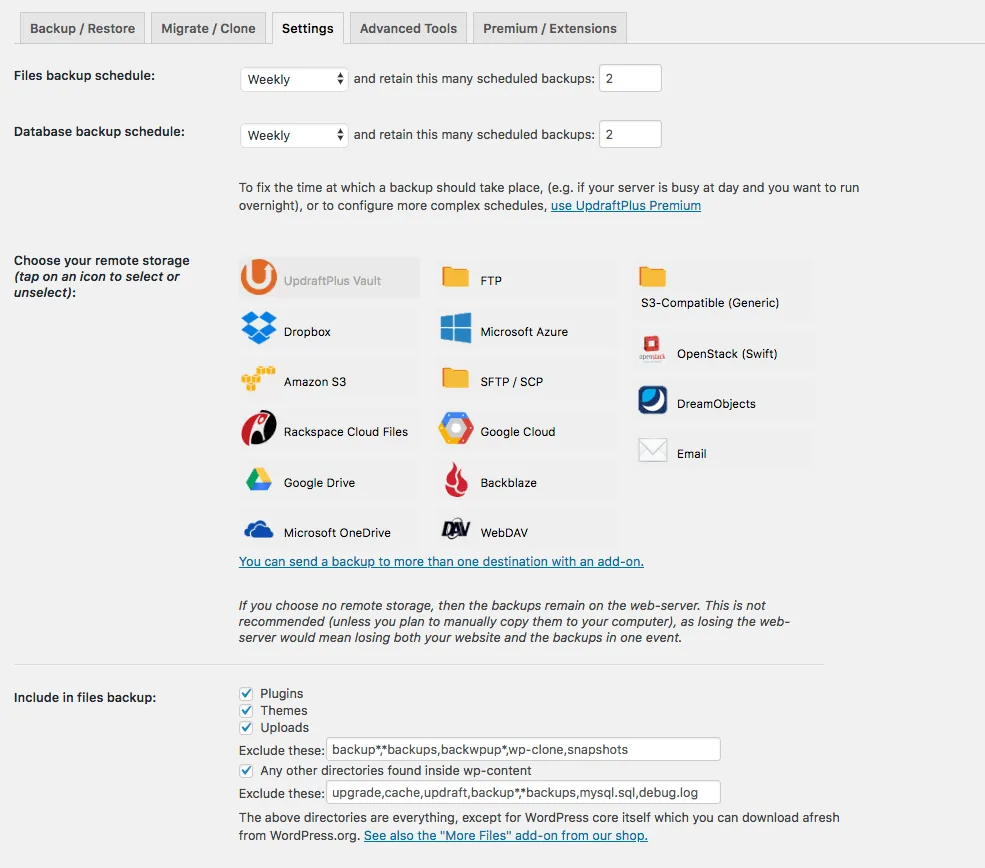
UpdraftPlus is a common WordPress backup plugin.
It supports website file and database backup and provides remote storage-related functions.
For a typical WordPress business website, you can start by using its free features.
How should I set up backups?
It is recommended to develop a backup plan based on the website's content update frequency and the importance of the business.
For a typical corporate showcase website, you can refer to the following:
- Automatic backup once a day.
- Keep the 7 most recent daily backups as the basic solution.
- Create an additional backup before a major update.
- Save the backup files to a separate remote storage location.
- Regularly check whether backups can be restored normally.
If a website receives a large number of inquiries, orders, or content updates daily, more frequent database backups should also be considered.
One point needs to be emphasized here:
Do not simply store backup files on the server where the website is located.
Because if the server itself malfunctions, local backups may also become unusable.
A more secure approach is to save backups to Google Drive, Dropbox, or other independent storage locations.
Additionally, it's best to perform a restore test after backup, ideally in a test environment, to avoid impacting the production website. If you don't yet have a test environment, you can refer to the instructions for setting up a local WordPress test site .
After all, the existence of backup files does not guarantee a successful recovery.
VII. WordPress B2B export website plugin configuration list
The previous articles introduced five types of plugins: forms, caching, image optimization, security, and backup. Adding the SEO plugins detailed in the previous article, there are a total of six types, which constitute a relatively basic WordPress B2B export website plugin configuration scheme.
| Plugin Categories | Recommended choice | Main uses |
|---|---|---|
| SEO | Yoast SEO / Rank Math / AIOSEO | SEO Basic Settings |
| Form | Contact Form 7 / WPForms | Obtain customer inquiries |
| cache | LiteSpeed Cache / WP Rocket | Improve website loading efficiency |
| Image optimization | Smush / ShortPixel | Image compression and format optimization |
| Safety | Wordfence / AIOS | Website security protection |
| Backup | UpdraftPlus | Website data backup and recovery |
This table doesn't mean you should install every single plugin.
For each category, you usually only need to choose one that suits your website, depending on your hosting environment and existing features.
Some hosting providers already offer backup, caching, or security protection services, which can reduce redundant configuration.
Furthermore, there is no fixed standard for the number of plugins. More important than the number of plugins installed is whether the plugins are reliable, whether their functions are redundant, and whether they can be continuously maintained.
8. After installing WordPress plugins, what else needs to be checked?
Plugin installation is only the first step; further checks are needed to determine if the website can actually function properly.
We recommend focusing on testing the following aspects:
1. Is the inquiries function working properly?
Fill out the complete contact form once to confirm that emails can be sent and received normally.
2. Does the overseas access speed meet the standard?
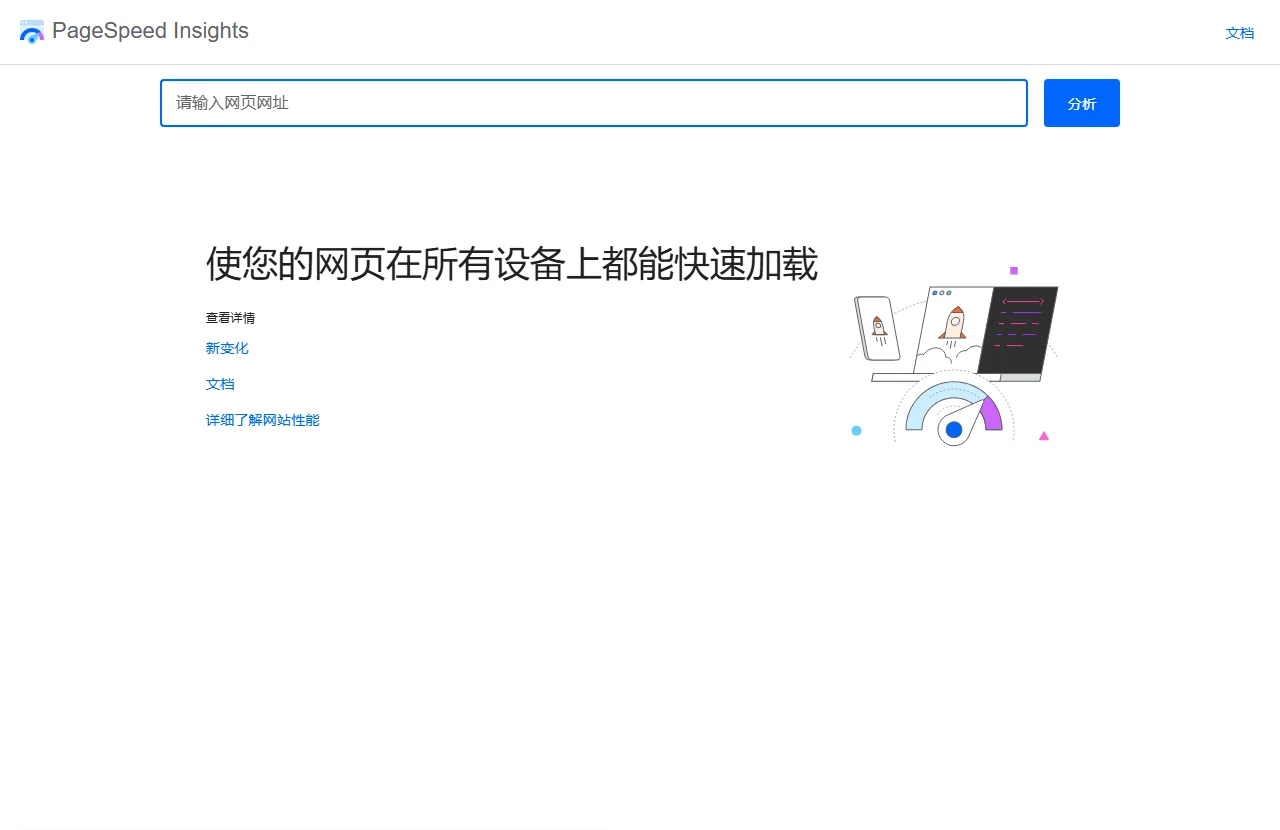
Use tools like PageSpeed Insights to check your website’s performance on mobile and desktop, and conduct access tests in conjunction with your actual target market.
3. Are the website pages displayed correctly?
After enabling features such as caching and image compression, check if there are any style errors or functional abnormalities on the homepage, product details page, and contact page.
4. Are security and backup functions functioning correctly?
Check if the backend login protection, backup plan, and remote backup files are functioning correctly.
5. Does the plugin need to be updated?
Regularly check plugin versions, compatibility, and security updates, and promptly address plugins that are no longer maintained or pose security risks.
These checks are not complicated, but they can reduce the probability of problems occurring after the website officially goes live.
IX. Conclusion: The key to WordPress plugins is not the quantity installed, but whether you truly need them.
For businesses just starting out with a WordPress B2B export website, there's no need to install dozens of plugins at once.
First, address the website's most basic issues: ensure customers can submit inquiries normally, allow overseas visitors to access the website smoothly, and provide basic security protection and backup capabilities.
As for other features, they can be added gradually based on actual needs after the website starts operating.
Furthermore, plugin configuration is only one aspect of the WordPress website building process. A website's true effectiveness also depends on its initial page structure, product content, overseas user experience, and subsequent SEO optimization and routine maintenance.
If you haven't yet determined which pages your website needs, you can first read the previous article , "Essential Pages for a WordPress B2B Export Website," and plan the basic structure of your website according to your actual business requirements.
CTMON: WordPress Website Building and International Marketing Promotion for Foreign Trade
CTMON provides services including WordPress B2B export website development, Google SEO optimization, Google Ads advertising, and overseas digital marketing.
In addition to website design and functionality, we also consider the company's main products, target market, and subsequent promotion needs to plan the website structure, product pages, and basic SEO configuration, helping companies build a business website that better suits the browsing and purchasing habits of overseas customers.
If you are preparing to build a WordPress B2B export website, or wish to further improve your existing website, you can visit the CTMON official website to learn about related website building and promotion services.
Author: CTMON | B2B Digital Marketing Service Provider
References and Information Sources
- Contact Form 7 Official Documentation: https://contactform7.com/docs/
- WPForms Official Documentation: https://wpforms.com/docs/
- WP Rocket Official Documentation: https://docs.wp-rocket.me/
- W3 Total Cache Plugin Page: https://wordpress.org/plugins/w3-total-cache/
- LiteSpeed Cache Plugin Page: https://wordpress.org/plugins/litespeed-cache/
- Smush Plugin Page: https://wordpress.org/plugins/wp-smushit/
- ShortPixel plugin page: https://wordpress.org/plugins/shortpixel-image-optimiser/
- TinyPNG (Compress JPEG & PNG images) plugin page: https://wordpress.org/plugins/tiny-compress-images/
- Wordfence Security Plugin Page: https://wordpress.org/plugins/wordfence/
- All-In-One Security (AIOS) Plugin Page: https://wordpress.org/plugins/all-in-one-wp-security-and-firewall/
- Solid Security (formerly iThemes Security) plugin page: https://wordpress.org/plugins/better-wp-security/
- UpdraftPlus Plugin Page: https://wordpress.org/plugins/updraftplus/
- PageSpeed Insights:https://pagespeed.web.dev/
- WordPress Official Documentation: https://wordpress.org/documentation/
Note: The plugin recommendations in this article are based on common WordPress website building scenarios. The functions, pricing, and compatibility of different plugins may vary with different versions. Please refer to the official plugin documentation and your actual server environment for details.

What does international social media management service include? 2026 Guide to Social Media Management for Export Businesses
2026-10-28

How to write a WordPress product page that will make overseas buyers want to send inquiries?
2026-10-28

How to fix WordPress form emails not sending: Practical WP Mail SMTP configuration
2026-10-27

Are foreign trade promotion companies reliable? Six key criteria for businesses to judge promotion service providers in 2026.
2026-10-26

How do I set up an email account for export businesses? How can I configure it to avoid it ending up in the spam/junk mail folder?
2026-10-26
Related Articles
How to configure WPForms contact forms: Which should I choose, WPForms or Contact Form 7?
How to write a WordPress product page that will make overseas buyers want to send inquiries?
How to fix WordPress form emails not sending: Practical WP Mail SMTP configuration
How do I set up an email account for export businesses? How can I configure it to avoid it ending up in the spam/junk mail folder?
Essential Pages for a WordPress B2B Export Website: Besides Product Pages, These 11 Page Types Should Also Be Considered