Contents +
2026 Google SEO Beginner's Guide - Free Page Inspection Tools
Source: 创同盟
Date: 2026-05-21
Views: 841
As SEO rules and algorithms for business websites continue to improve, the scope of improvement extends beyond just deeper analysis to include broader coverage. As the boundaries of content covered by these algorithms are constantly expanded, the professional knowledge and tools required for operating a business website are also increasing.
In practical applications across different projects, the focus of business website SEO optimization will vary depending on the industry and the stage of the business website's development. The biggest cost of business website SEO is determined by the rules of the game in search engines: either spend time on SEO or spend money on SEM. Of course, both of these require businesses to find professional operators who can make the time-to-result conversion rate of SEO higher and make the money spent on SEM more worthwhile, achieving tangible results.
Below is a summary and core function description of the commonly used SEO tools on this page, which will help you improve the convenience and efficiency of your work and have more time planning strategies during the application process.
1、Google Search Console
https://search.google.com/search-console/about
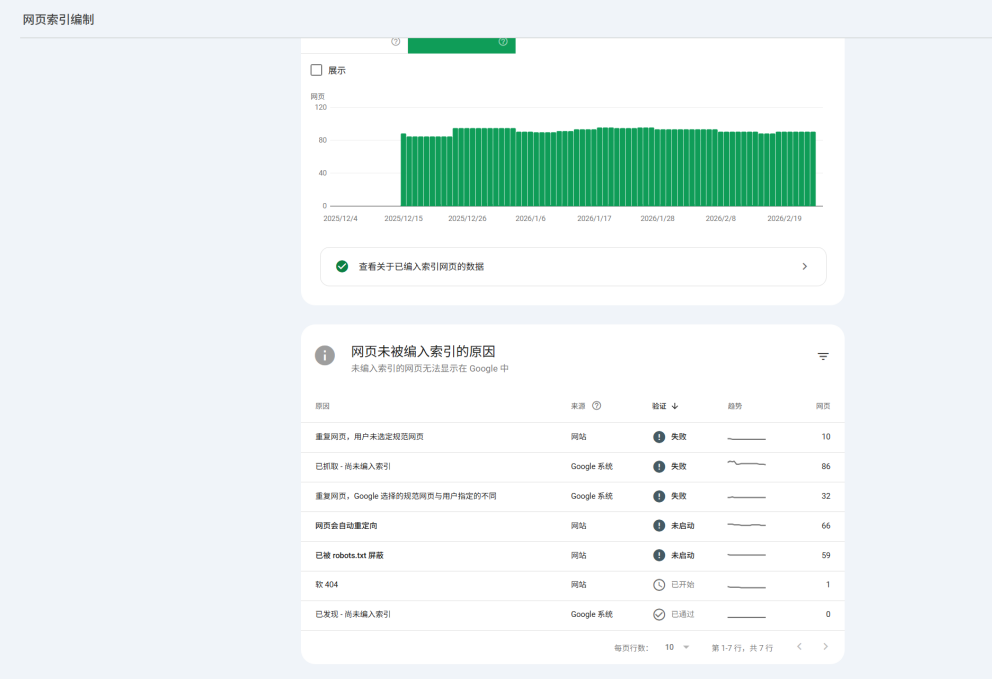
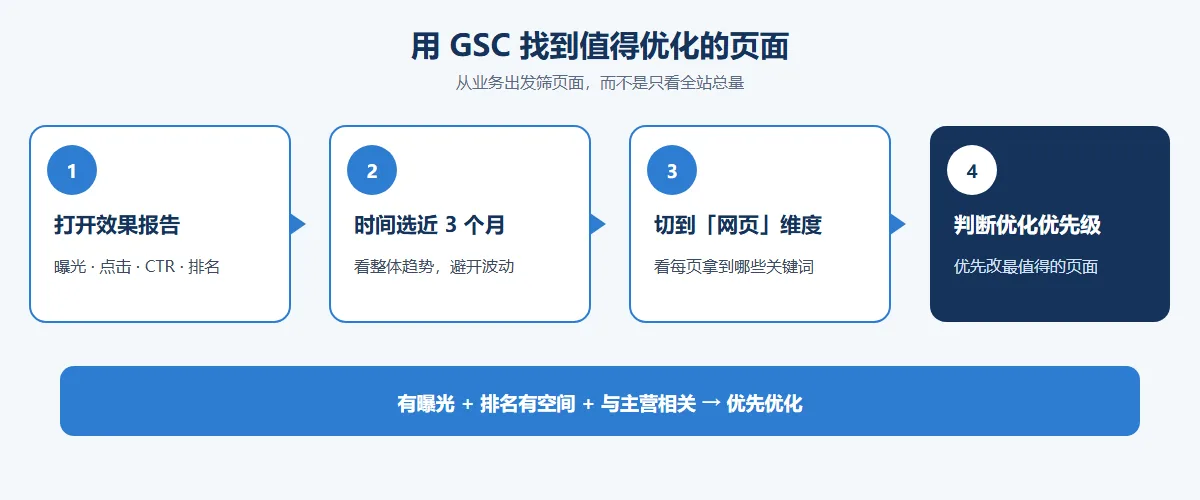
Google Search Console provides coverage, URL checks, and crawl statistics reports. Optimize your website's content with the "Search Analytics" report to understand which queries attract users to your site. Analyze your website's impressions, clicks, and rankings in Google search.
2、Microsoft Bing Webmaster Tools
https://www.bing.com/webmasters
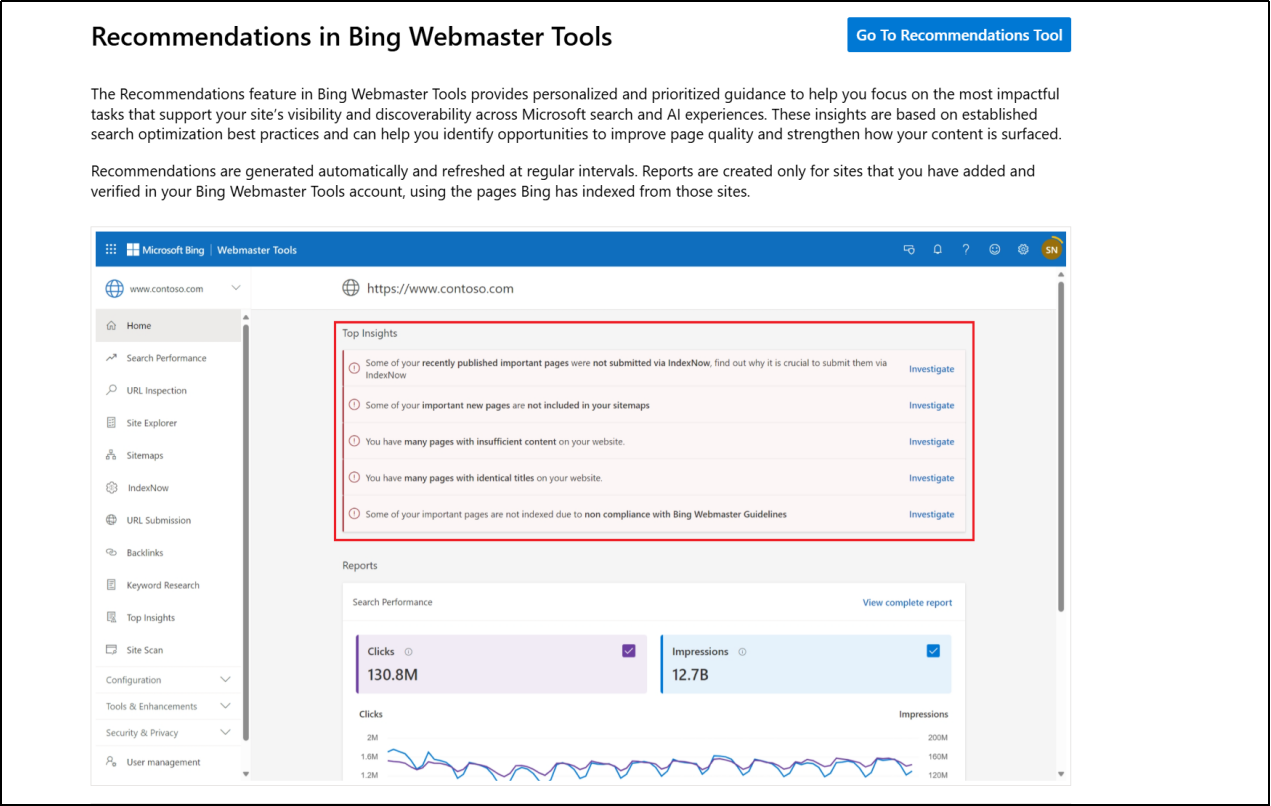
Bing Webmaster Tools' website scan and SEO report, along with the "Recommendations" feature, provides personalized and prioritized guidance to help you focus on the tasks that have the greatest impact on improving your website's visibility and discoverability in Microsoft Search and AI. These recommendations are based on proven search optimization best practices and can help you identify opportunities to improve page quality and enhance content presentation.
Bing scans the pages on your verified websites that appear in our index and evaluates them against a range of SEO best practices. It identifies potential issues, groups them by type, and provides actionable guidance to help you understand which issues need fixing and the importance of doing so.
3、Screaming Frog SEO Spider
https://www.screamingfrog.co.uk/
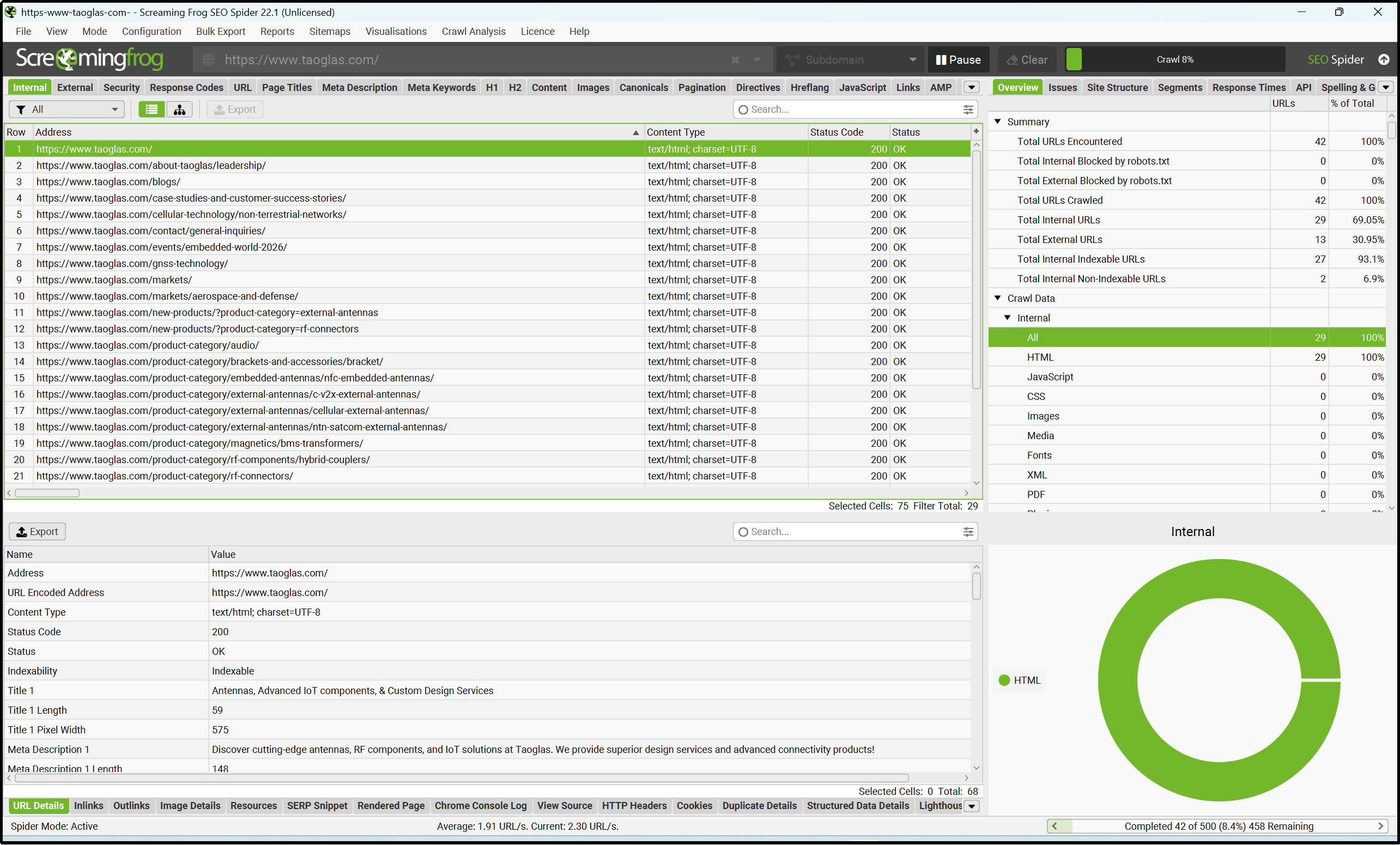
Screaming Frog SEO Spider is a website crawler that helps improve your website's SEO by auditing common SEO issues. Download for free and crawl 500 URLs, find broken links, analyze page titles and metadata, extract data using XPath, generate XML sitemaps, crawl JavaScript websites...
4、SEOlyzer
https://seolyzer.io/
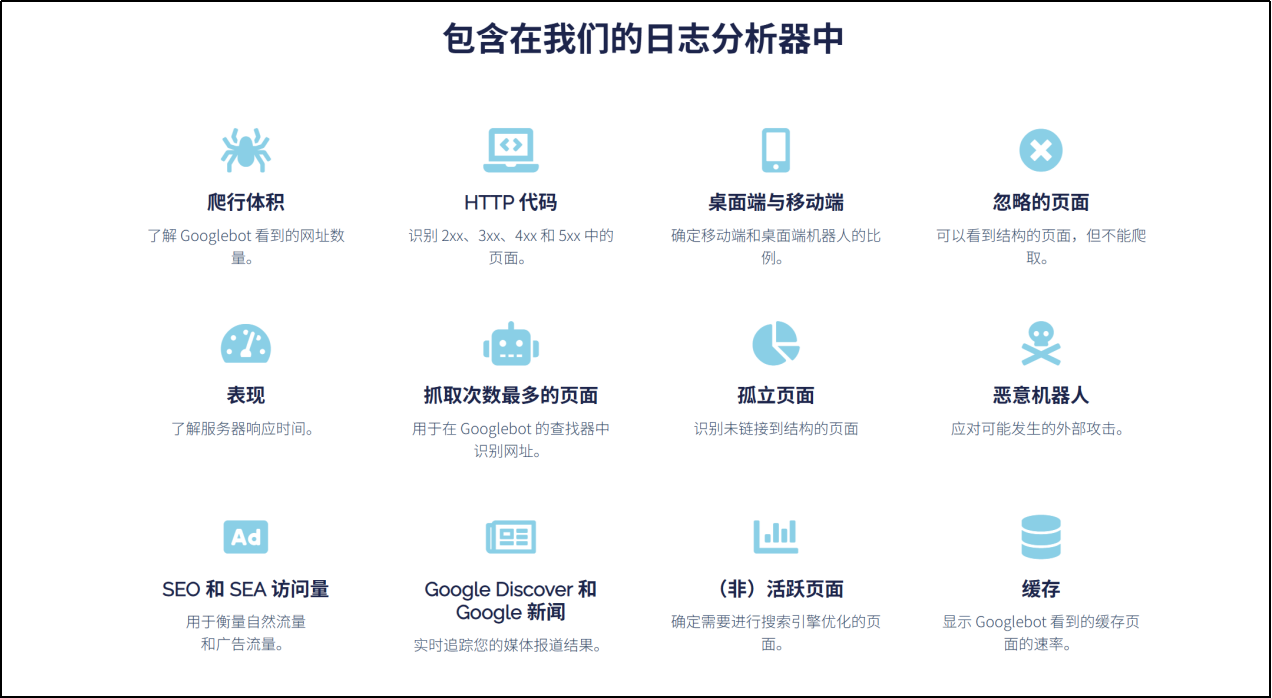
A crawler and log analysis tool for all SEO needs, using a collector to gather all events from your web server. By analyzing every useful request, users and bots will have nowhere to hide. Most crawled pages, orphaned pages, response times, HTTP codes, source pages… all log data is centralized in a clean and efficient interface.
Say goodbye to blind SEO decisions and gain real-time insights into the behavior of Googlebot and other search engine bots on your website! Log analysis lets you understand how Google views your site and identify key pages it ignores. Log files provide a complete picture of the bots' true behavior on your site. Optimize the time (crawl budget) allocated to your website by bots and prioritize crawling your business pages, benefiting your entire SEO strategy.
5、httpstatus.io
https://httpstatus.io/
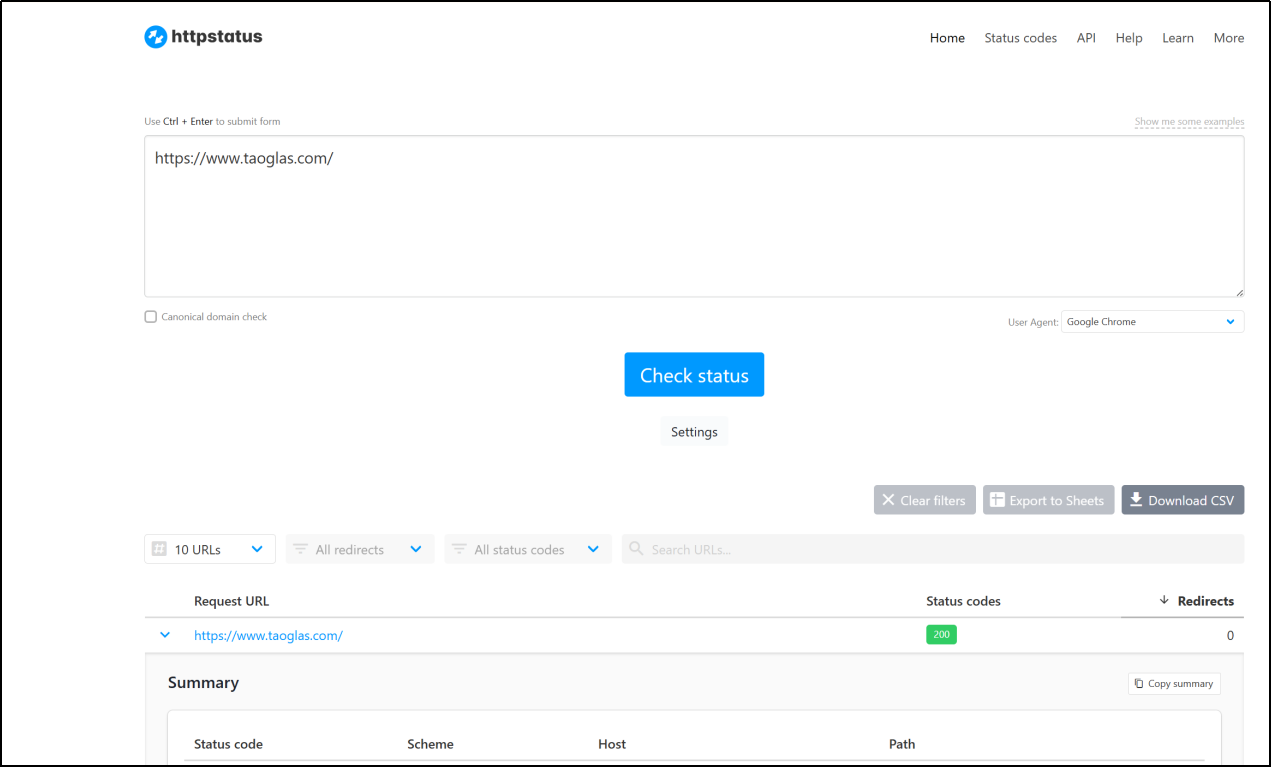
Easily inspect status codes, response headers, and redirect chains. Canonical redirects, also known as canonical URL redirects or 301 redirects, are a technique in search engine optimization (SEO) used to merge multiple versions of the same webpage into a single preferred version. Canonical redirects help prevent ranking signal dilution and ensure link weight is concentrated on a single authoritative URL. They also ensure visitors always access the correct page, avoiding duplicate content and thus improving user experience.
6、SEO Server Header Checker Tool
https://www.serverheaders.com/
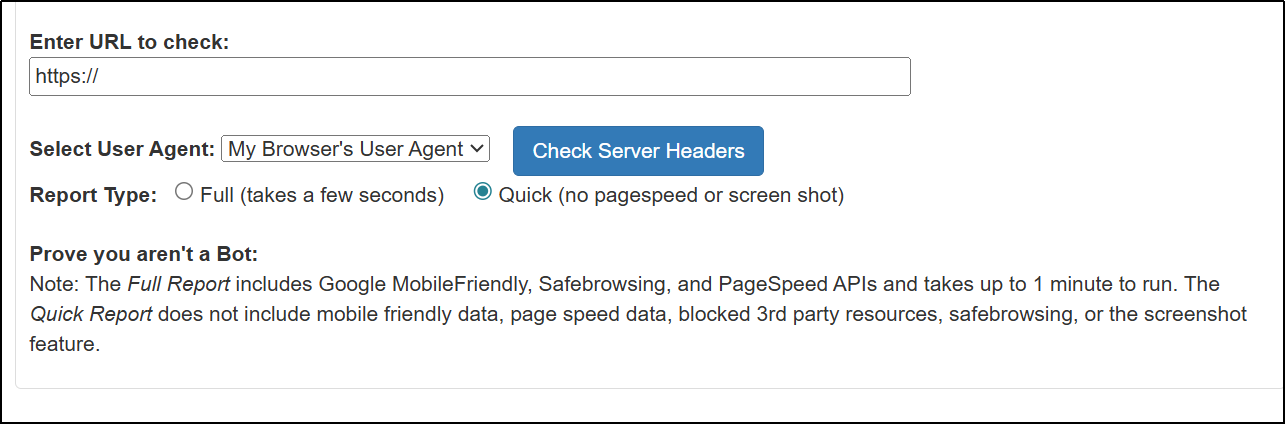
View HTTP/HTTPS headers, server responses, and status codes. Server Headers is a one-stop tool that helps you quickly extract useful SEO data from URLs and incorporate more third-party data. No need for multiple SEO tools; get all the essential information you need in one place—along with links to explore further. I created this tool to quickly gather all the necessary information about URLs when conducting SEO analysis or audits.
7. Ahrefs Webmaster Tools
https://ahrefs.com/webmaster-tools
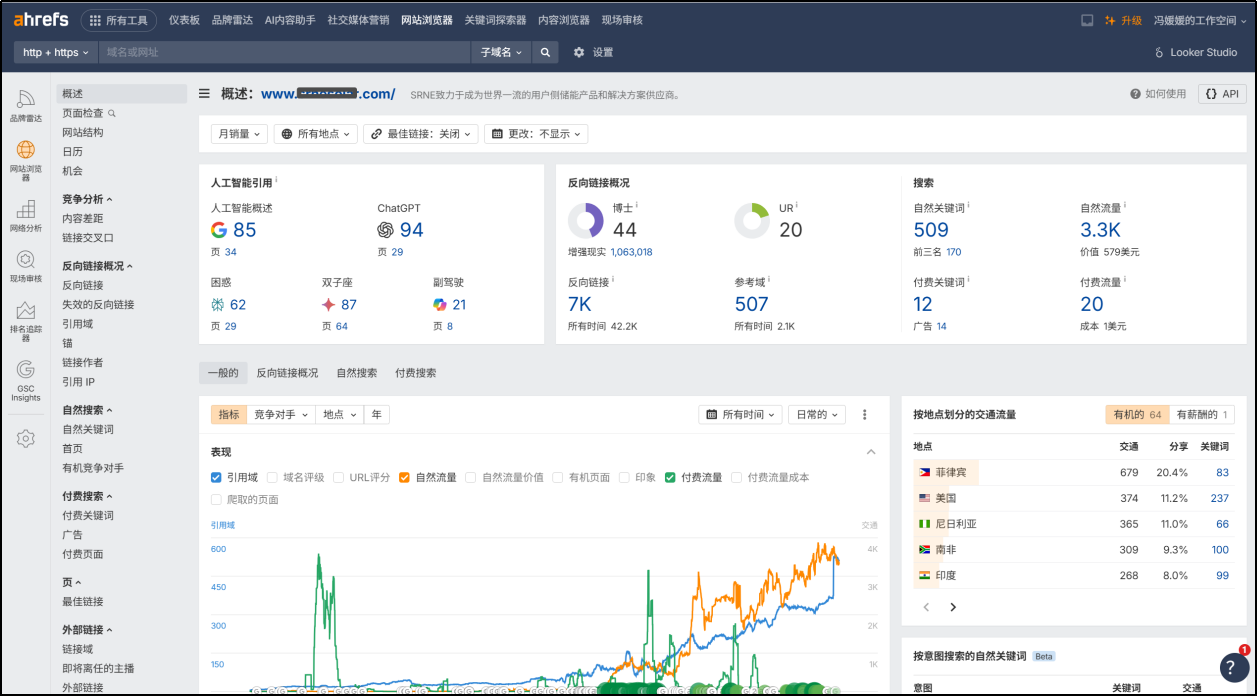
Website Analytics – Analyze your website's traffic with a privacy-focused GA alternative: No cookies are used by default, and no personal data is collected. A clean interface displays only key metrics: most traffic sources, most pages, most traffic locations, and most browser clients. Historical performance charts track multiple metrics, including traffic from LLM. Lightweight and easy to install.
Website Audit – Conduct a comprehensive SEO audit of your website to identify, prioritize, and remediate over 170 technical and on-page SEO issues. Continuously monitor your website's health score. Visualize data with charts and graphs...
Website analytics tools – study your website's organic search traffic and backlinks, and see how well your website ranks for keywords in Google search results. Find out which pages bring you the most traffic through search. Find out which websites and pages link to you...
8. Siteliner Website Overview
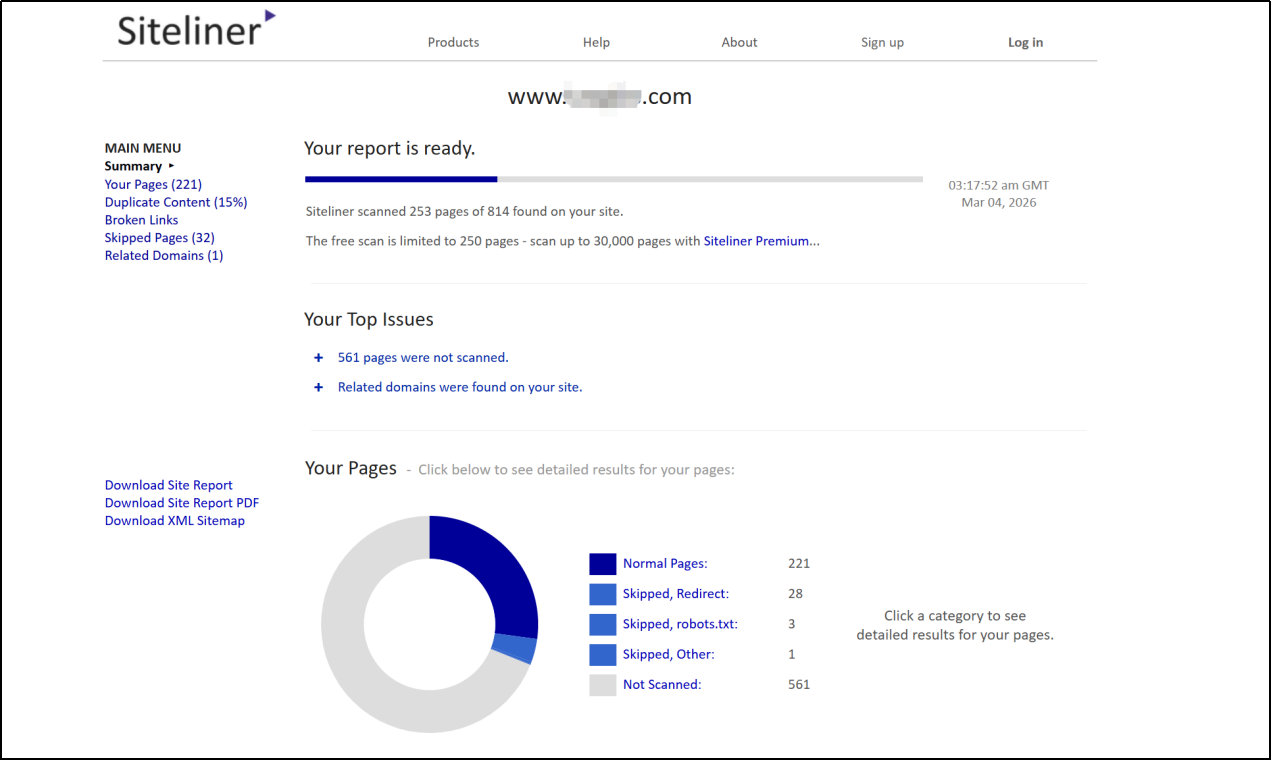
Siteliner's "Site Overview" feature, corresponding to the Site Results section in its report, is essentially an overview panel of the entire website scan results. It first crawls your site's pages and then summarizes site-wide quality issues to help you quickly identify SEO and content structure problems.
The overview mainly includes 5 categories of information:
Your Pages: Lists pages that have been successfully scanned, displaying their URL, title, Page Power, page size, word count, modification date, etc. Page Power reflects the degree to which a page is linked from important pages within the site; the higher the value, the more "important" it is in the site's internal structure.
Duplicate Content: Identifies duplicate content within the site, showing how much content from each page also appears on other pages, and allows for further highlighting of duplicate paragraphs. Siteliner will separately identify recurring "Common Content" such as menus, headers, and footers to avoid misidentification.
Broken Links: Checks for broken links within the site, indicating which pages contain broken links, making it easier to fix user experience and search engine crawling issues.
Skipped Pages: This section tells you which pages were skipped and why, such as canonical, robots.txt , noindex, nofollow, redirection, or server error. This section is useful for troubleshooting "why some pages were not indexed/scanned".
Related Domains: Displays subdomains or similar domains related to the site you entered, helping you determine if you need to include other subdomains in the scan.
9. SEO Minion (browser extension)
https://keywordseverywhere.com/seominion/
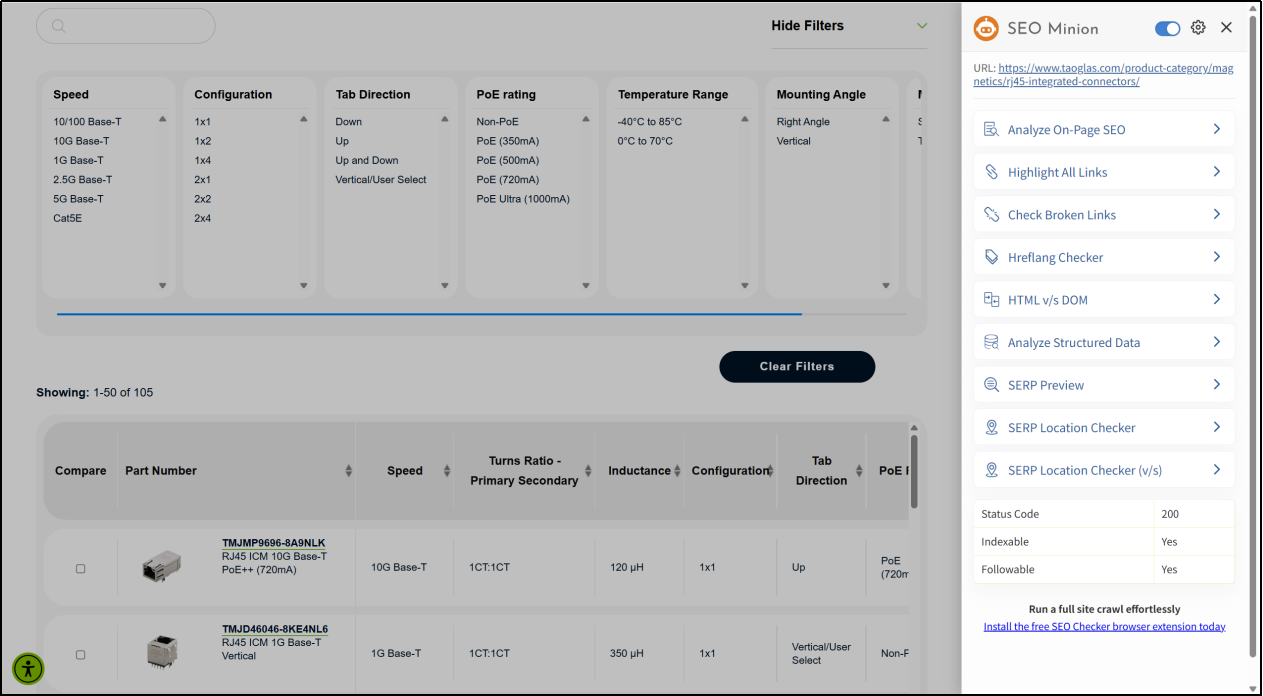
SEO Minion is a Chrome extension and Firefox plugin designed to help SEO professionals with their daily SEO tasks. It boasts many useful features listed below.
On-page SEO analysis, viewing all links on a webpage, checking for broken links, Google SERP preview, search position simulator, comparing HTML and DOM, analyzing structured data, viewing and downloading search engine results page statistics, and crawling PAA results from Google.
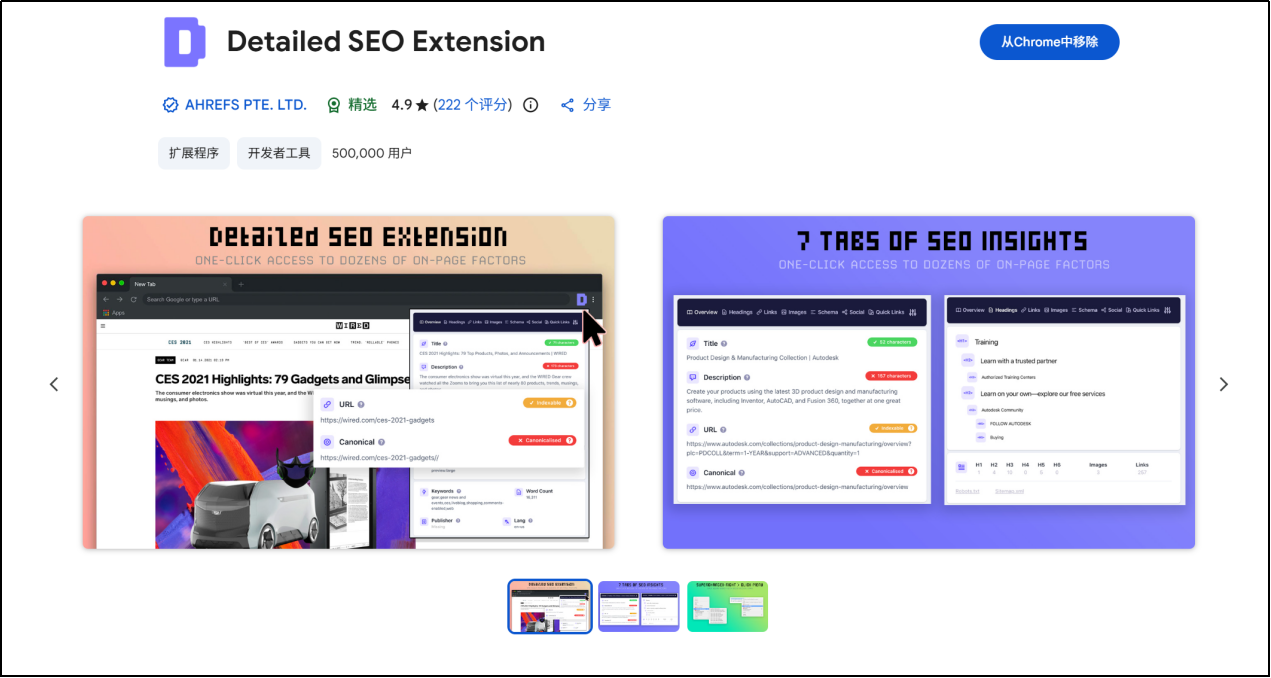
10. Detailed SEO Extension (Browser Extension)
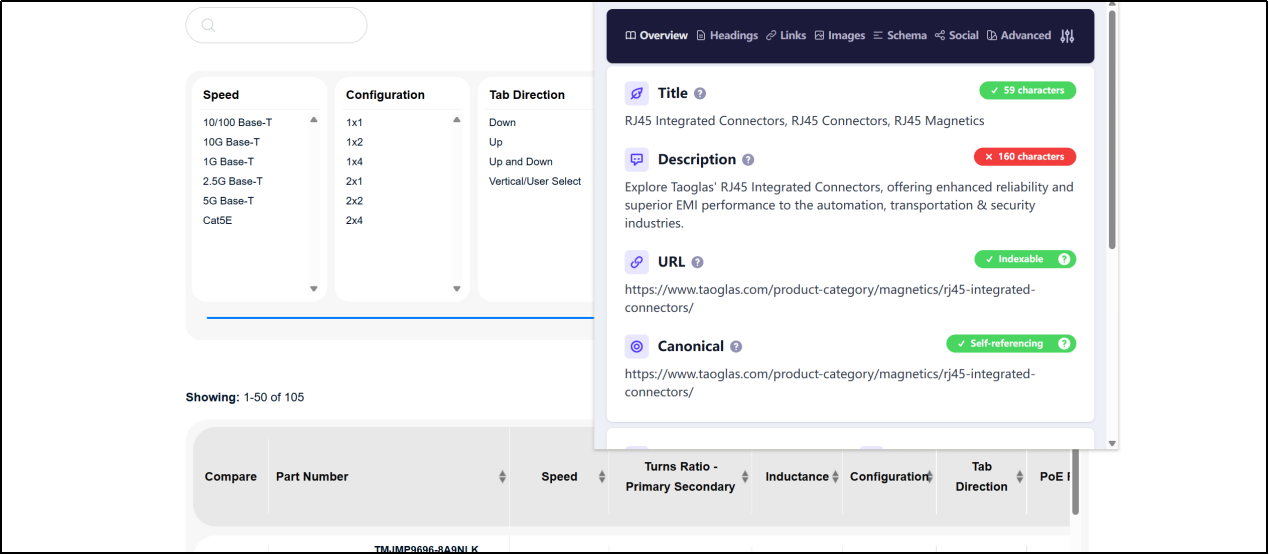
Get SEO insights for any website you're currently visiting with just a click of a button. Built by full-time SEO experts for daily analysis. Extract more information from your website's title tags, meta descriptions, meta bot tags, and more. Save hours browsing this page's source code with our SEO analytics extension.
11. SEO Pro Extension (Browser Extension)
https://marketingsyrup.com/seo-pro-extension/
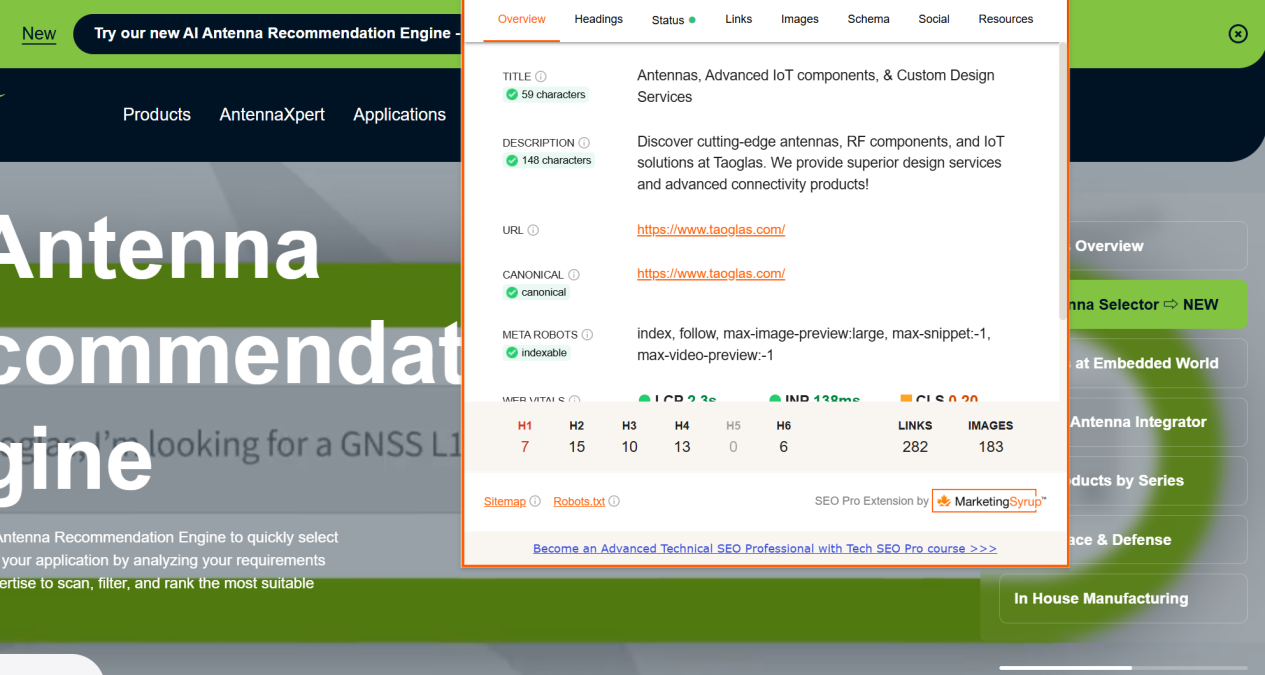
The SEO Pro extension allows you to easily inspect various types of schema tags without having to open the Rich Snippets tool and wait several minutes for the results to appear.
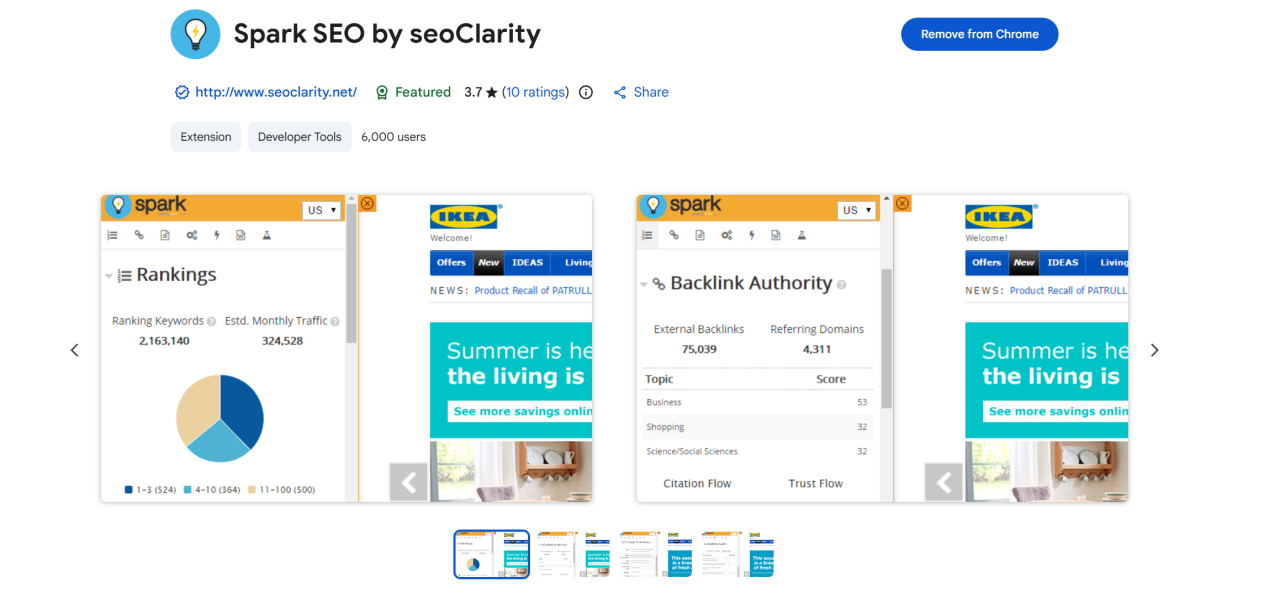
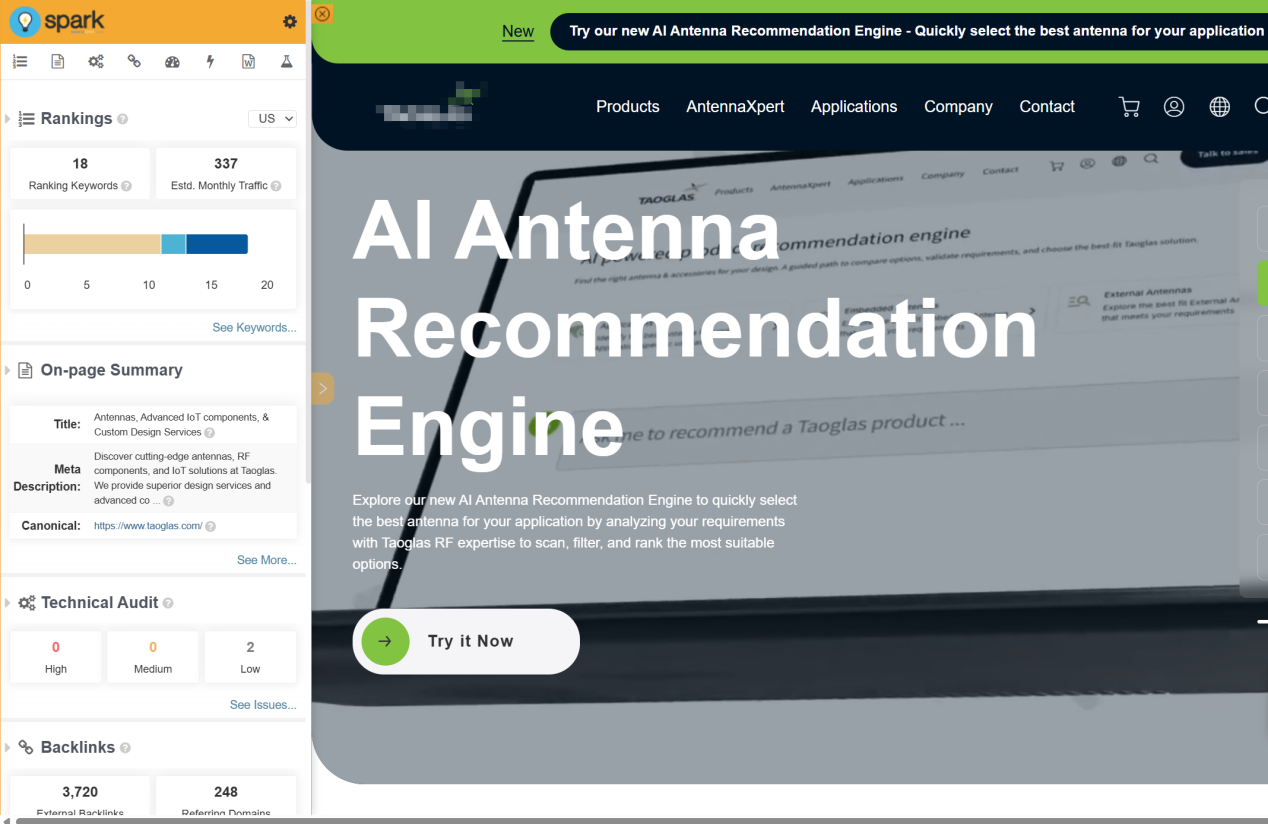
12. Spark SEO by seoClarity (browser extension)
This browser plugin encompasses all the SEO metrics you can think of: keyword rankings, backlinks, page elements, technical audits, and more. With seoClarity's Spark SEO and Content Optimization plugin, you can easily access massive amounts of SEO data. The Spark SEO plugin is designed to empower every user within your organization—from content creators to salespeople, from IT teams to designers—to help them improve their website's search experience. It gives you easy access to the most critical data and insights. For any webpage, you can: 1) View its ranking keywords; 2) Inspect key page SEO elements; 3) Instantly identify technical issues; 4) Display backlinks; 5) Understand key themes; 6) Check core website metrics, and much more!
Of course, there are many other useful on-page SEO tools waiting for you to discover; such as LinkResearchTools, the Yoast WordPress plugin, the Rank Math WordPress plugin... The above are just some examples of on-page SEO tools to make it easier for everyone to download and install them. Some tools only have more features available in the paid version. If you have any questions about the functions of the tools during use, feel free to leave a message to discuss them.

What does international social media management service include? 2026 Guide to Social Media Management for Export Businesses
2026-10-28

How to write a WordPress product page that will make overseas buyers want to send inquiries?
2026-10-28

How to fix WordPress form emails not sending: Practical WP Mail SMTP configuration
2026-10-27

Are foreign trade promotion companies reliable? Six key criteria for businesses to judge promotion service providers in 2026.
2026-10-26

How do I set up an email account for export businesses? How can I configure it to avoid it ending up in the spam/junk mail folder?
2026-10-26
Related Articles
What are the differences between Google SEO and Google Ads? Which should B2B export businesses do first?
2026 Shenzhen Google SEO Optimization Company Recommendations: Service Provider Comparison and Selection Guide
How to improve Google rankings through SEO optimization for international trade? 7 practical methods and steps.
Recommended Shenzhen B2B export website operation company: How to choose a suitable international lead generation service provider for your enterprise?
Why is the Google ranking of Shenzhen export businesses' business websites not improving?

