Contents +
5 Minutes Per Week for Business Website SEO: Master Keyword Ranking and Site Traffic Improvement
Source: 创同盟
Date: 2026-06-11
Views: 480
Want to improve content quality and optimize search engine rankings? Business website content optimization is the foundation of successful SEO. It involves creating authentic and marketing-oriented content that satisfies both search engines and user needs, while strategically targeting the right keywords. Master how to optimize existing content, implement on-page SEO best practices, and develop a content optimization system that delivers sustained results.
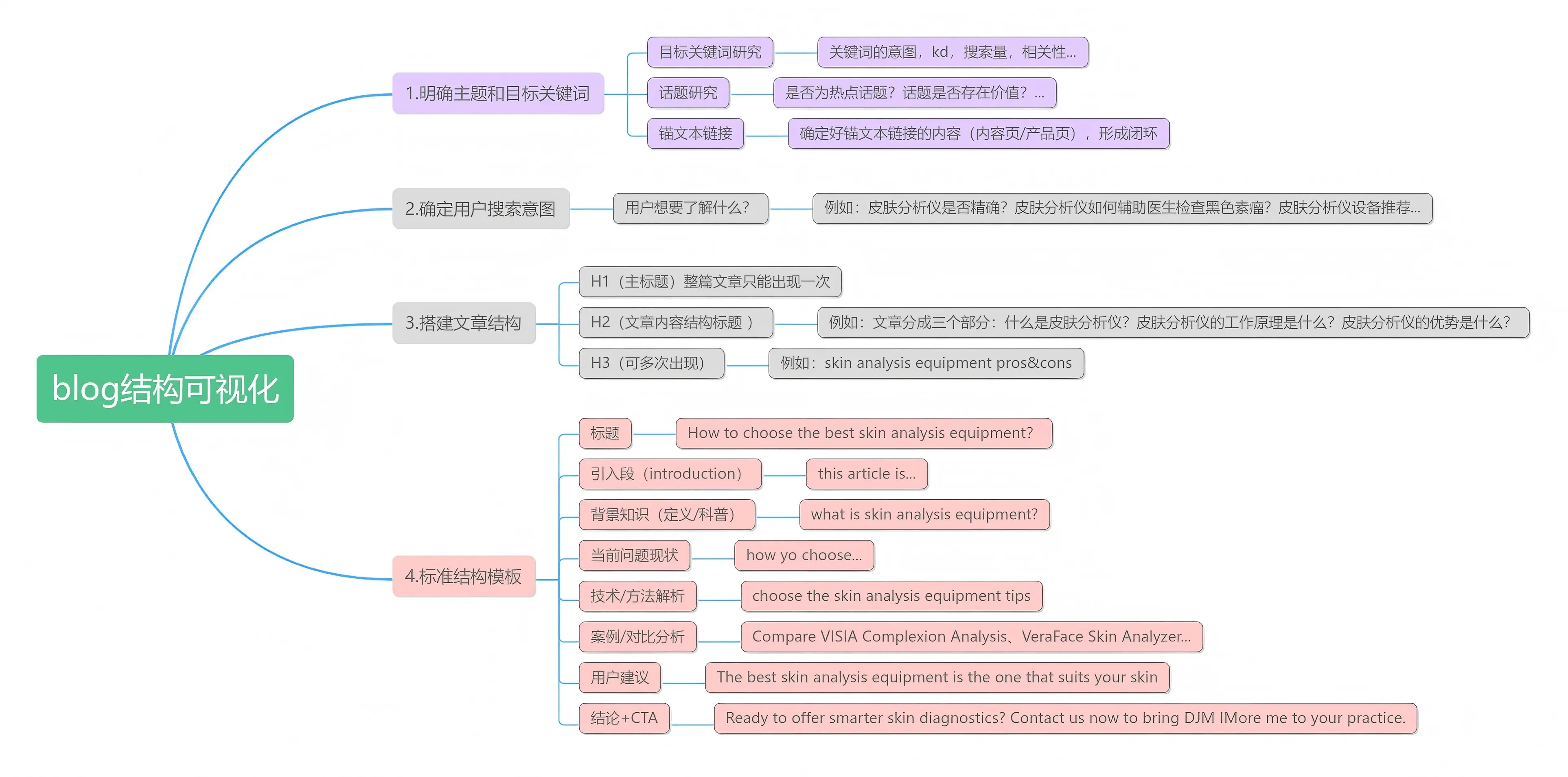
Figure 1 Content Structure Framework Diagram
What are the benefits of content optimization?
Anyone who regularly publishes content needs a solid strategy to stay ahead of the competition by fixing and improving their website. SEO: Improve search engine ranking. Traffic: Higher rankings bring more organic search traffic.
Trust: Users and Google are more likely to trust you.
Save time and money: Updating and republishing existing content, rather than rebuilding or redesigning your website, can save you significant time and money.
Valuable content: Regularly improving your content can bring you sustained organic traffic and conversion rates.
1. Understanding user intent is key to successful SEO.
Google Search Center doesn't start by talking about user intent (or search intent), and that's the secret to SEO content optimization. We wrote a blog post about user intent to simplify it; if I search for "flashlight purchase," I want to purchase flashlights; that's intent.
Let's take the "Meta Description Preview Tool" as an example. The operations team wants to see how it performs before publishing meta descriptions. Determining user intent becomes more difficult when mixed intents appear at the top of Google search results. For targeted search queries, the best way to achieve an optimal intent response is to use content optimization tools (SEMrus, Ahrefs, etc.) to create a keyword-based topic content publishing table using the query as the target keyword. Summarize and record the intent of the targeted keywords, the user's and Google's goals, the page's purpose, the popularity of the selected topics, and the one-to-one correspondence with the aforementioned relevance.
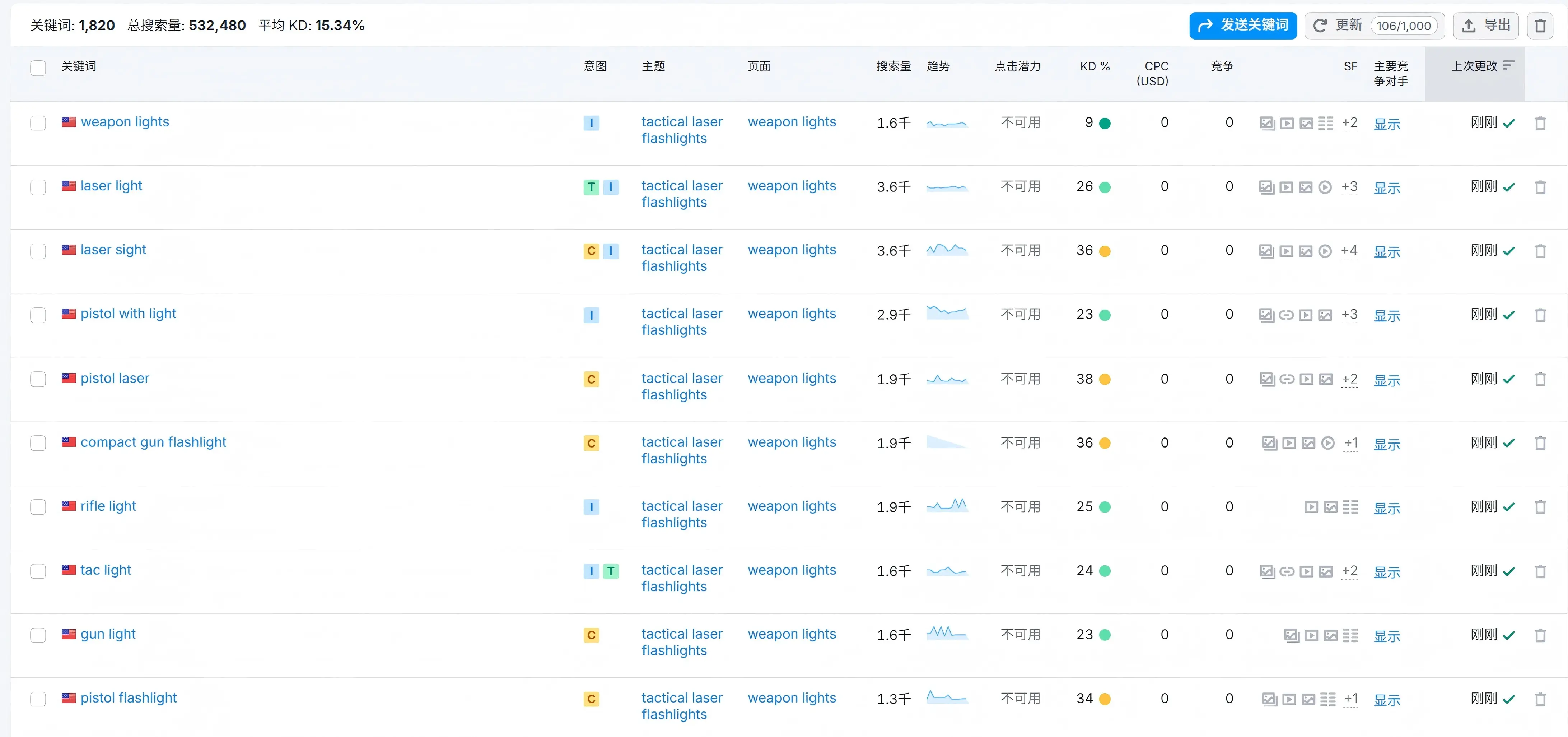
Figure 2 Keyword search chart
2. Build page structure based on user intent
Let's say you discover a highly competitive keyword, such as "laser flashlight," which has high search volume and huge traffic potential.
Then you wrote content about the content services you offer. Because your page structure doesn't align with user intent, it won't rank highly in search results. You need to create a guide providing step-by-step instructions for ranking for that specific keyword. Use this form to create your next post or rewrite an existing one to help you connect your page content with user intent. Let's look at some more advanced content optimization strategies.
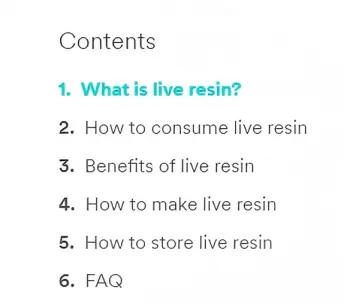
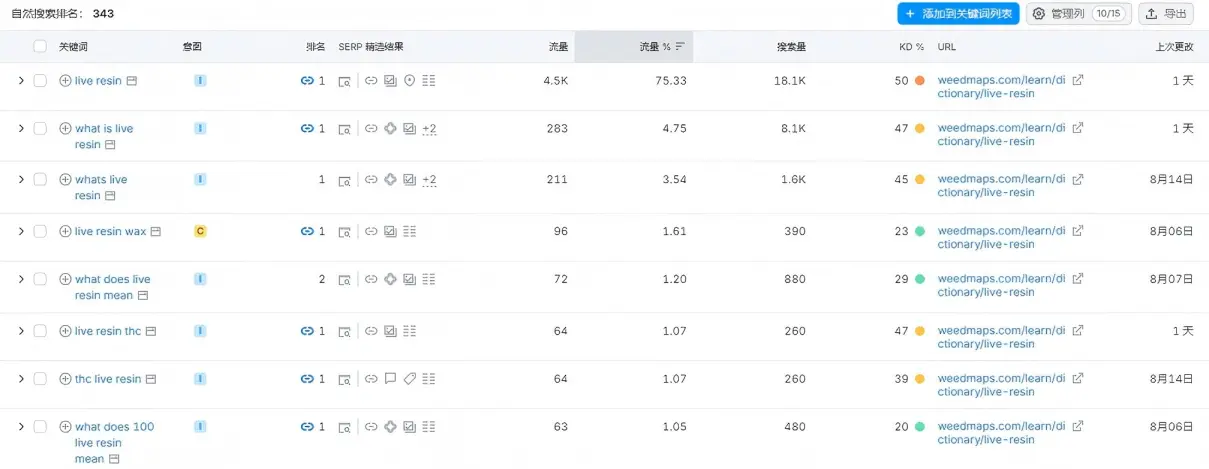
Figure 3 Content Structure Diagram
3. Establish a website with an authoritative theme to demonstrate that you are an industry expert.
Let's try to explain how Google works; they've shifted their focus from keywords to subject authority.
You need to get Google to associate your website with topics you want to be associated with. These topics are usually related to your products or services. The best way to achieve this is to create small libraries or topic clusters. These small libraries need to be closely related to your products and services so that Google can establish the right associations for your business.
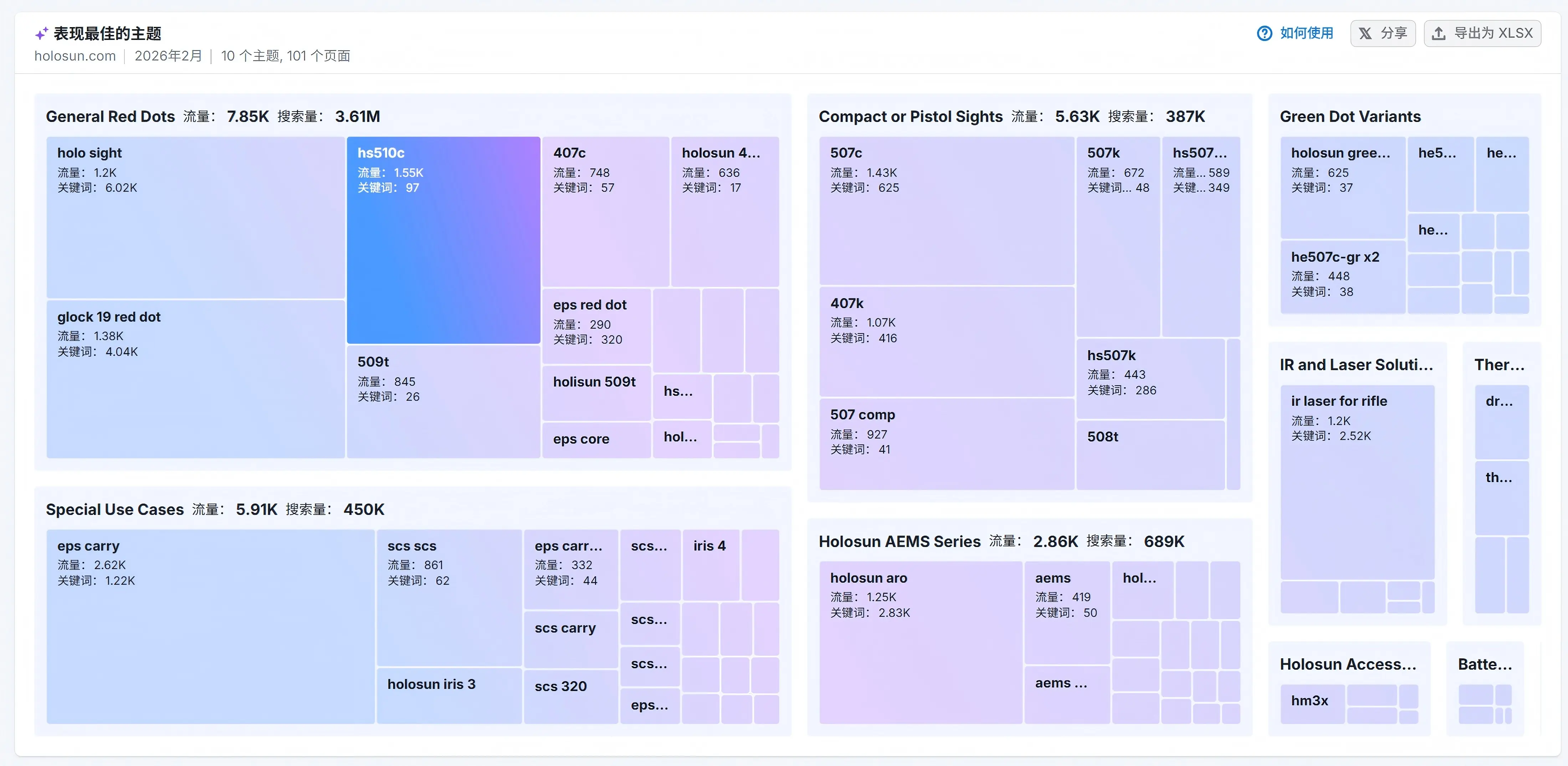
Figure 4. Thematic Content Structure Diagram
4. Long-tail keyword strategy for new websites
For new websites or websites with low authority, my usual strategy is to target long-tail keywords on a specific topic. Broad industry traffic terms and main keywords are not SEO-friendly for new sites. Instead, you should target keywords that are easier to rank for, such as "B2B long-tail keywords" or "product feature parameters." These keywords are easier to rank for and still have traffic potential. Over time, if your content is excellent enough, you will eventually rank highly in keyword rankings.
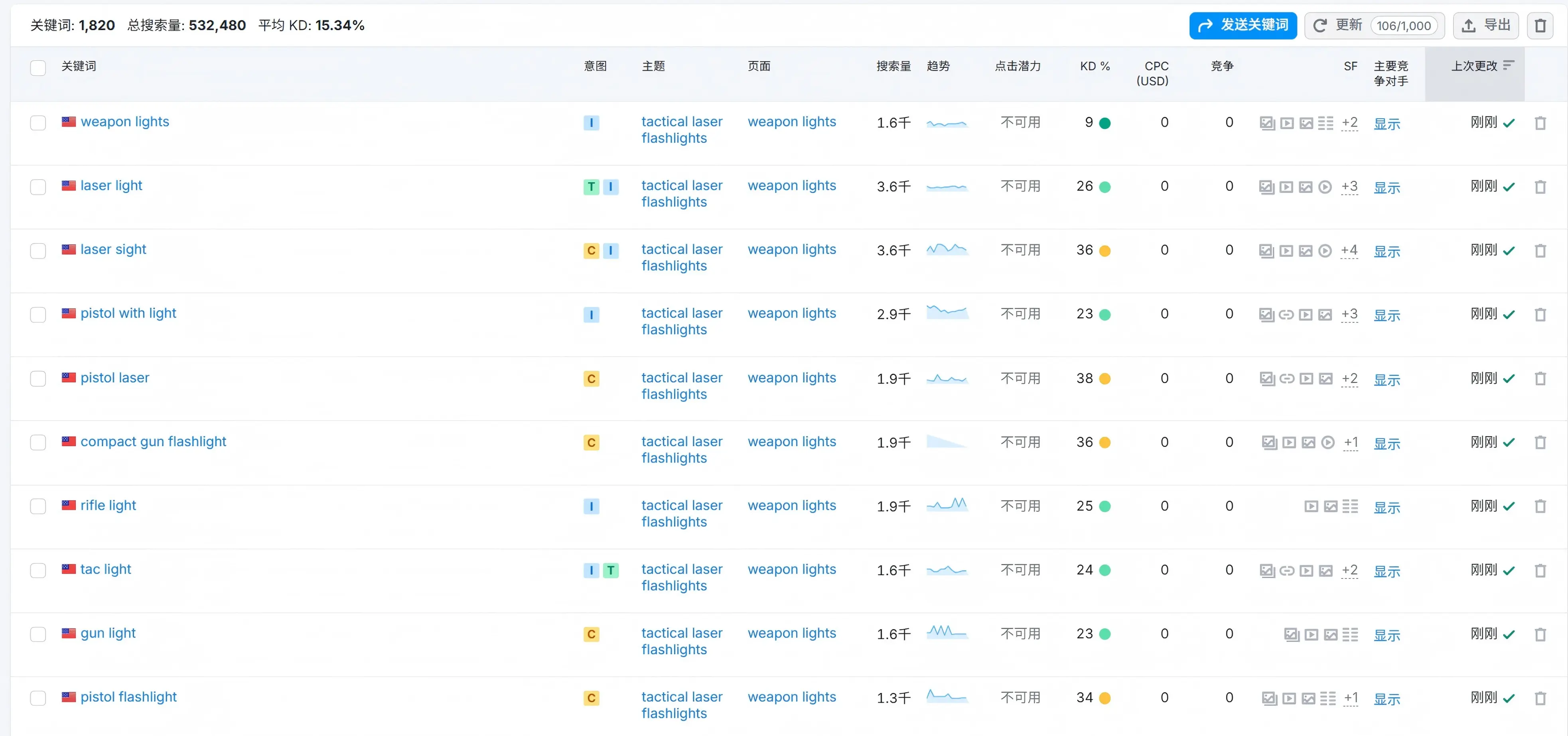
Figure 5 Keyword Acquisition Diagram
5. Write compelling page titles, descriptions, and introductions.
You have complete control over the titles, descriptions, page introductions, subtitles, and everything else on a website. As Google says, "One of the main ways people determine which search results are likely to be relevant to their query is by looking at the titles of the pages listed."
Meta descriptions, located below the page title, provide additional information about the page to search engines and users. Most meta descriptions are extensions of the page title. To optimize meta descriptions, include clear calls to action, offers, or results in the page title, telling users what they might gain by clicking on your page.
The introduction , or first sentence, should encourage users to continue reading or scrolling down to find the answer or result they're looking for after clicking on a result on your page. Ensure your introduction or first sentence contains your target keywords and a statement of benefits.
Subheadings , to quote Google, "are indeed used in searches. But we use headings to better understand the content on the page." If sequential steps within the page content are marked with h2 or h3 tags, users will find it easier to understand the page content.
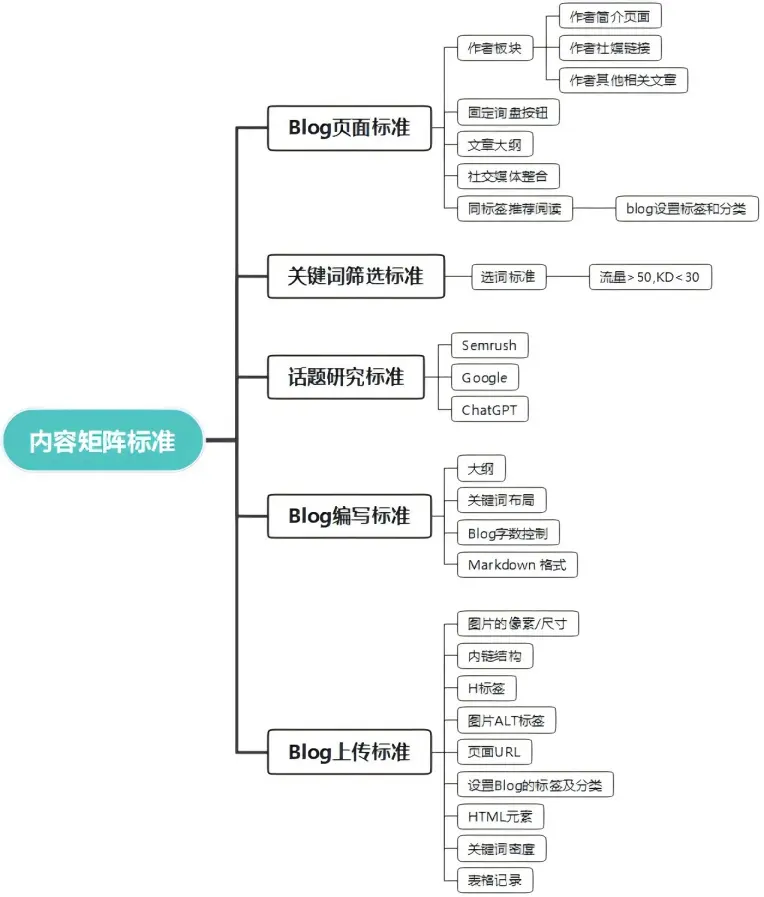
Figure 6. Key Points of Content Structure Standards
6. Speed up page loading
Page load speed refers to how quickly a webpage loads in browsers like Chrome and Safari. This metric is crucial because if users have to wait for the website to fully load before they can see content, you'll lose those users. Slow page load speeds can lead to various negative consequences, such as lower rankings, higher bounce rates, and user churn.
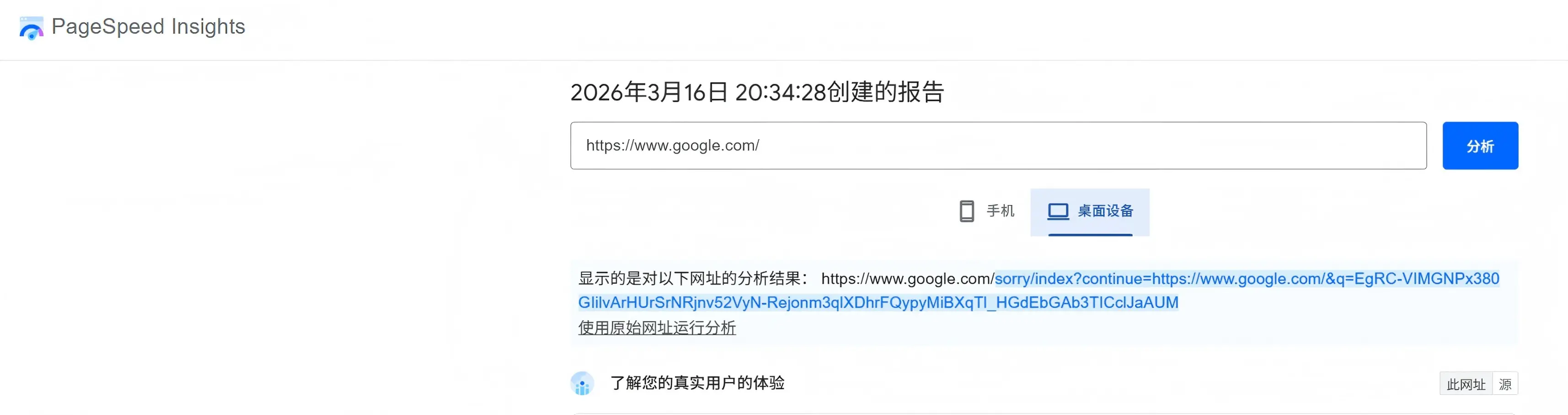
Figure 7 Page speed test graph
7. Add or improve calls to action
A call to action (CTA) is an element on a website that encourages visitors to take certain actions, such as learning more, downloading, buying now, or signing up for a free trial. A CTA should be relevant to the page the user is reading.
For example, we offer a free sampling service with a call to action: claim your free sample. However, most of our articles don't have a call to action; offering free samples/use cases for content optimization is more appropriate for this page.
Figure 8. Inner Link CTA Layout Diagram
summary
The quality of a business website's content directly impacts keyword rankings and organic traffic growth: High-quality content not only more accurately matches user search intent, improving the coverage and ranking of core and long-tail keywords, but also enhances page click-through rates, dwell time, and conversion performance, thus ensuring continued better exposure from search engines. Conversely, low-quality, repetitive, or empty content, even if indexed, is unlikely to achieve stable traffic. Therefore, for a business website, keywords determine the direction, while content quality determines whether it can truly gain traffic and achieve long-term growth.

What does international social media management service include? 2026 Guide to Social Media Management for Export Businesses
2026-10-28

How to write a WordPress product page that will make overseas buyers want to send inquiries?
2026-10-28

How to fix WordPress form emails not sending: Practical WP Mail SMTP configuration
2026-10-27

Are foreign trade promotion companies reliable? Six key criteria for businesses to judge promotion service providers in 2026.
2026-10-26

How do I set up an email account for export businesses? How can I configure it to avoid it ending up in the spam/junk mail folder?
2026-10-26
Related Articles
What are the differences between Google SEO and Google Ads? Which should B2B export businesses do first?
2026 Shenzhen Google SEO Optimization Company Recommendations: Service Provider Comparison and Selection Guide
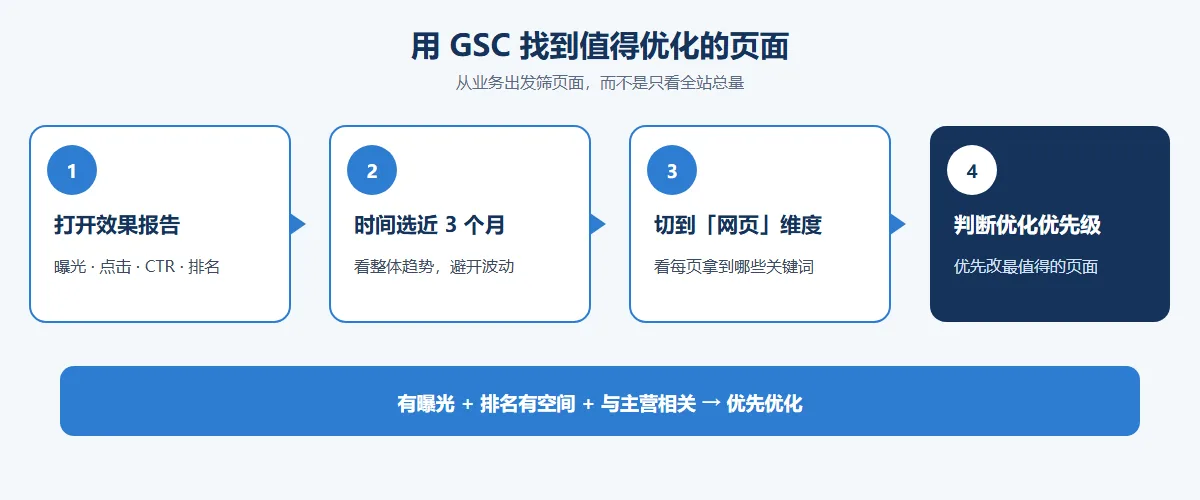
How to improve Google rankings through SEO optimization for international trade? 7 practical methods and steps.
Recommended Shenzhen B2B export website operation company: How to choose a suitable international lead generation service provider for your enterprise?
Why is the Google ranking of Shenzhen export businesses' business websites not improving?

