Contents +
How to set up WordPress SEO plugins? Complete configuration tutorial for Yoast, Rank Math, and AIOSEO
Source: 创同盟
Date: 2026-10-21
Views: 63
After your WordPress website goes live, in addition to installing the theme and improving the page content, there is one more thing you can't ignore: configuring SEO plugins.
In the previous article, we discussed SEO checks after a WordPress website goes live , including Google Search Console verification, Sitemap submission, and basic SEO checks. SEO plugins are commonly used tools to help us accomplish these tasks.
Currently, there are three commonly used SEO plugins for WordPress:
- Yoast SEO
- Rank Math
- All in One SEO(AIOSEO)
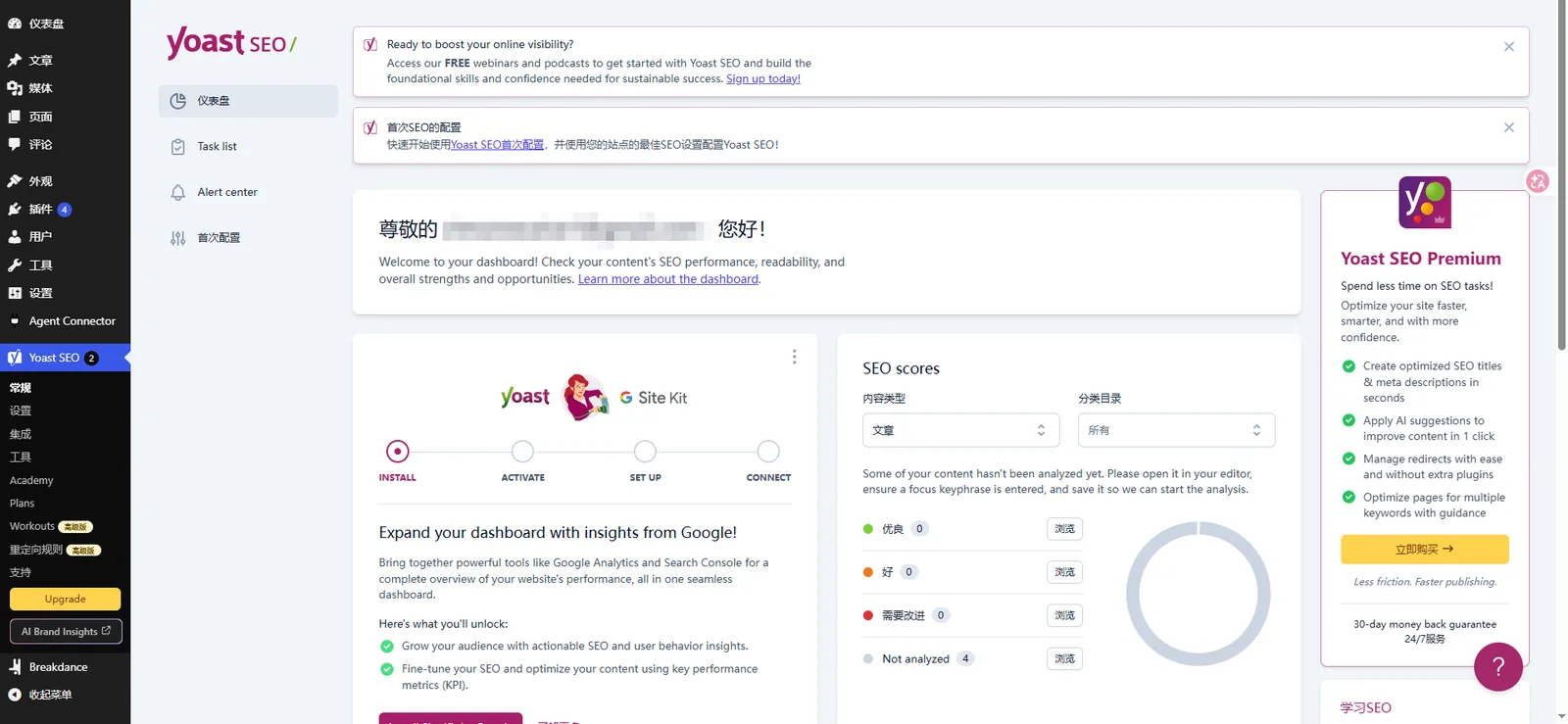
Many people who are new to WordPress spend a lot of time researching which plugin is the best, which has a higher rating, and which has more features.
There's really no need to overthink it.
The core configuration logic of these three plugins is largely the same. For newly launched enterprise websites, configuring the title, description, sitemap, and indexing rules correctly is more important than figuring out a bunch of advanced features.
This article doesn't go into a complicated plugin ranking; it mainly focuses on one thing: regardless of which plugin you choose, what settings do you need to configure after installation?
1. How to choose between Yoast, Rank Math, and AIOSEO?
Each of the three plugins has its own characteristics; let's take a brief look at them first.
| Plugin | Main features | Who is it suitable for? |
|---|---|---|
| Yoast SEO | A well-established SEO plugin, offering intuitive content analysis and comprehensive basic functions. | First-time users of WordPress SEO |
| Rank Math | The module set is quite comprehensive, supporting features such as schema and 404 monitoring. | Hoping to centrally manage websites with more SEO functions |
| AIOSEO | The configuration wizard is clear and provides TruSEO page analysis. | Company website and users who want to simplify the configuration process |
It should be noted that some features may be limited by the free version, paid version, or plugin version.
My advice is: if this is your first time building a WordPress website, choosing one of the three is enough.
They can all help you manage basic settings such as SEO titles, meta descriptions, and XML sitemaps.
However, the choice of which plugin to use does not directly determine whether a website can achieve a Google ranking.
What really needs attention is whether the website structure is reasonable, whether the pages can be crawled normally, and whether the content meets the user's search needs.
Additionally, a single WordPress website typically only needs to have one main SEO plugin enabled. It is not recommended to install multiple plugins simultaneously to manage the same SEO functions, to avoid conflicts in title, sitemap, or schema outputs.
2. After installing the plugin, first complete the Setup Wizard initialization settings.
Regardless of whether you install Yoast SEO, Rank Math, or AIOSEO, you can usually complete the basic setup through the Setup Wizard after the first use.
Don't skip ahead; just follow the wizard. If you're not familiar with the WordPress backend, you can first learn what WordPress is before coming back to it.
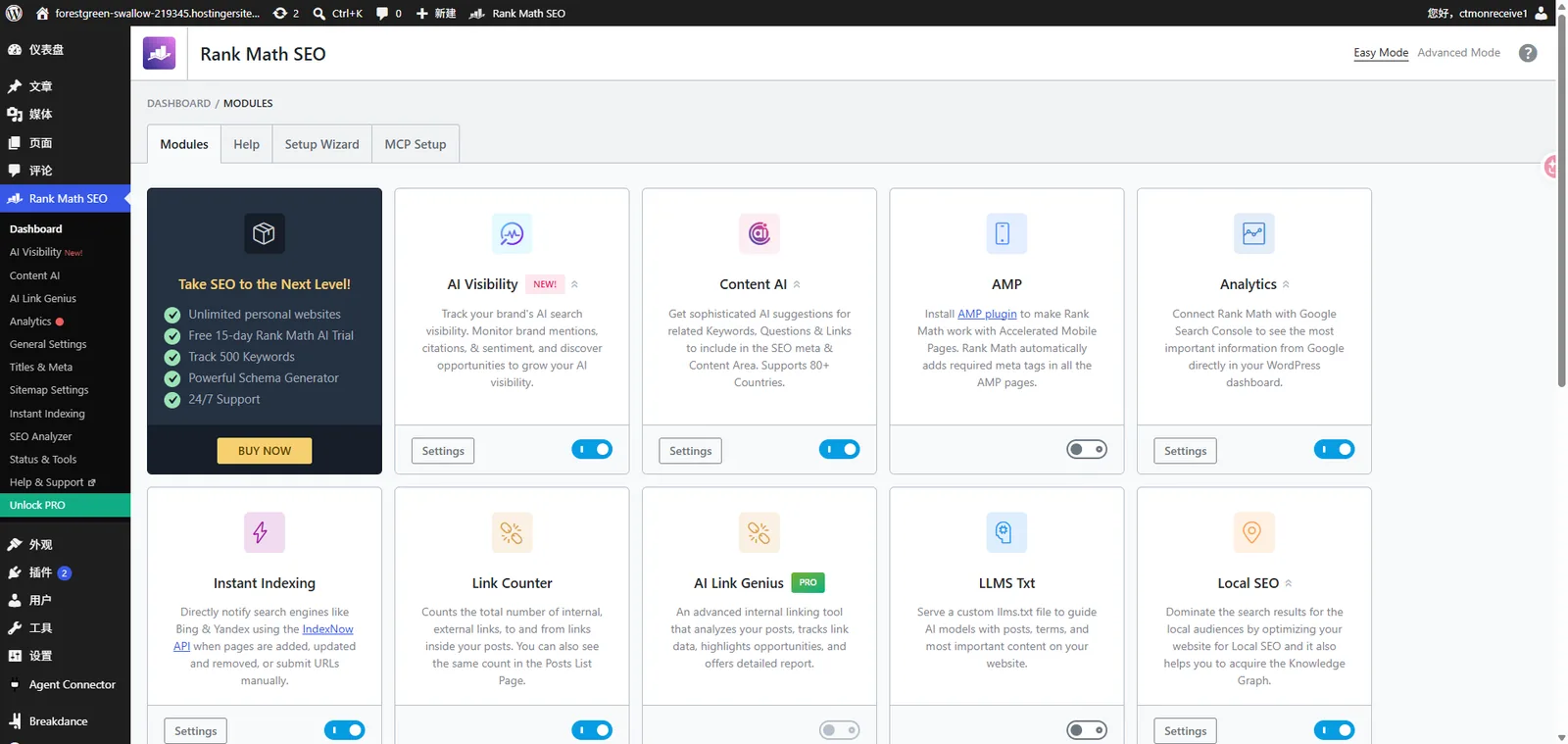
1. Select website type
For a typical corporate website, you can choose the Business category or the category corresponding to your corporate website.
If the website offers online transaction functionality, you can choose the Online Store option based on your specific needs.
For B2B export websites in the manufacturing industry, it is usually necessary to highlight the company and product information, rather than setting up the website as a personal blog.
2. Fill in the website name and company information.
It is recommended to use the company name or brand name for the website name.
If the configuration wizard asks you to choose whether the website represents an individual or an organization, corporate websites generally select "Organization" and enter the actual company name.
This information may be used for the website's structured data output, so do not fill in content that is unrelated to your business.
3. Connect to Google Search Console
If your website has already completed Google Search Console (GSC) verification, you can check whether the plugin supports the relevant authorization or data integration functions.
One thing to note here:
Connecting to GSC data and completing website ownership verification are not exactly the same operations.
Some plugins can help add validation codes, while others are primarily used to display data from the Search Console. Specific functionality depends on the plugin version.
If you have already successfully verified it, there is no need to verify it again just to install the SEO plugin.
4. Improve social media profiles
If your company has official pages on LinkedIn, Facebook, YouTube, etc., you can fill in the links in the corresponding locations in the plugin.
For export businesses targeting overseas markets, it is recommended to prioritize filling in the official account that is actually in operation.
You can leave the blank if you don't have one; there's no need to fill in an invalid link just to complete the configuration.
After completing these steps, your website will have a basic SEO configuration. Next, you'll need to manually check a few important settings.
III. Four Core Settings You Must Check for WordPress SEO Plugins
This part is the focus of the entire tutorial.
The menu names of the three plugins may differ, but the core operations are basically the same.
1. Set SEO title separators
Title separators are symbols used in webpage SEO titles to distinguish the page's theme from the brand name.
For example:
`Custom Injection Mould Manufacturer | XX Mould`
`|` is the separator.
Common options are `-` and `|` ; usually, choosing one is sufficient.
You can find it in the plugin's global title settings or in the Titles & Meta menu; the exact location depends on the current version.
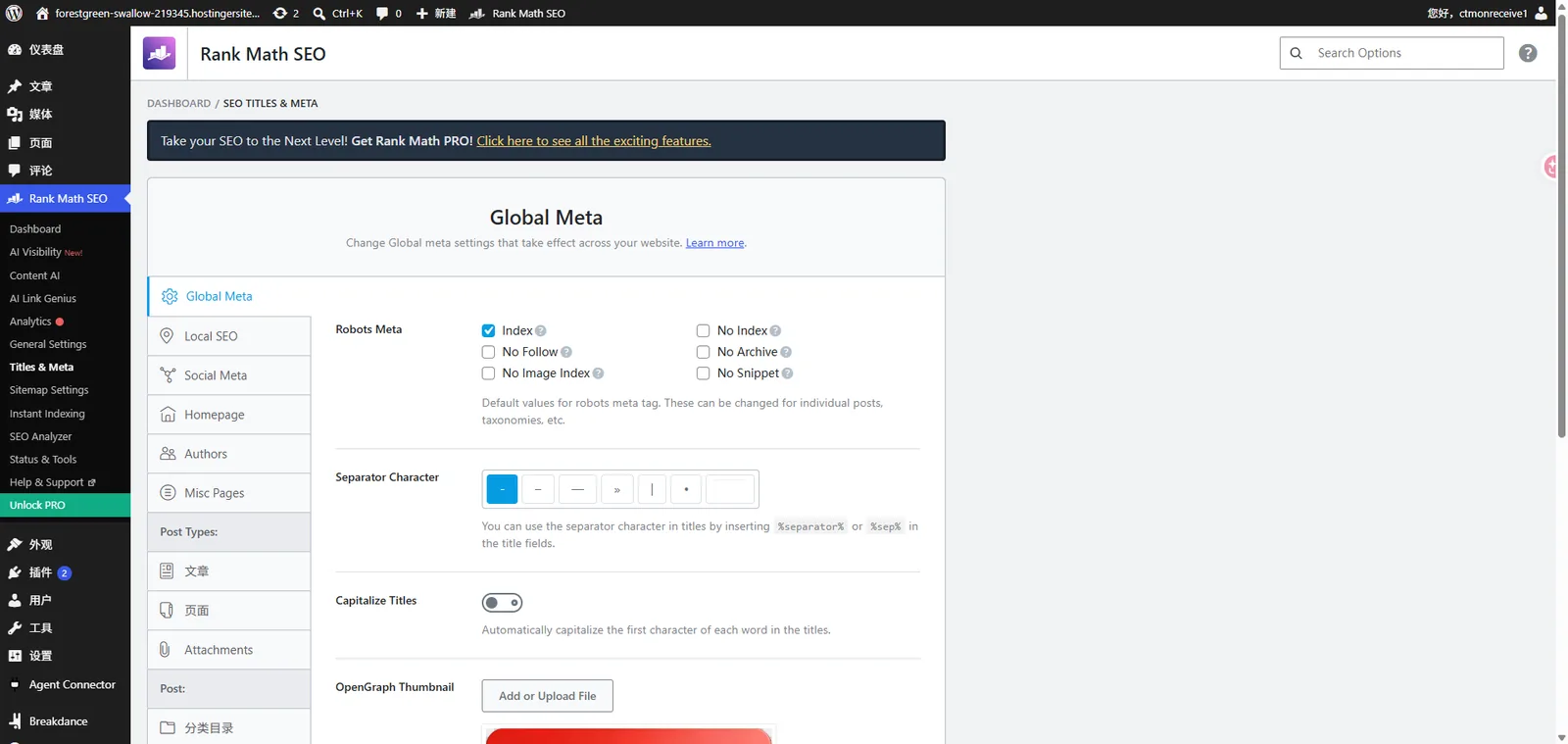
It's important to note that separators are not a key factor affecting ranking. Rather than worrying about which separator to use, it's more important to ensure the title accurately reflects the page content.
2. Set the homepage SEO title and description
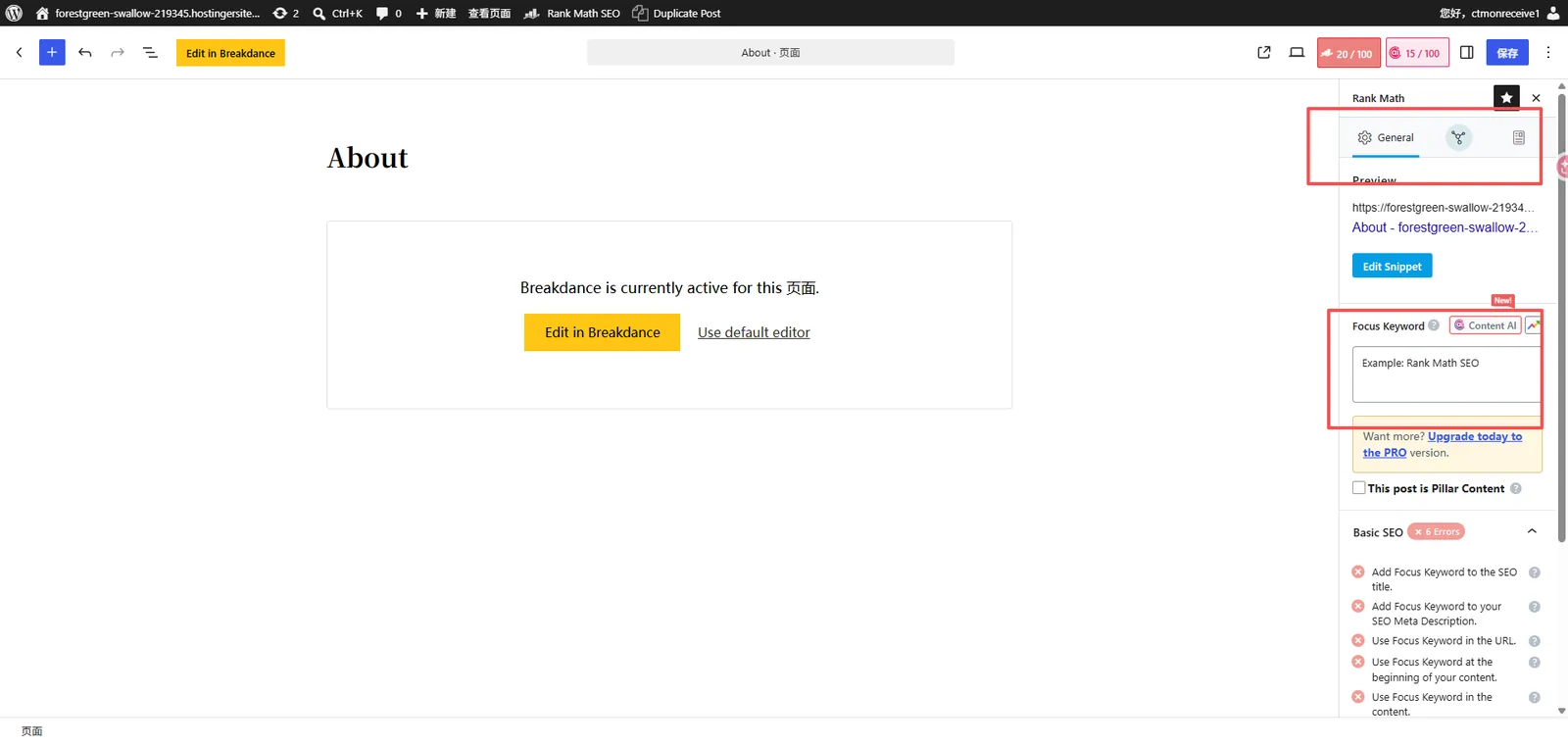
It is recommended to perfect the SEO title and description of the homepage in the early stages of website launch.
For foreign trade B2B companies, the homepage title can refer to the following structure:
Core business keywords + company name or brand name
For example:
SEO Title:
`Custom Injection Mould Manufacturer | XX Mould`
Meta Description:
`XX Mould provides custom injection mould manufacturing services for industrial applications. Explore our capabilities, materials and production solutions.`
The examples here are only for illustration; in actual use, adjustments need to be made based on the company's main business, target customers, and keywords.
The description should use one or two sentences to explain what products or services the company offers and why customers should learn more about it.
The length of titles and descriptions displayed in Google search results varies depending on the device, query, and search result layout, so there's no need to mechanically pursue a fixed number of characters.
Additionally, Google may regenerate the search summary based on the page content and search terms, and there is no guarantee that the content entered in the plugin will be fully displayed.
3. Check if the XML Sitemap is generated correctly.
A sitemap can be understood as a list of page addresses that a website provides to search engines.
It can help Google discover important URLs on a website that it wants to crawl, but it doesn't mean that all pages will be indexed after submission.
Yoast SEO, Rank Math, and AIOSEO typically support generating XML Sitemaps.
Common addresses include:
| Plugin | Common Sitemap Addresses |
|---|---|
| Yoast SEO | /sitemap_index.xml |
| Rank Math | /sitemap_index.xml |
| AIOSEO | /sitemap.xml |
The exact address is subject to the Sitemap actually generated by the website.
You can directly open the corresponding URL in your browser to confirm whether you can access it normally.
Then go to the "Sitemaps" feature in Google Search Console and submit the actual Sitemap address.
There is another issue that is easily overlooked:
If a website uses multiple Sitemap generation functions simultaneously, check for duplicate outputs.
For example, WordPress itself may provide a native Sitemap. It is generally recommended to explicitly specify which Sitemap to use as the primary commit address to avoid confusion during future maintenance.
4. Check which pages are allowed to be indexed by Google.
This one is especially important.
In the Search Appearance, Titles & Meta, or other search appearance-related settings of SEO plugins, you can usually control whether different content types are allowed to be indexed by search engines.
For the official website of Export Businesses, you can refer to the following principles:
| Page Type | suggestion |
|---|---|
| front page | Allow indexing |
| Product Category Page | Indexing is generally permitted, provided the content is complete and has search value. |
| Product Details Page | Allow indexing of important product pages |
| News and blog posts | Allow indexing of valuable original content |
| Tag Page | Based on content quality, the noindex option may be considered for thin content tabs. |
| Site search results page | Indexing is generally not recommended. |
| Test page, duplicate page | Restrict indexing or access based on usage. |
A special reminder: product category pages should not all be set to noindex.
For B2B export websites, product category pages are often important pages for attracting Google business search keywords.
For example, an industrial fan manufacturer might need to handle product-related search requests through the "DC Axial Fans" category page.
Directly prohibiting category page indexing could affect the chances of these pages gaining organic search traffic.
As for tabs, if they only have a few article links and lack independent content, you might consider not including them in the Google index.
Don't set all types of pages to the same rules just because there's a toggle in the plugin.
4. When publishing articles or products, what should be filled in the SEO plugin?
The previous section covered the overall site settings; the following section covers the most frequently used parts in daily operations.
It is recommended to check the corresponding SEO settings every time you publish a new article, product, or category page.
The two most commonly used fields are...
SEO Title: Page SEO Title
The SEO title is used to explain the core theme of the page to search engines.
It can be the same as or different from the H1 heading in the body of the page, but the two should maintain a consistent theme.
For example, the H1 of an article is:
`How to Choose a DC Axial Fan for Industrial Equipment`
An SEO title can be written as:
`How to Choose a DC Axial Fan | Industrial Fan Guide`
The key is not to repeat keywords multiple times, but to enable users to judge whether the page meets their needs after seeing the title.
Meta Description: Page Description
The description mainly answers two questions:
What is this page about? What information can users get by clicking on it?
For example:
`Learn how to choose a DC axial fan based on airflow, static pressure, voltage and installation requirements for industrial equipment.`
This description is more natural than simply repeating keywords such as "DC axial fan manufacturer, DC fan supplier, industrial fan".
In addition, the page's URL, H1 tags, body structure, image ALT text, and internal links also need to be checked. These cannot be accomplished simply by filling in a plugin rating.
Does a higher plugin SEO score necessarily mean better Google ranking?
no.
Yoast's traffic light prompts, Rank Math's SEO score, and AIOSEO's TruSEO score are all essentially optimization suggestions given by the plugins based on their own rules.
A green or high score indicates that the page meets some of the check criteria, but these are not official Google ranking scores.
If you repeatedly stuff keywords in an attempt to get a perfect score, it may actually affect the readability of the content.
For corporate websites, it is recommended to first check whether the search intent matches, whether the product information is accurate, and whether the content is complete, and then make adjustments based on the plugin suggestions.
5. Should I modify the advanced settings in the SEO plugin?
After installing the SEO plugin, you will see many advanced features, such as:
- Robots Meta
- Canonical URL
- Schema Markup
- Redirects
- Internal Linking Suggestions
These features are indeed useful, but not every website needs to be modified item by item when it goes live.
Robots Meta controls whether a page is allowed to be indexed and whether links are followed. It is not recommended to change it arbitrarily unless there is a specific requirement.
Canonical URLs help search engines understand the preferred URLs for duplicate or similar pages. If your website doesn't have any special URL structure issues, you can first check if the default output is reasonable.
Schema Markup helps search engines understand information such as businesses, articles, and products. Plugins may provide a basic schema, but data such as product prices, inventory, and reviews cannot be added out of thin air.
Redirects are especially important when pages are deleted, URLs are adjusted, or websites are migrated. It's not necessary to wait six months after a website has been running before using them; whenever a URL change occurs, a 301 redirect should be evaluated to determine if it's needed.
If there is no immediate need for these features, there is no need to arbitrarily modify the settings in order to use advanced features.
6. What are some noteworthy minor differences between the three SEO plugins?
Although the basic functions are similar, there are still some differences in actual use.
Yoast SEO: Suitable for daily content optimization
Yoast's most representative features are SEO analysis and readability analysis.
After entering the Focus Keyphrase on the article editing page, the plugin will provide suggestions based on keyword usage, title, description, and content structure.
Suitable for users who want to write articles while checking for basic SEO issues.
Rank Math: Its functional modules are relatively concentrated.
Rank Math offers a variety of optional functional modules, such as schema, 404 monitoring, redirection, and some data analysis capabilities.
If you want to manage more SEO features centrally within a single plugin, you should definitely learn more about it.
However, not all functions are suitable for direct activation; configuration is still required based on the website's specific situation.
AIOSEO: Suitable for business websites that want to simplify their operation process.
AIOSEO provides an SEO configuration wizard and TruSEO page analysis functionality.
Its advantage lies in the centralized management of many common settings, making it convenient for website operators to check them step by step.
The specific choice of which one to use depends on the WordPress version, website requirements, and team usage habits.
7. What else needs to be done after configuring the SEO plugin?
Many people believe that once the SEO plugin is installed and the page rating turns green, the website optimization work is finished.
In fact, plugin configuration is just a basic task.
For a newly launched WordPress B2B export website, it is recommended to check the following items one by one. If the website is still in the local stage, you can refer to the article on WordPress local test sites to ensure the configuration works locally before migrating it online.
WordPress SEO Launch Checklist
- Check the SEO titles and descriptions of the homepage, core category pages, and product pages.
- Confirm that the XML Sitemap can be accessed normally and submit it to GSC.
- Check whether important pages are allowed to be indexed.
- Improve product content, image ALT text, and internal page links.
- Check index status and crawling anomalies using GSC.
- Regularly check keyword impressions, clicks, and organic search traffic.
After a website goes live, an initial check can be performed within one to two weeks, but changes in crawling, indexing, and ranking of the new website may not be fully reflected during this period.
Further observation using data from Google Search Console is needed.
Especially for B2B foreign trade companies, the goal of SEO is not simply to get articles to get a green rating, but to enable potential buyers to find relevant products, solutions and company information through Google.
8. Common WordPress SEO Plugin Issues
1. What should I do if my website slows down after installing an SEO plugin?
First, check if there is functional overlap between plugins, and then determine the actual cause through performance testing.
SEO plugins may incur some resource overhead, but website speed is also affected by themes, images, servers, caches, and other plugins, so it cannot be directly attributed to SEO plugins.
2. Is the free version sufficient? Do I need to purchase the Pro version?
For newly launched corporate websites that only need to manage SEO titles, descriptions, and sitemaps, the free version is usually sufficient to meet basic needs.
If more complex schema management, redirection, content analysis, or other paid features are needed in the future, then we will consider upgrading based on actual needs.
3. Will changing SEO plugins affect Google rankings?
Replacing a plugin itself does not necessarily lead to a drop in rankings, but if SEO titles, descriptions, indexing rules, canonical, or schema configurations are lost during the migration process, it may cause SEO problems.
It is recommended to back up the website first, then migrate the data using the import function supported by the plugin. After confirming that the new plugin outputs normally, then disable the old plugin.
4. Will my website be indexed by Google after installing an SEO plugin?
No guarantee.
SEO plugins can help generate sitemaps, manage index settings, and page meta information, but whether Google indexes a page is also affected by factors such as crawlability, content quality, duplicate content, and site structure.
If a website has not been indexed for a long time, you should further check GSC instead of repeatedly changing SEO plugins.
5. Can Yoast, Rank Math, and AIOSEO be installed at the same time?
It is not recommended to enable multiple major SEO plugins at the same time to manage the same functions.
This is because they may repeatedly generate meta tags, canonical, schema, or sitemap, increasing the difficulty of conflict resolution and troubleshooting.
Choosing a primary SEO plugin and keeping the configuration consistent usually makes maintenance easier.
IX. Conclusion: SEO plugins are tools; website content is the key to long-term optimization.
WordPress SEO plugins are not complicated.
For a newly launched website, completing the basic configuration and checking the title, description, index status, and Sitemap of each important page is already the first step.
What truly requires sustained investment going forward are product page improvements, keyword optimization, internal website linking, content updates, and Google Search Console data analysis.
Especially for B2B export websites in the manufacturing sector, SEO cannot be limited to plugin configuration. The website also needs to clearly showcase product parameters, application scenarios, manufacturing capabilities, and company advantages, enabling overseas buyers to find information and generate inquiries.
CTMON provides WordPress B2B export website development and Google SEO optimization services. We plan and continuously optimize website structure, keyword layout, product content, and search performance to help businesses build websites that are more suitable for overseas customers' search and purchasing decisions.
If your WordPress website is already live but still has issues such as pages not being indexed, insufficient keyword rankings, or low organic search traffic, you can conduct SEO checks and optimizations based on the actual situation of your website.
Author: CTMON | B2B Digital Marketing Service Provider
References and Information Sources
- Google Search Central — SEO Starter Guide:https://developers.google.com/search/docs/fundamentals/seo-starter-guide
- Google Search Console Help Center: https://support.google.com/webmasters/
- Yoast SEO Official Documentation: https://yoast.com/help/
- Rank Math Official Documentation: https://rankmath.com/kb/
- All in One SEO Official Documentation: https://aioseo.com/docs/
- WordPress Official Documentation: https://wordpress.org/documentation/
Note: The plugin interface and functions mentioned in this article may be adjusted with version updates. The actual operation is subject to the latest version of the plugin.

What does international social media management service include? 2026 Guide to Social Media Management for Export Businesses
2026-10-28

How to write a WordPress product page that will make overseas buyers want to send inquiries?
2026-10-28

How to fix WordPress form emails not sending: Practical WP Mail SMTP configuration
2026-10-27

Are foreign trade promotion companies reliable? Six key criteria for businesses to judge promotion service providers in 2026.
2026-10-26

How do I set up an email account for export businesses? How can I configure it to avoid it ending up in the spam/junk mail folder?
2026-10-26
Related Articles
How to configure WPForms contact forms: Which should I choose, WPForms or Contact Form 7?
How to write a WordPress product page that will make overseas buyers want to send inquiries?
How to fix WordPress form emails not sending: Practical WP Mail SMTP configuration
How do I set up an email account for export businesses? How can I configure it to avoid it ending up in the spam/junk mail folder?
Recommended essential WordPress plugins: 6 types of plugins commonly used for B2B export websites

