Contents +
WordPress Online Website Building Tutorial (Part 2): From Website Content Configuration to Launch and Maintenance
Source: 创同盟
Date: 2026-10-19
Views: 81
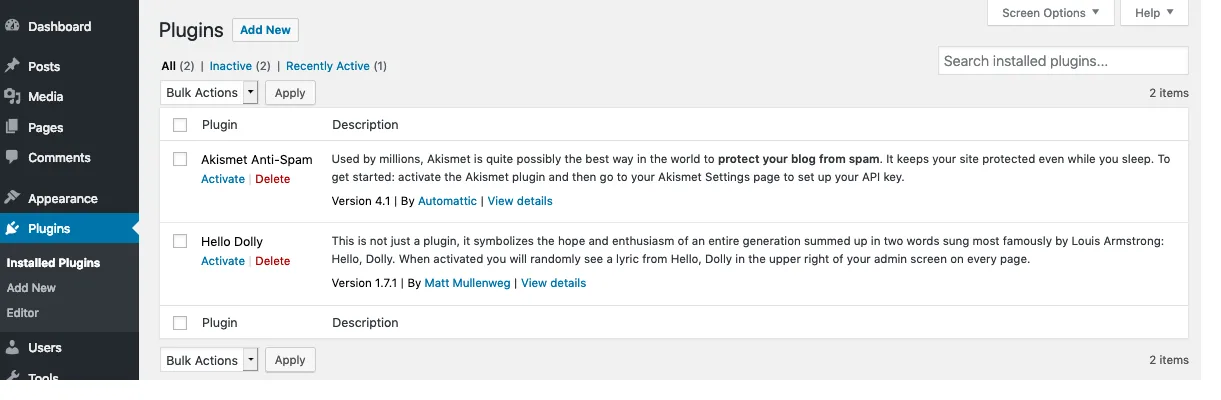
In the previous article , we completed the installation of WordPress and set up the theme and plugins.
At this stage, the website may be accessible, but it may not contain much actual content.
If you send the URL to the customer now, they may find that the page is incomplete, the contact form has not been tested, and some parts even retain the default content.
So, in this section, we'll continue by handling website content, deployment checks, security backups, and speed optimization.
Step 6: Start writing website content; don't wait until it's fully prepared before publishing.
After setting up the theme and plugins, you can then add website content.
Many beginners stop here.
I always felt the homepage wasn't attractive enough, the articles weren't complete enough, and the images weren't all prepared. So the website remained in a "almost done" state.
Actually, the first version of a website doesn't need to be perfect in every way.
You can prepare the most important content first.
For a typical business website, you can start with these pages:
Homepage: Tell visitors what you mainly do.
Product or service page: Introduce what you can offer.
About Us: Describe who you are, your experience, and your skills.
Contact Us: We provide genuine and valid contact channels.
Privacy Policy: Explains how the website handles visitor information.
If it's a content blog, you can start by publishing a few articles about areas you're familiar with.
Articles don't need to be long just to reach a word count; what's more important is that they answer the questions that readers truly care about.
For export businesses, website content needs to be considered one step further.
Once overseas buyers visit the website, they may want to know what scenarios your products are suitable for, what models are available, whether they can be customized, whether you have relevant certifications, and how to contact you.
These elements should ideally be considered during the website building phase, rather than being discovered and needing to be replanned only after the website goes live.
In addition, don't forget to add the page to your website navigation so that visitors can easily find it.
The primary goal of website content is not to fill the page, but to ensure that visitors can understand and find the information they need.
Step 7: Before official launch, conduct four acceptance tests.
Now your website has a theme, pages, and content.
It looks like it's ready for official release.
However, it is recommended that you check the URL yourself before sending it to others.
There are four things that are particularly easy to overlook.
1. Will I actually receive the contact form?
If you have installed the contact form plugin, fill it out yourself first.
Don't assume there's no problem just because you see "submission successful".
You should also check the email address that received the inquiries to confirm that the emails were actually delivered. If you don't receive the emails, check form notifications, email delivery methods, and your spam/junk mail folder.
For a business website, not receiving customer inquiries is far more serious than having an unattractive website.
2. Does it open normally on a mobile phone?
Don't just check websites on your computer.
Take out your phone, open the homepage, and browse through it from top to bottom.
Check if the text is too small, if the images are distorted, and if the buttons are clickable.
In particular, it's best to test the navigation menu, product pages, and contact forms.

3. Can search engines discover websites?
If you want your website to be accessible through Google, you need to check your search engine settings.
For example, confirm that the website does not have the option to disable indexing enabled incorrectly, and configure Google Search Console and sitemap as needed.
It's important to note that a new website may not be immediately searchable on Google after it officially launches.
Even if you submit a sitemap, it doesn't mean all pages will be indexed immediately. Search engines still need time to discover and process website content.
4. Is the information on the website consistent?
Finally, check the website's contact information, company name, email address, and other important information.
The contact number for the same company should not be listed on the homepage and another on the "Contact Us" page.
If there are multiple language versions, also check the content and links for errors.
Only after completing these four tasks can you more confidently hand over your website to real visitors.
Step 8: Security and backup – don't wait until your website has problems to think about these things.
When building a website for the first time, many people are most concerned about whether it can be opened and whether the page looks good.
As for backups and security, people often think they can deal with them later.
However, after the website has been running for a while, you will find that the page content, product information, pictures and inquiry information are all things that need to be saved for a long time.
If a website has a problem, the worst thing is not the hassle of fixing it, but the inability to recover the data.
Therefore, it is recommended to do at least the following things.
1. Set up automatic backup
If your hosting plan offers automatic backup, you can check the backup settings in the backend first.
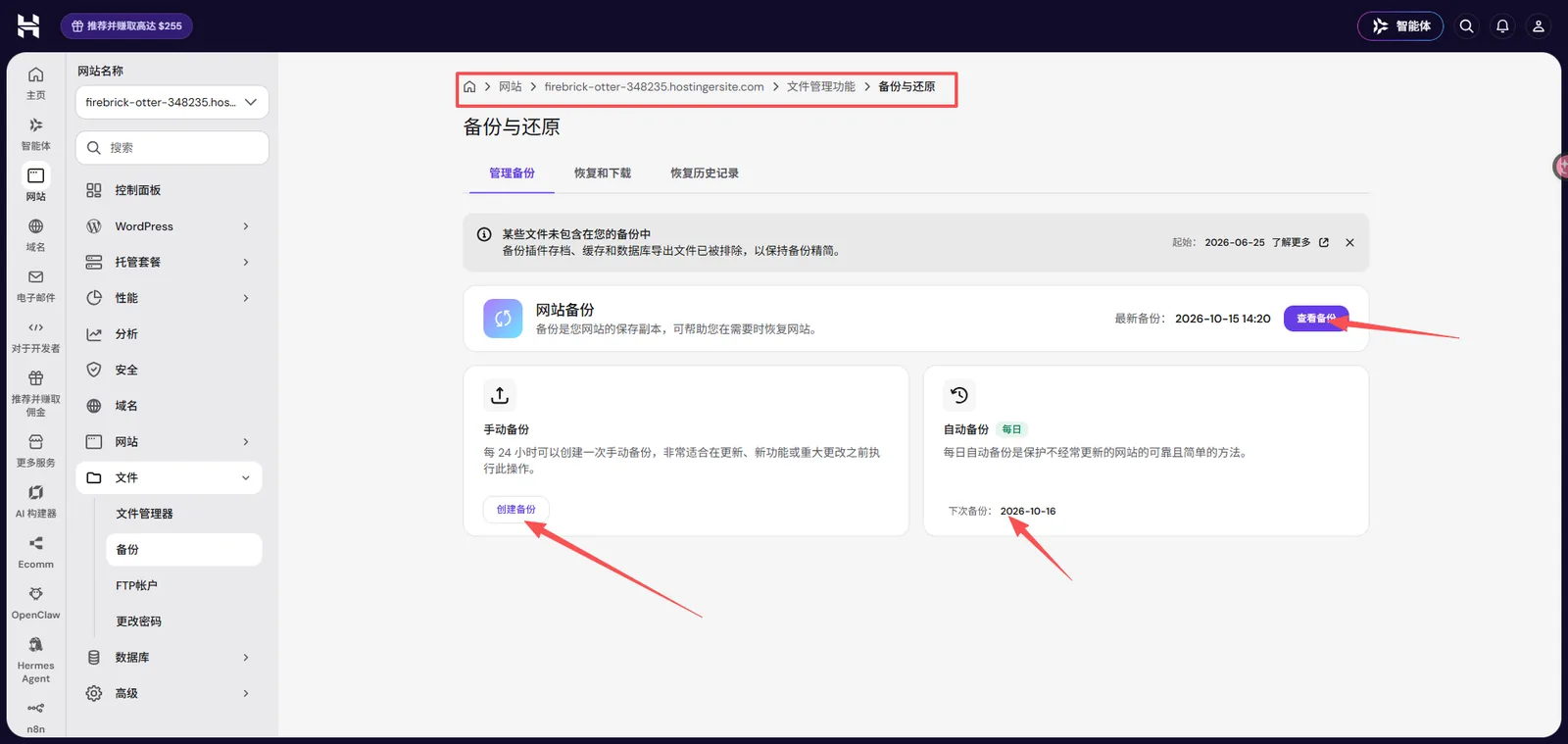
Focus on three key areas:
How often should backups be performed?
How long should backup files be kept?
How do I recover a website after it crashes?
It should be noted that the backup functions of different Hostinger plans may differ, and not all plans offer the exact same backup frequency and recovery methods.
If the hosting functionality cannot meet your needs, you can also consider using a WordPress backup plugin and saving the backup files outside the website server.
Another important point: having a backup does not guarantee that you can restore the data.
If possible, it is best to verify the recovery process in a test environment.
2. Regularly update WordPress, themes, and plugins.
WordPress will continue to release updates, and so will themes and plugins.
Updates, especially those involving security issues, should not be ignored for an extended period.
However, it's best to back up your website before updating. For major version updates, check for compatibility issues first, and if necessary, test the update on a test site.
The Studio local testing site we introduced earlier can be used to practice some update and plugin testing operations.
Of course, to accurately verify the effectiveness of online website updates, it is also necessary to pay attention to the differences between the local environment and the production server.
3. Protect backend login
In addition to setting strong passwords, you can also enable features such as two-factor authentication and restricting abnormal login attempts as needed.
These settings may not block all security risks, but they can reduce some common problems.
Imagine this: if the website suddenly becomes inaccessible or files are lost tomorrow, would you be able to restore the website?
The sooner you figure this out, the more at ease you'll feel later.
Step 9: If the website loads too slowly, check these areas first.
After the website is set up, you may encounter another problem:
Why does the page look fine on my computer, but load very slowly for others?
Many factors can affect the speed of a WordPress website, such as hosting performance, image size, theme code, plugins, and the region where visitors are located.
You don't need to do all the optimizations at the beginning; you can start with the areas that are easier to check.
1. Check if the image is too large.
Many websites load slowly not because they contain too much content, but because their image files are too large.
In particular, uploading uncompressed original images, such as homepage banners and product photos, could significantly increase loading time.
It is recommended to compress images while maintaining clarity, and to use appropriate formats such as WebP as needed.
2. Check for unnecessary plugins and features.
If you have installed many plugins, you can check which ones you haven't used in a long time.
However, you shouldn't immediately assume that a slow website is caused by the number of plugins.
More importantly, we need to investigate specific resource consumption, external requests, and functional conflicts.
3. Use caching appropriately
Some hosts already offer caching or acceleration features.
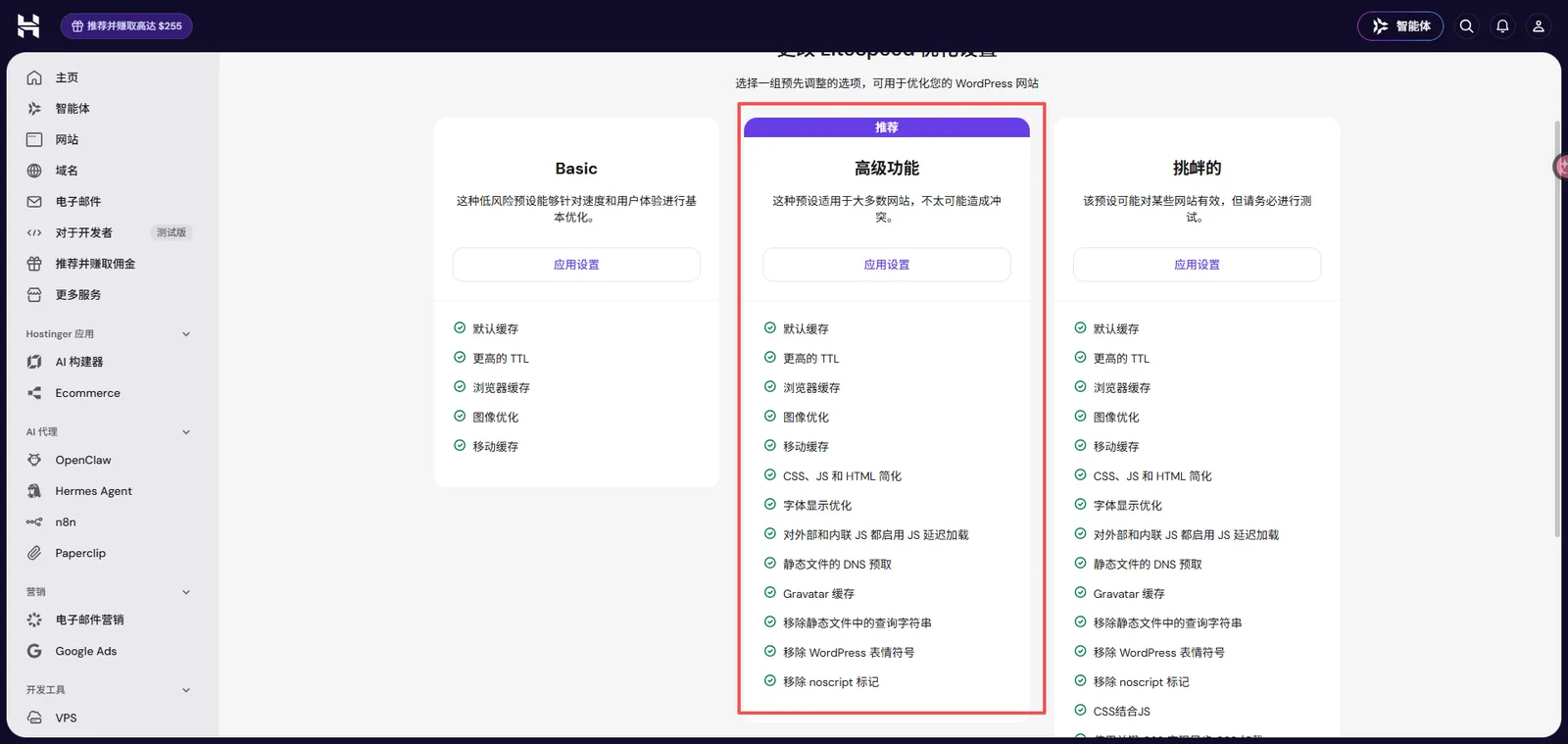
If there are relevant options in the backend, you can read the instructions first, and then set them according to the theme, plugins and server environment used by your website.
Do not enable multiple conflicting caching functions at the same time.
4. Consider CDN and server upgrades only when necessary.
If visitors are located in multiple countries, consider using a CDN to improve the access experience for static resources.
If images, cache, and page resources have all been processed, but the website is still noticeably slow, then further check whether the server configuration meets the requirements.
For speed testing, you can use PageSpeed Insights provided by Google.
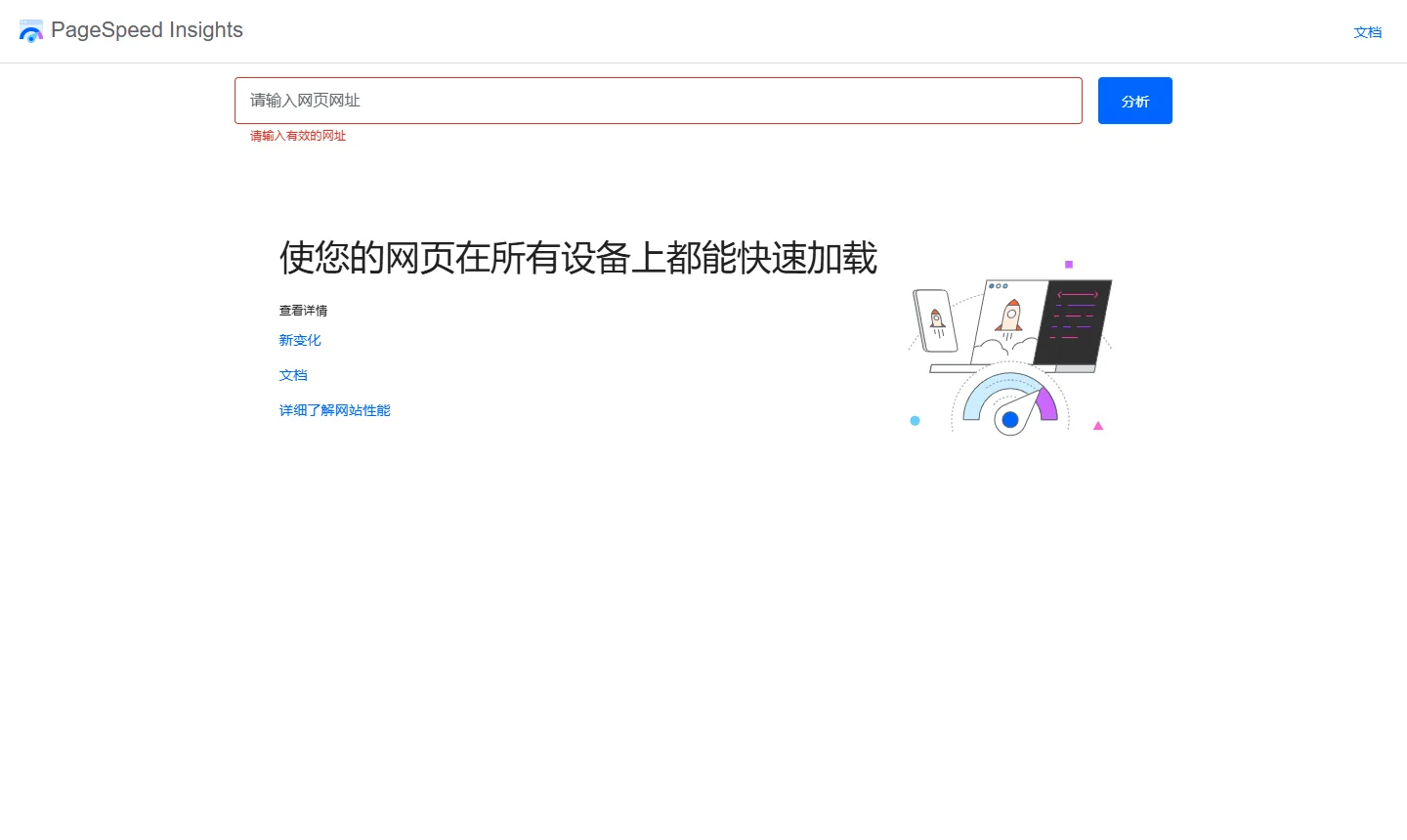
It can help you understand potential problems with the page's performance and user experience.
However, don't just focus on a single score. Actual loading speed, mobile browsing experience, and the loading speed of different pages also need to be considered.
Fifth, the tenth step: The real journey begins after the website goes live.
At this point, a basic WordPress website is ready to be used publicly.
However, launching a website doesn't mean you can stop managing it afterward.
There are still some things that need to be done periodically.
For example, check forms, backups, and plugin updates monthly; periodically check the website for broken links and expired information; and promptly add new products and business content.
If the website is used for foreign trade promotion, you also need to use tools such as Google Search Console to see which pages are starting to appear in search results and what keywords visitors use to enter the website.
Don't just look at whether your website has traffic; you also need to understand whether those visits are relevant to your target customers.
A website is not a task that is completed and handed in once it is finished; rather, it is an asset that requires long-term maintenance.
It might start as just a few pages, but as the content is continuously improved, it will gradually become a website that can showcase the business and build customer trust.
VI. Common Issues When Launching a WordPress Website
1. How long does it take to see SEO results on a WordPress website?
There is no fixed time.
Some new websites may be discovered by search engines relatively quickly after they go live; however, continuous optimization is usually required to achieve stable keyword rankings and organic traffic.
This is related to factors such as website content, industry competition, keyword selection, and technical settings.
Therefore, don't equate launching a website with immediately receiving customer inquiries.
VII. Summary: A basic WordPress website completed in four weeks
Returning to the opening sentence of this series:
Building a website doesn't necessarily require coding knowledge, but it does require a clear understanding of the requirements and a willingness to take action.
If this is your first time using WordPress, don't rush to finish everything in one day.
You can arrange it according to the following rhythm:
| time | Main tasks | Completed |
|---|---|---|
| Week 1 | Define the website's purpose, purchase a domain name and hosting, and install WordPress. | The website is accessible, and I can log in to the backend. |
| Week 2 | Choose a theme, configure necessary plugins, and create basic pages. | The website has a basic structure. |
| Week 3 | Add articles, images, and other content to complete basic SEO settings. | The main content can be viewed normally. |
| Week 4 | Check mobile settings, forms, security settings, backup settings, and search engine settings. | Completed pre-launch acceptance testing and officially put into public use. |
This timeline is just a reference for beginners and does not mean that all websites can be completed in four weeks.
If it's just a simple personal website, it might not take that long; if it involves custom design, multiple languages, and complex functions, the preparation period will naturally be longer.
The first version of a website doesn't need to be perfect in every way.
It only needs to accomplish one thing first: enable those who truly need you to find the website, understand the content, and contact you smoothly.
8. If it's a corporate website, an additional step needs to be considered.
Through the steps above, you should now understand the basic process of building a WordPress website online.
However, if the website is used for corporate showcasing, especially a B2B export website, in addition to installing the program properly, it is also necessary to consider whether the website structure conforms to the browsing habits of overseas customers, whether the product content is clear, whether the SEO foundation is reasonable, and whether customers can easily submit inquiries.
These tasks cannot all be solved by simply installing themes and plugins.
CTMON is a service company specializing in B2B digital marketing, and also provides related services such as WordPress website building, B2B export website development, and Google SEO.
In the actual website building process, CTMON will combine the company's product characteristics, target market and customer needs to assist in completing website planning, page design, function configuration and subsequent optimization, laying a solid foundation for the company to carry out overseas promotion in the long term.
If you are preparing to build a formal WordPress business website, or want to upgrade your existing website into a B2B export website, you can learn more about CTMON's WordPress website building services .
Author: CTMON | B2B Digital Marketing Service Provider
References and Information Sources
WordPress official website: https://wordpress.org/
Google Search Console:https://search.google.com/search-console
Google PageSpeed Insights:https://pagespeed.web.dev/
Note: This article uses Hostinger and its hPanel backend as operational examples. Related functions, interfaces, and package rules may be adjusted with different versions. Please refer to your specific hosting backend for actual operation. The hosting examples in this article do not represent commercial recommendations.

What does international social media management service include? 2026 Guide to Social Media Management for Export Businesses
2026-10-28

How to write a WordPress product page that will make overseas buyers want to send inquiries?
2026-10-28

How to fix WordPress form emails not sending: Practical WP Mail SMTP configuration
2026-10-27

Are foreign trade promotion companies reliable? Six key criteria for businesses to judge promotion service providers in 2026.
2026-10-26

How do I set up an email account for export businesses? How can I configure it to avoid it ending up in the spam/junk mail folder?
2026-10-26
Related Articles
How to configure WPForms contact forms: Which should I choose, WPForms or Contact Form 7?
How to write a WordPress product page that will make overseas buyers want to send inquiries?
How to fix WordPress form emails not sending: Practical WP Mail SMTP configuration
How do I set up an email account for export businesses? How can I configure it to avoid it ending up in the spam/junk mail folder?
Recommended essential WordPress plugins: 6 types of plugins commonly used for B2B export websites

